Narrative design, composed
Write branching stories without losing the plot.
A collaborative workspace for interactive and branching narrative — games, interactive fiction, stories that fork. The node types, the views and the tables are yours to define, not ours.
The problem
Your story is currently six files in a trench coat
Branching narrative gets made across a spreadsheet, a flowchart tool, a folder of JSON and a document nobody has opened since March. Nothing agrees, and every change has to be made four times.
Today
- The same character described in four places, none of them agreeing
- Every change is a handoff, and every handoff is a delay
- Nobody can play the story without a build
With TaleShard
- One definition per character, read by everything else
- Writers and developers in the same file, at the same time
- Play any branch in the browser, then ship it to the engine
How it works
From a folder of notes to a story that runs
Four steps, one workspace. The data you define in the first step is the data your game reads in the last one — nothing is re-entered along the way.
Step 01: Bring your world in
Characters, items, locations — defined as typed data with the fields you choose, or imported from the spreadsheets you already keep.
Step 02: Write it together
Boards for structure, documents for prose, live carets for everyone else in the room. Undo that follows whatever you are editing.
Step 03: Play it in the browser
Walk the story the way a player will — every branch, every condition, against your real data. No build step, no engine round-trip.
Step 04: Ship to your engine
Unity and Unreal plugins with generated types that match your world, synced from inside the editor.
The workspace
A whole branching story, in one place
Not a flowchart app with story features bolted on, and not a word processor pretending to handle structure. A workspace built around how branching narrative actually gets made.
Scale you can still read
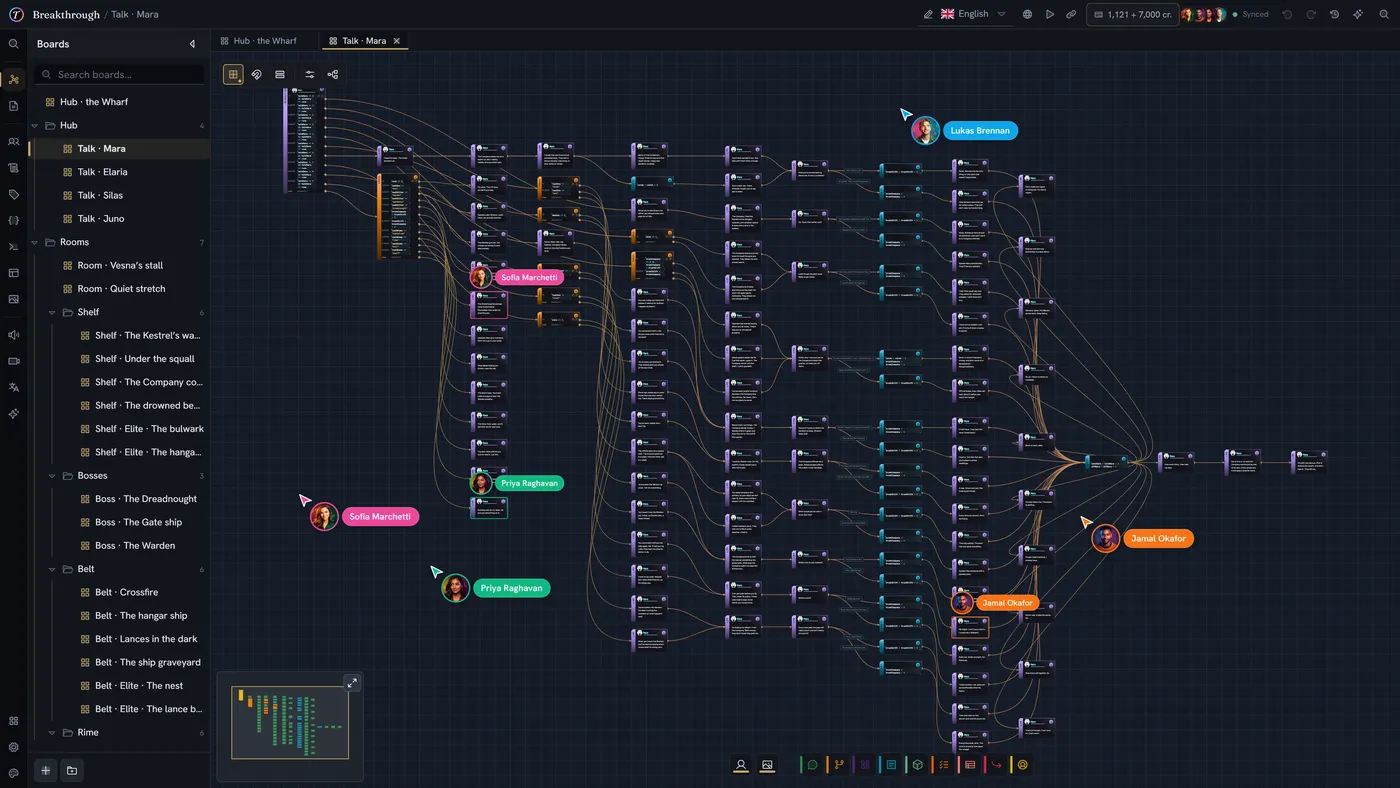
Boards stay smooth at hundreds of nodes. Nest scenes inside scenes, jump between them with breadcrumbs, and keep the whole act in view when you need the shape of it — or zoom into a single line when you don't.
Logic that holds up
Conditions, variables and expressions with autocomplete, hover docs and errors caught as you type — aware of the types you defined.
Play it in the browser
Walk your story the way a player will, as a visual novel, a chat, or a book. No build step, no engine round-trip.
Ship to Unity and Unreal
Real plugins, not a JSON dump. Sync from inside your editor, with generated types that match your world.
Localization built in
Every string, every language, exported to Excel or XLIFF and imported back. Translation is a workflow, not an afterthought.
Give every line a voice
Design a voice for each character, cast them per language, and approve a take for every line — then hand a real studio the recording script. Music and sound effects too.
An assistant beside your work
Thalia docks next to the board or document you have open, reads what you selected, and can extend it. One click reverts a whole session.
Make it yours
Built to be bent to your process
Not one opinionated shape you work around. Define your own node types, your own views, your own tables — and keep every one of them editable.
Node types
Every node is yours to define
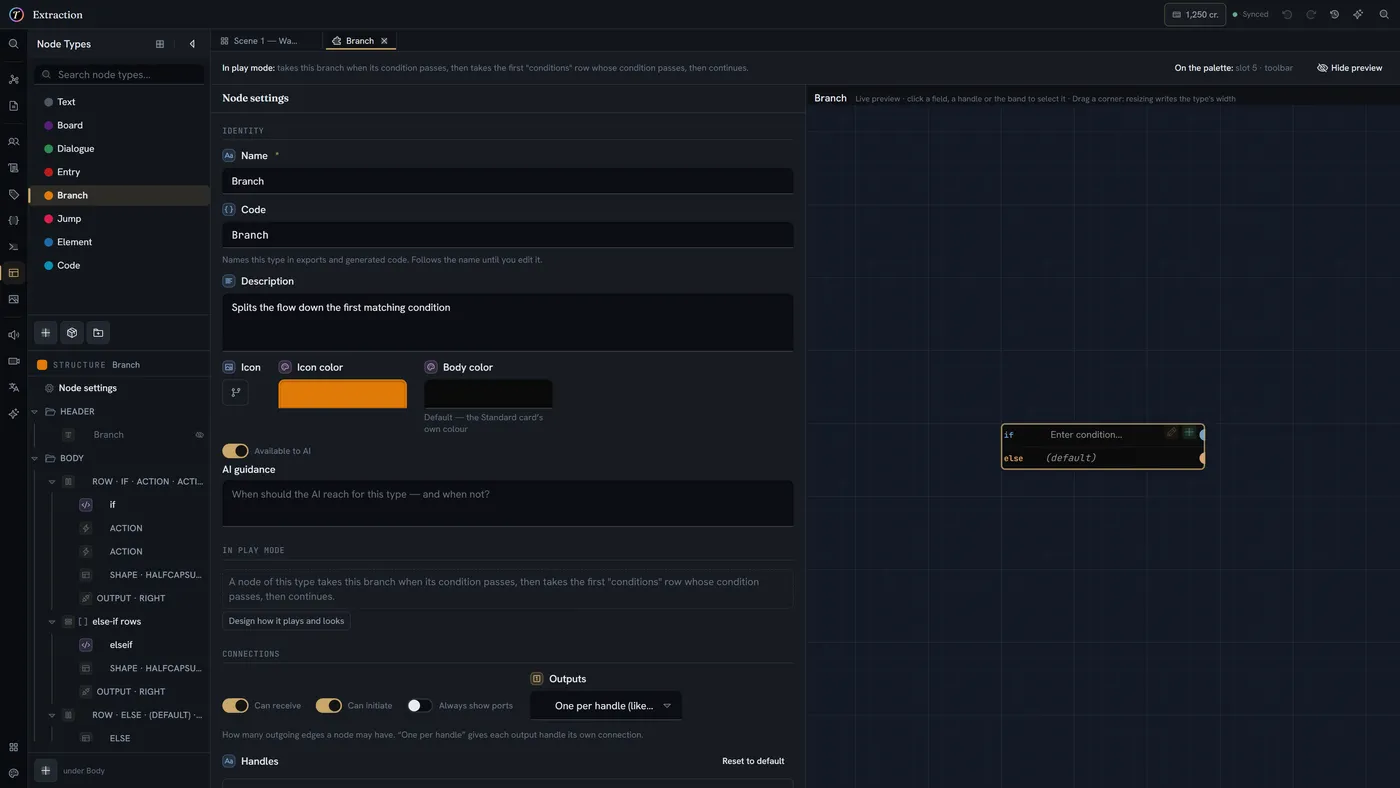
There are no built-in node types any more. A dialogue card, a branch, a wave of enemies — each one is a definition you can open, edit and rebuild, or take from a library of packs and make your own.
- Design the card: fields, how values are shown, colour, layout
- Take types from a library of packs, then own them
- Four card styles — Standard, Compact, Manuscript and Rig
- Share a type by copying it — the definition is the format
Entity views
One definition, as many views as you need
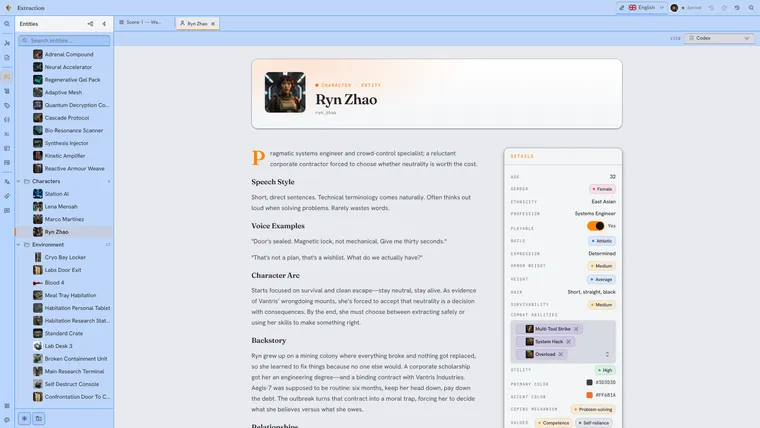
A character is data. How that data reads is a separate question — and one answer is never enough. Build a form for editing, a codex page for reading, a stat sheet for balancing, all over the same fields.
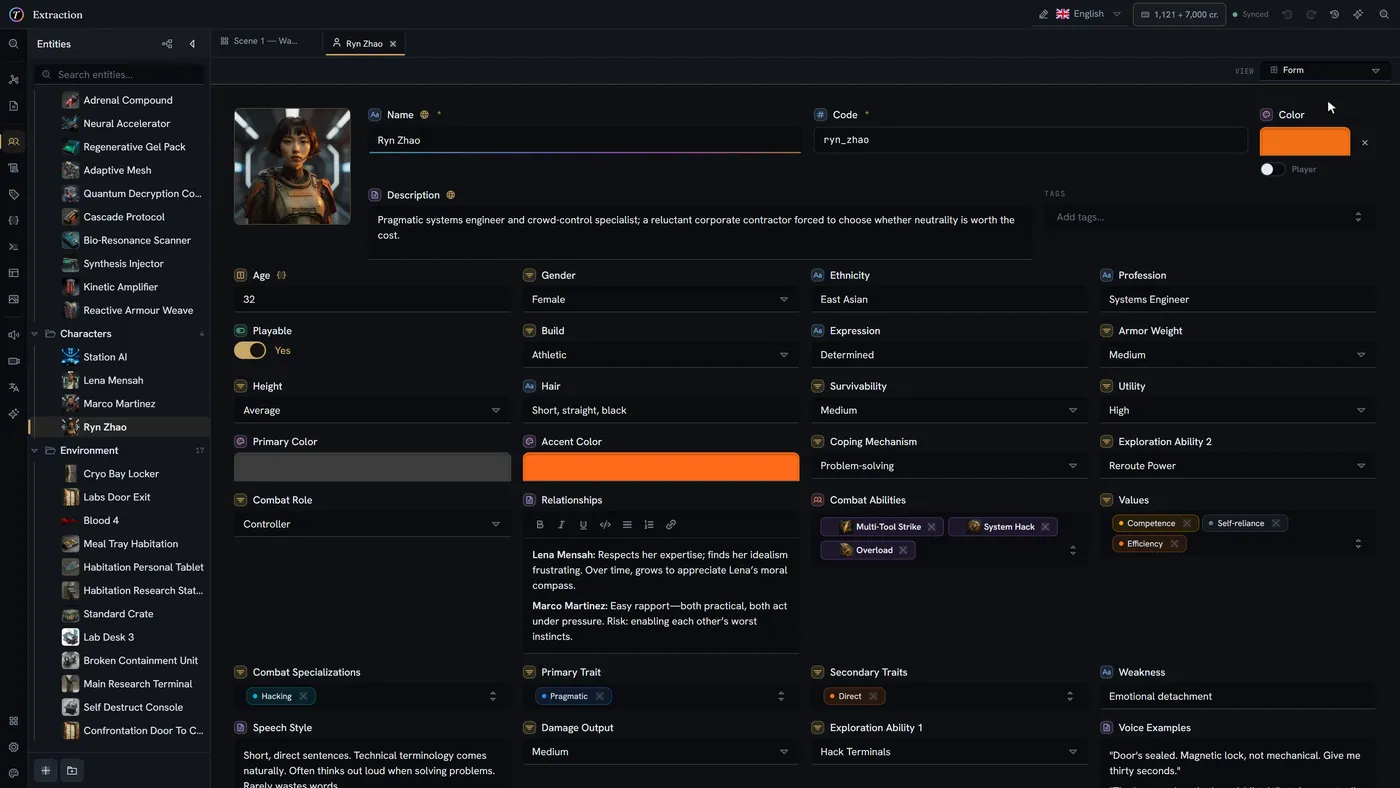
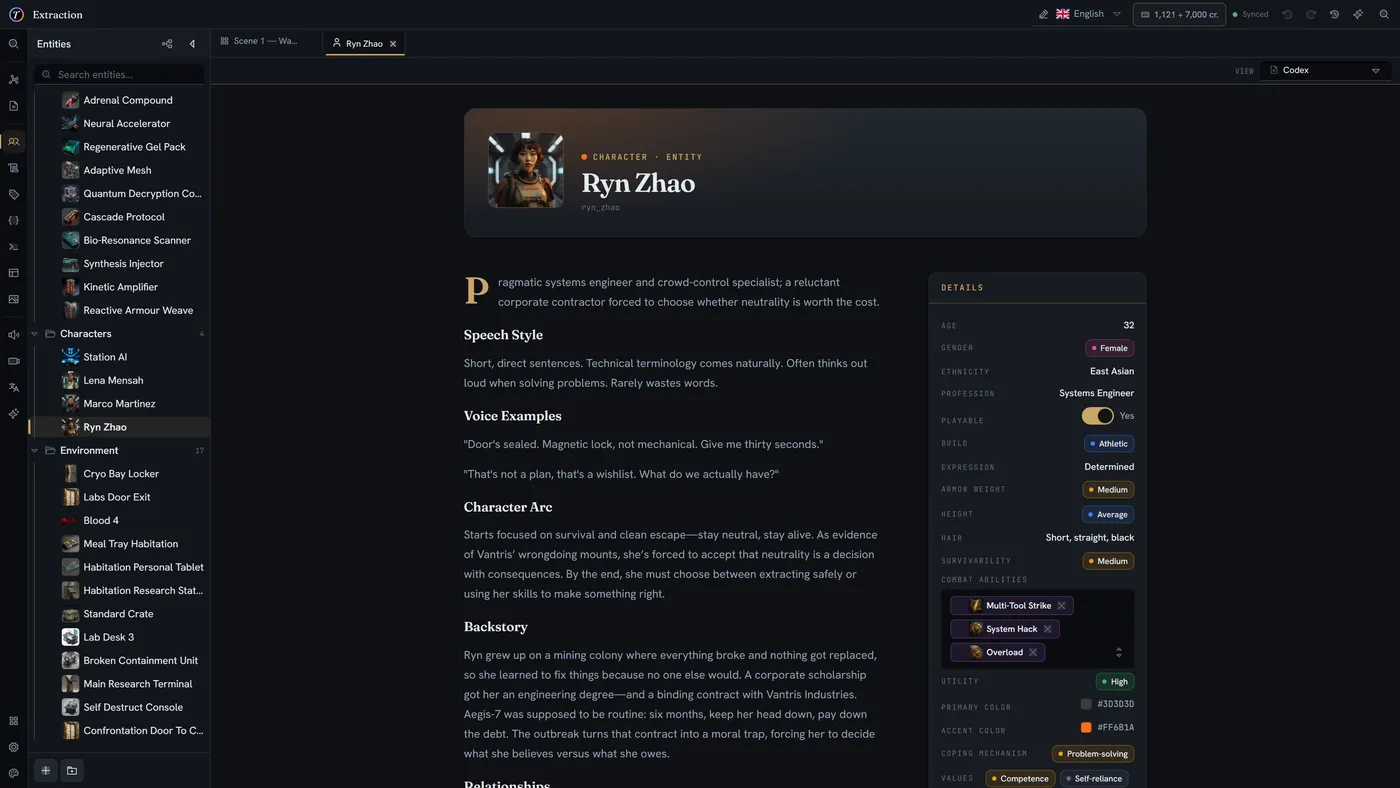
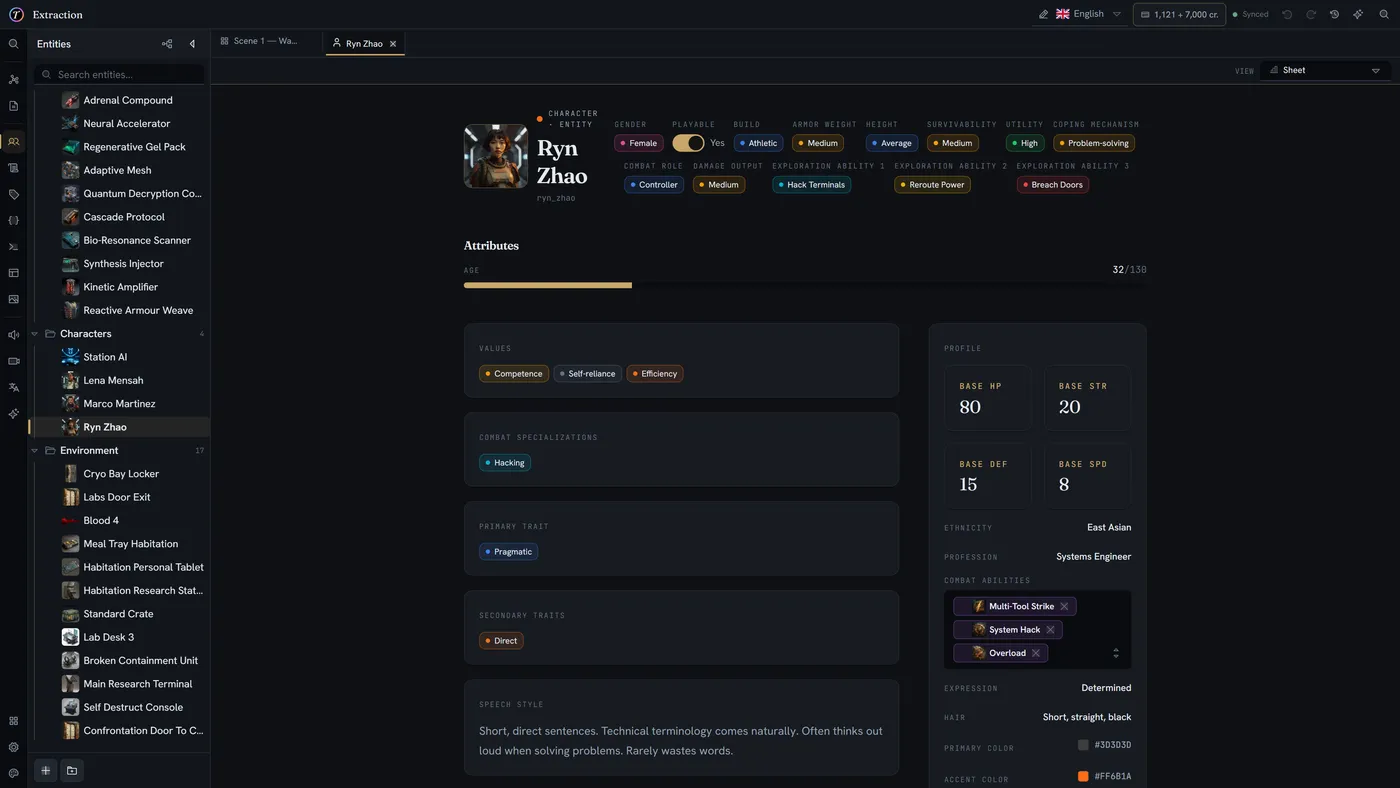
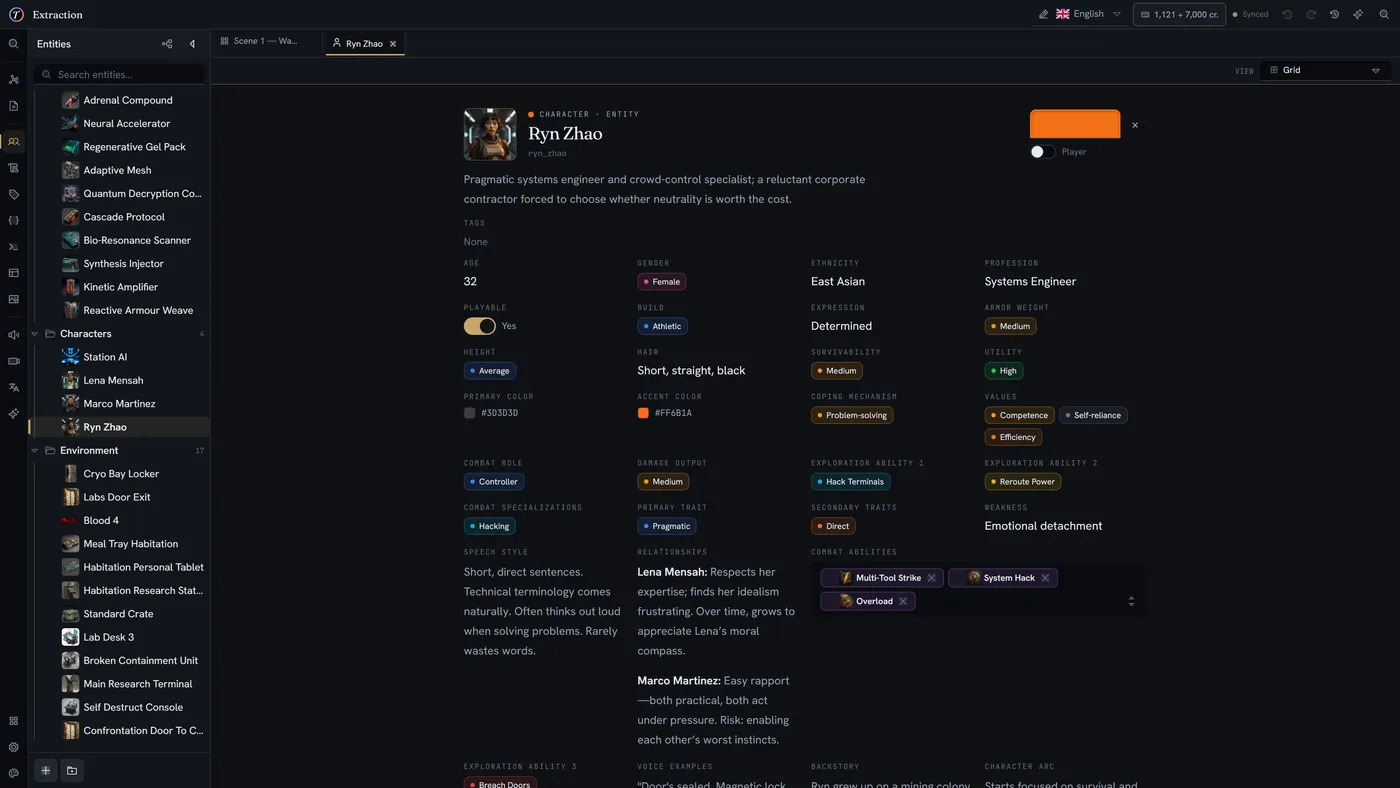
- Form, Grid, Codex and Sheet presets to start from
- Every view stays editable — never a read-only export
- Switch view from the item itself
- Style knobs cascade per block, not per view
Collaboration
Written together, undone safely
Several writers on one board, each with a live cursor, and in documents a live caret in the prose. Undo follows what you are editing: one shared history across boards and data, and its own for every open document.
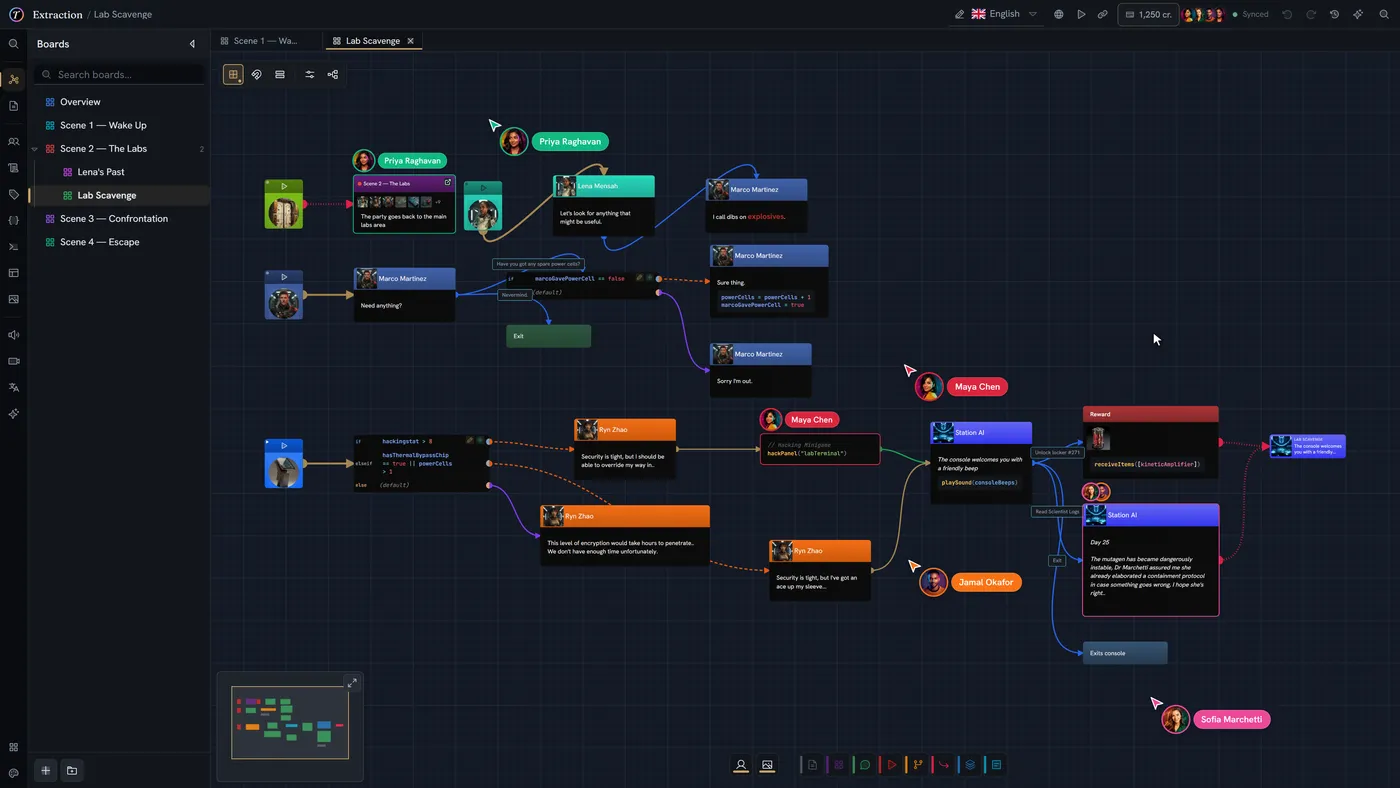
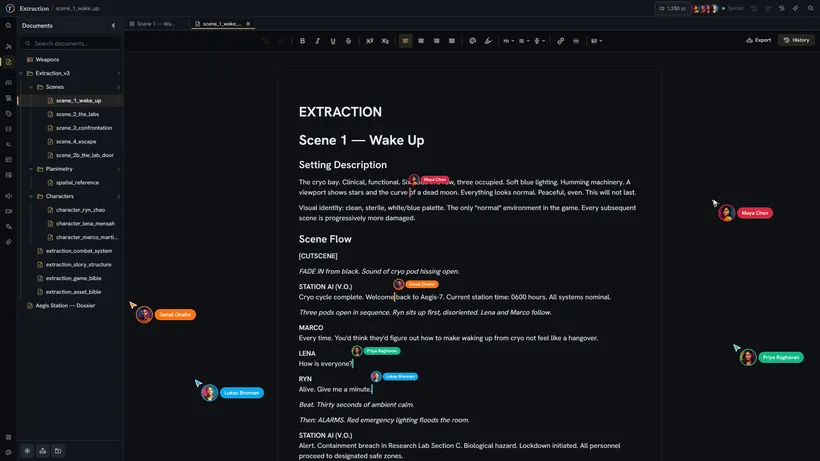
- Live carets, selections and presence everywhere
- One shared undo history across boards and data, one per document
- Hover a history entry to reveal what it touched
- Documents keep a version history you can restore from
From your draft
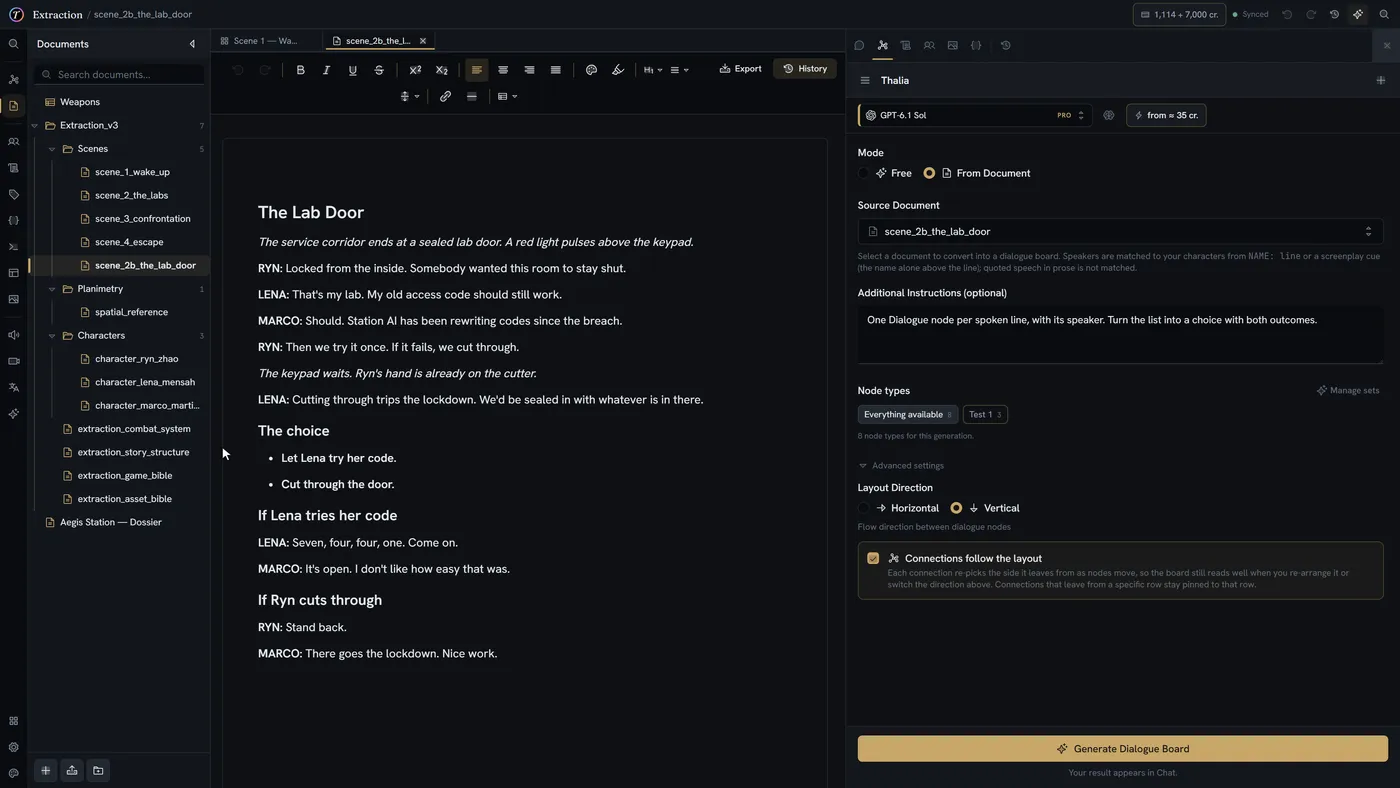
Your scene, as a playable board
Hand over the document your dialogue already lives in and get the board back with the dialogue still in it: every line in its own node, attributed to the right speaker, branching where you wrote it. Your words, moved, not rewritten.
- Every line carried over verbatim
- Speakers matched to your characters, portraits included
- The options you listed become real branches
- A preview first: nothing lands until you apply it
In the engine
The same data, running as a game
Three games built on TaleShard — two in Unity, one in Unreal. Not mock-ups and not exports: the characters, lines, items and fights are records authored in TaleShard, synced into the engine.
Starshined
A roguelike deckbuilder — a salvage crew aboard a derelict ship, a hand of cards each turn, and a bar to come home to between runs.
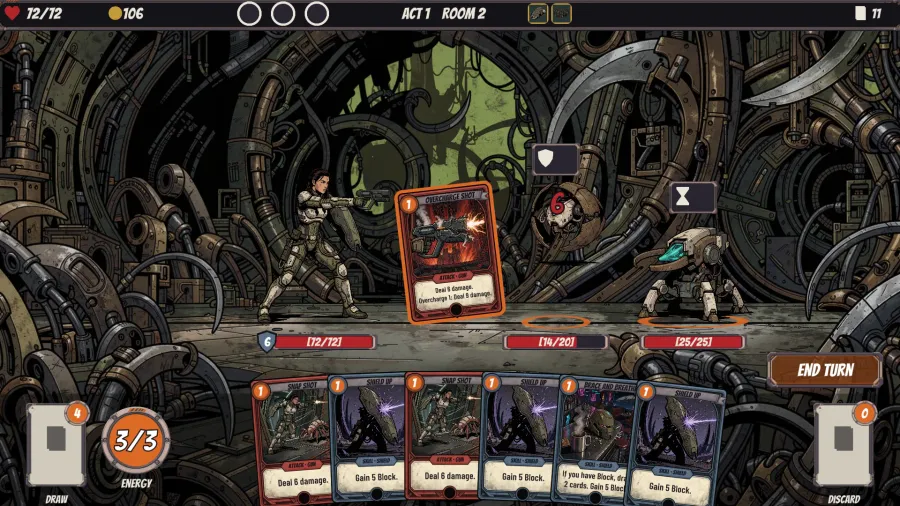
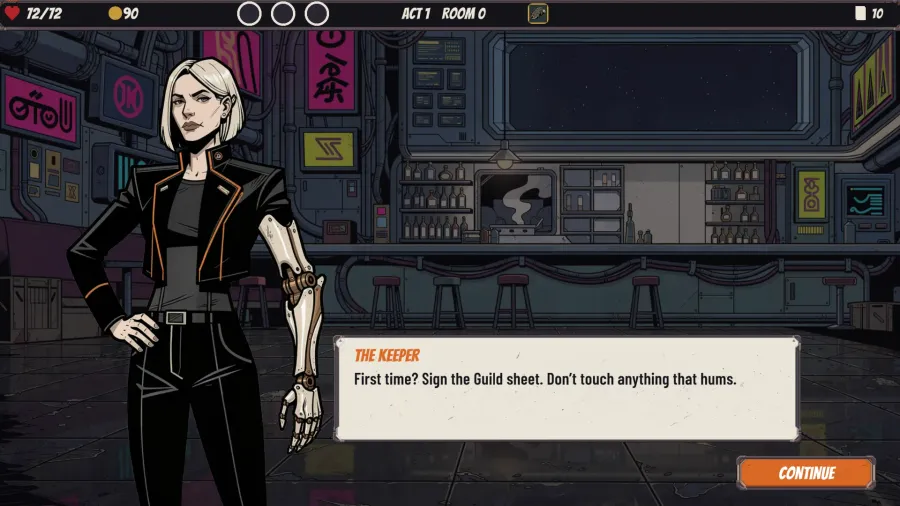
See an event from Starshined in TaleShard, beside the game →
Extraction
An isometric sci-fi RPG with turn-based fights — a research station, a containment breach, and a crew that has to get out.
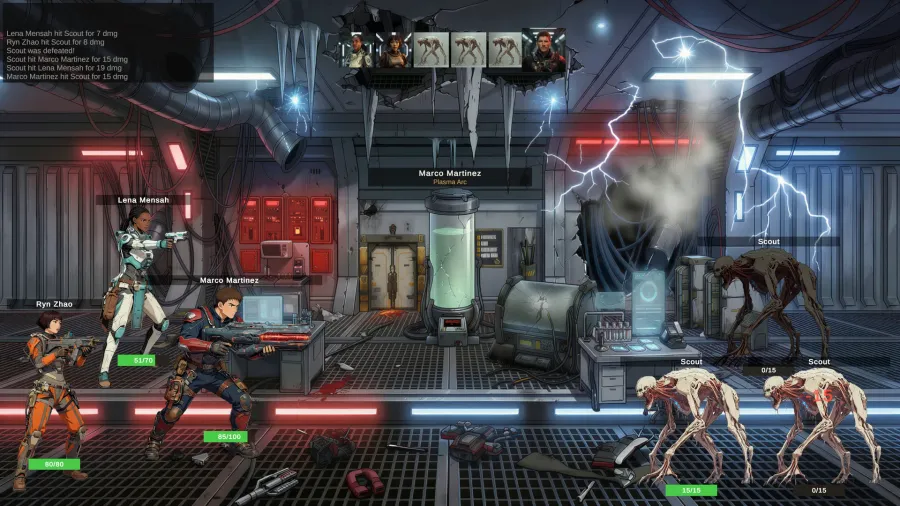
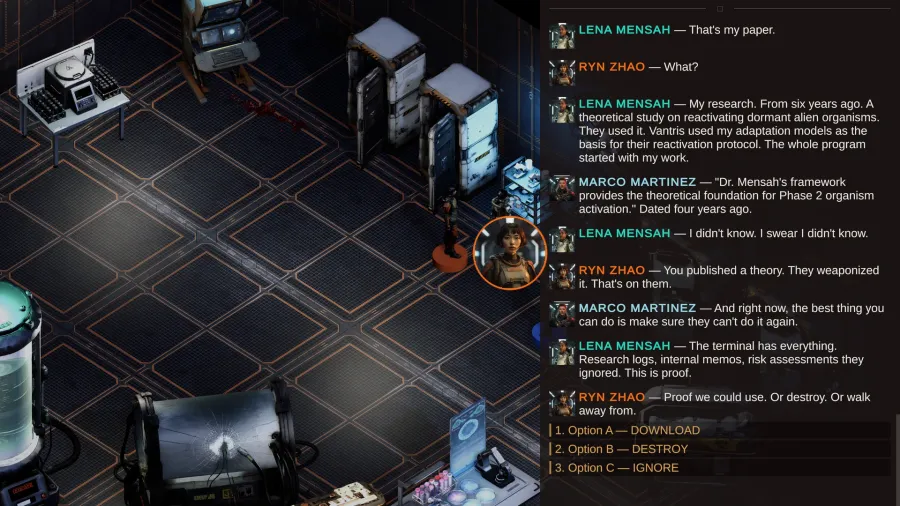
See a conversation from Extraction in TaleShard, beside the game →
Breakthrough
A roguelike shoot-'em-up — a hub to come home to, a crew to talk to, and three sectors of fights between.
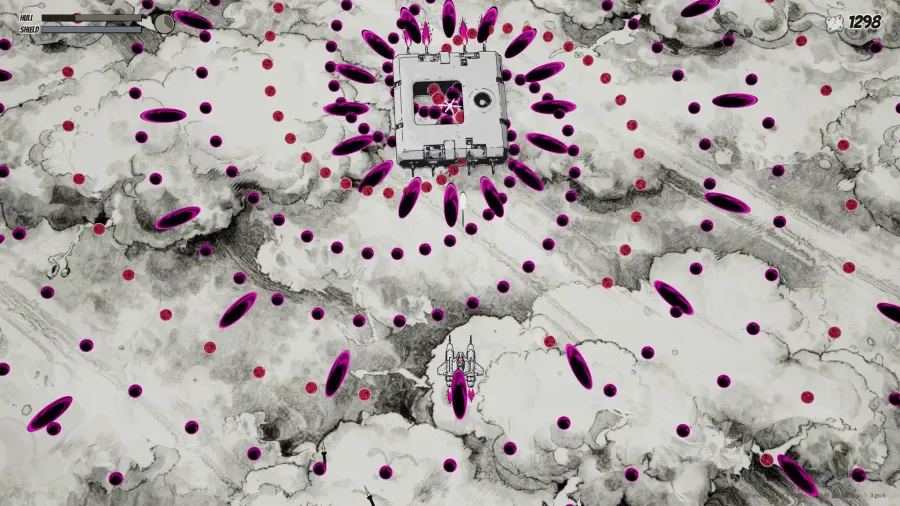
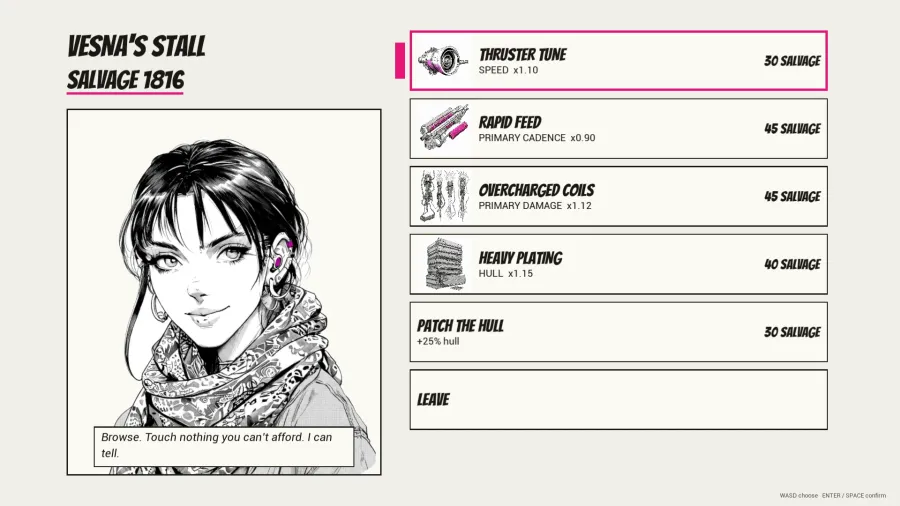
See a decision from Breakthrough in TaleShard, beside the game →
All three games will be published as GitHub repositories, so you can open them and see exactly how they are wired.
Sync from inside the editor and the story is in your project. The plugin generates types from your own definitions, so a field you add is a field your code can read — no hand-written parsing, no schema kept in two places.
Who it's for
Built for the people who keep the story straight
Branching narrative is made by teams that rarely share a job title. These are the three we built for first.
Writers & narrative designers
Structure that holds a script
You were handed a flowchart tool built for programmers, or a word processor with no idea what a branch is. Neither one survives act three.
- Conditions you build, not a syntax you learn
- Prose in a real document editor, not in node labels
- The whole act visible when you need its shape
Solo devs & small studios
One pipeline instead of five
A spreadsheet for stats, a flowchart for dialogue, a folder of JSON, and an exporter you wrote at 2am and now maintain forever.
- Typed project data your engine gets as real types
- Unity and Unreal plugins, synced from the editor
- The whole project as a portable archive, any time
Educators & students
Coursework that leaves with them
Nothing to install in a lab, no per-seat licence to argue for, and no student losing their work to a semester expiring.
- Free for accredited institutions
- Browser-based — nothing for IT to deploy
- Real-time group projects, exports that outlive the course
Where we are
Pre-launch, and building in the open
No user-count to quote yet — we'd rather show you the workspace and the roadmap than a number. Everything here is on the public roadmap, and the screenshots on this page are the real editor.
- 24
- capabilities shipped
- in the workspace today
- 5
- coming next
- decided in the open
Already working
- Visual canvas editor with minimap, multi-select, and node types you define yourself
- Real-time collaboration (paid plans) with cursors, presence, and team-safe undo
- Unity plugin with generated types, synced from inside the editor
Coming next
- Godot integration, alongside the Unity and Unreal plugins
- Custom roles with your own permissions, on the Team plan
- Import from other interactive-fiction and narrative-design tools
- Guided board generation with live preview
- Better ways to keep track of plot state across a branching story
Join the waitlist and tell us which of these matters most, while the order is still cheap to change — replies reach a person, not a form.
Make it yours
Your workspace, your palette
Ship with the house theme or rebuild it. Every surface, accent and border is a token you can edit live — and your choice is yours alone, not the project's.
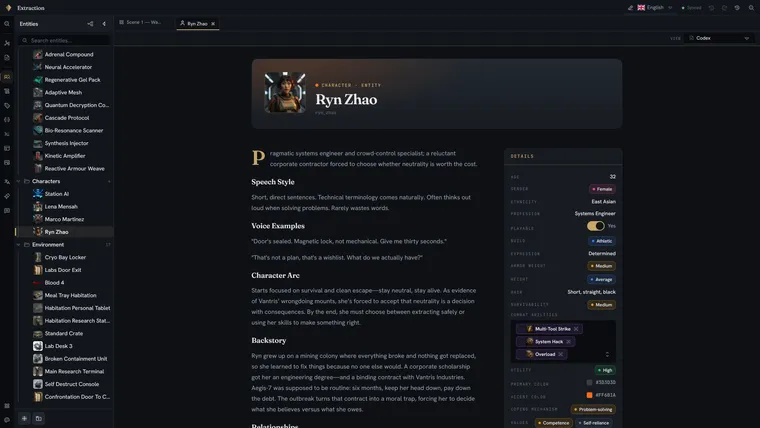 TaleShard EditorialDefault
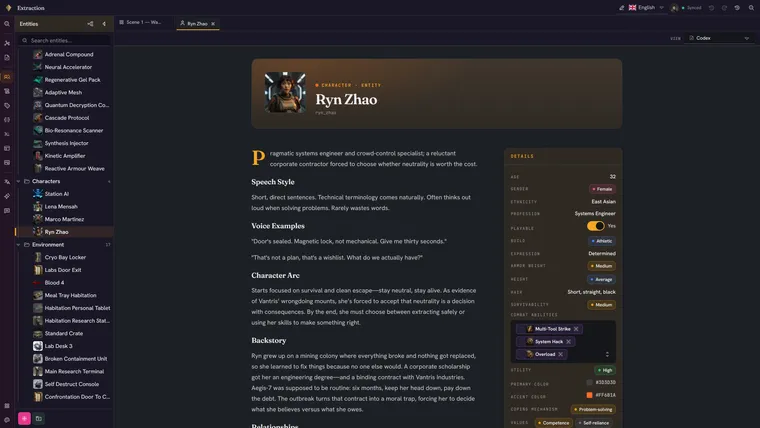 Prism
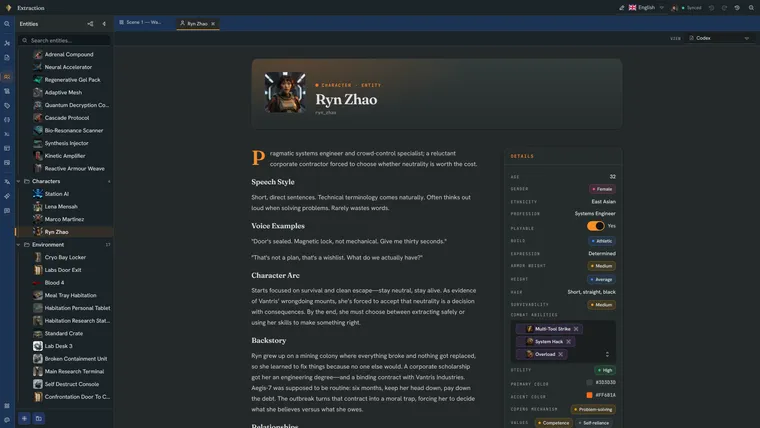 Classic
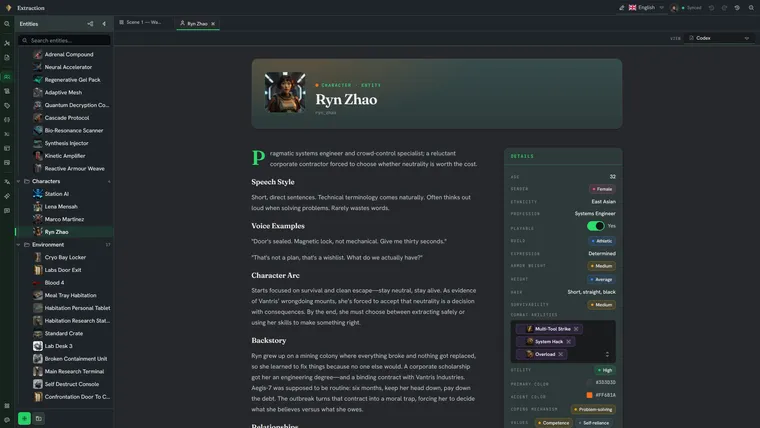 Obsidian
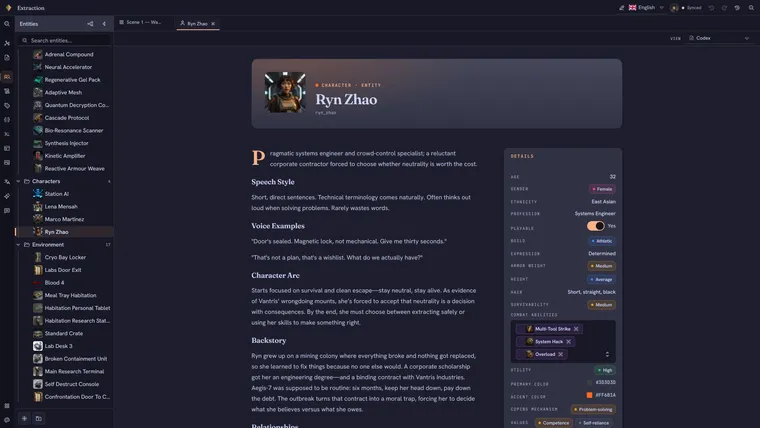 Catppuccin Mocha
 DaylightLight
Plans
Simple, transparent pricing
Start free. Upgrade when you're ready. No surprises.
Free
Perfect for jams, experiments, and small projects.
Join the waitlist- Full visual editor
- World modeling with characters, items, and traits
- Scripting editor with autocomplete
- Play mode with live CSS editor
- 125 AI credits / month
- Project export & import
- Solo use
- Community support
Pro
billed annually
For solo devs and individual writers.
Join the waitlist- Everything in Free
- Lore documents alongside your boards
- Spreadsheet views over your world data
- Real-time collaboration
- Unity engine sync
- Unreal engine sync
- In-app translation with per-language progress
- Admin / Editor / Viewer roles, viewers free
- 500 AI credits / month
- Email support
Team
billed annually
For studios with multiple writers and complex narratives.
Join the waitlist- Everything in Pro
- Localization export & re-import (XLIFF, Excel)
- Public play links — share a playable story on the web
- 1,250 AI credits per user / month
- Priority support
Enterprise
For organisations that need TaleShard on their own infrastructure.
Contact us- Everything in Team
- On-premise deployment
- Volume seat pricing
- Full AI control
- Onboarding and team training
- Custom terms, invoicing, and SLA
Pre-launch pricing. These are the prices we intend to charge when TaleShard launches. If they change before then, everyone on the waitlist hears it from us first — and nothing is ever charged without you choosing to subscribe.
Teaching a course? TaleShard is free for accredited institutions — see TaleShard for education.
Questions
Frequently asked questions
Everything you need to know about TaleShard.
When can I actually use TaleShard?
TaleShard is pre-launch — accounts aren't open yet, so the waitlist is the only way in right now. Invites go out in small waves, and each one opens a free beta with the full Team feature set for at least a month. Joining puts you in the queue rather than at the front of it: we can't promise everyone an invite, or a date.
Do I need to code?
No. Conditions, variables and branching are built by picking, not typing — you choose a variable, choose a comparison, and add conditions or groups; the same builder assembles assignments, engine commands and if/else branches from a menu. There is a code view for people who prefer to type, with autocomplete and live error checking, but nothing in the product requires it.
How does collaboration work?
Free is a single-user plan. On a paid plan you invite people into your organization and work in the same project at once — you see each other's cursors and selections, changes merge as they happen, and undo survives your collaborators rather than pulling their work back with yours. Each person who can edit takes a seat on your plan and you can add as many as you need; there is no cap. People who only need to read are free and take no seat.
What engines does TaleShard integrate with?
Unity and Unreal, on Pro and above — each gets a dedicated plugin with generated types, synced from inside the editor, so the story in your game is one click from current. Godot is next on the roadmap. Whatever you use, complete project archives and clean JSON export are on every plan, including Free.
How does localization work?
Two ways. On Pro and above you translate inside TaleShard — each language sits beside the master text in the same editor, with per-language progress as you go. On Team you can also run the round trip: export every translatable string as XLIFF or Excel, send it to your translators, and import their work back when it returns. Formatting and character mentions travel as locked placeholders, so a translator cannot accidentally break them.
Is my work locked in?
No. Complete project archives and JSON export are on every plan, including Free — getting your work out is not a paid feature and not a support ticket. What you write and the project data you build are yours; we don't take a cut of anything you make with them.
Can I self-host?
Yes, on Enterprise. The self-hosted and hosted versions are built on the same storage interface, so the feature set does not fork by deployment — running TaleShard on your own infrastructure does not mean running a cut-down version of it. Get in touch and we will scope it with you.
Is there a mobile app?
No. TaleShard is built for desktop and web — writing branching narratives is a big-screen job.