Capabilities
Built for branching stories
The complete capability list. For what TaleShard is and why it works this way, start on the home page.
Build the graph
The canvas, its nodes, and the editing that happens on them.
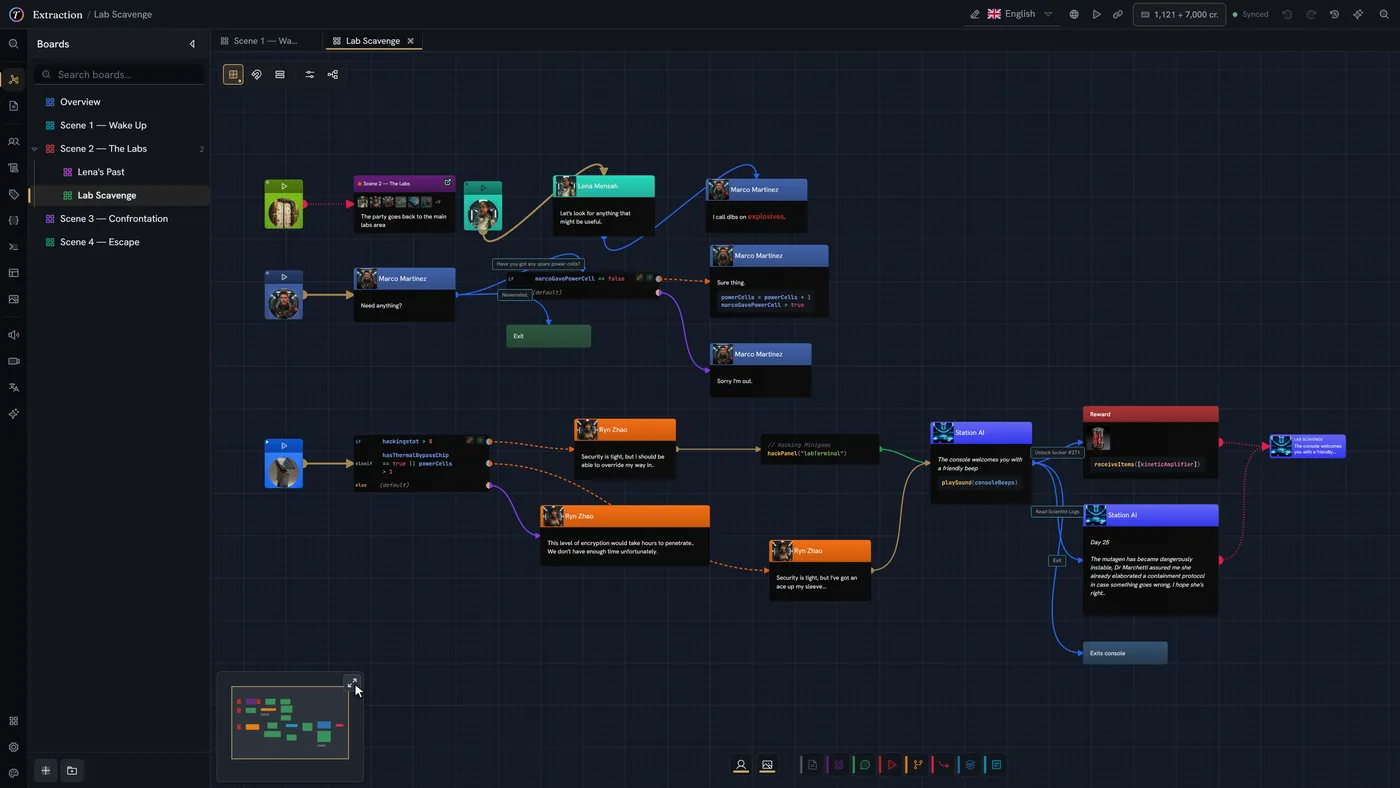
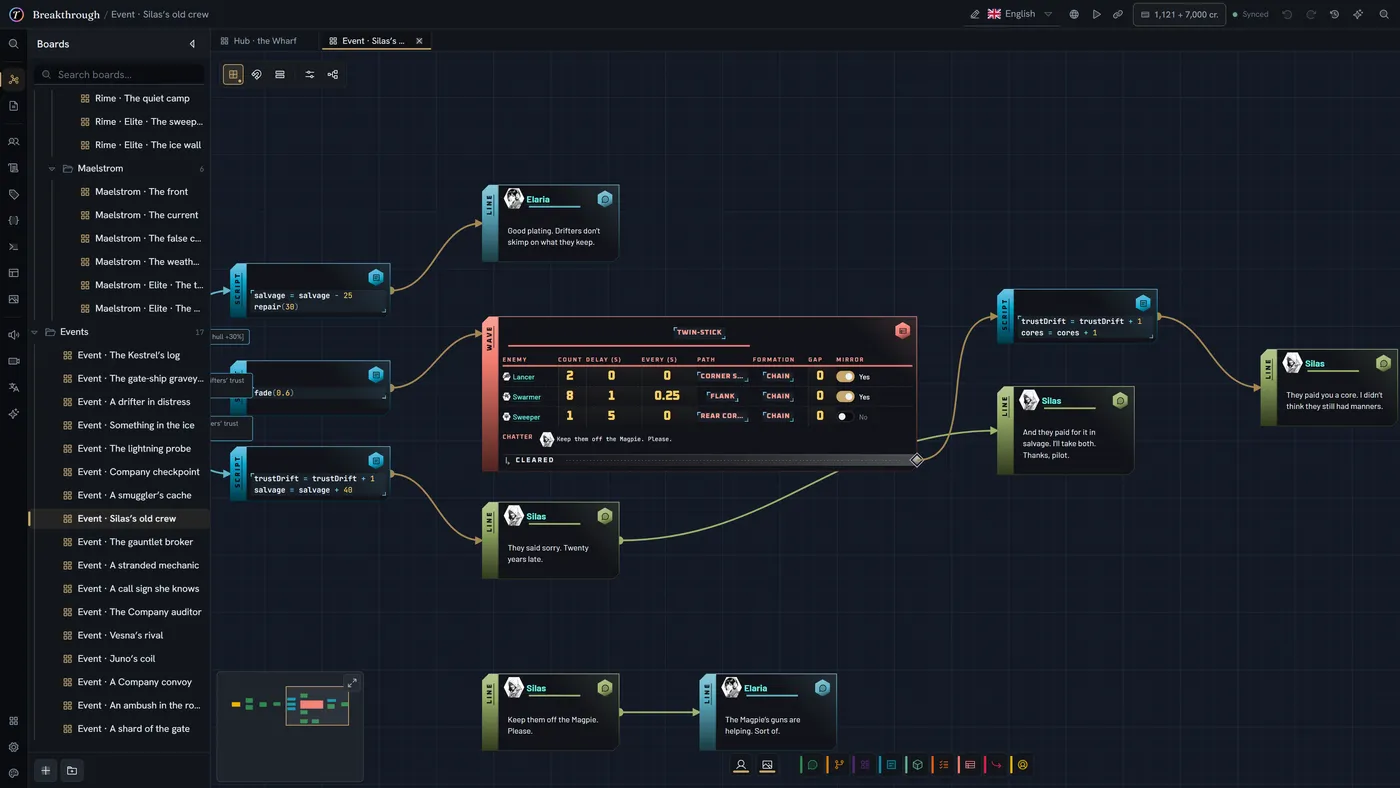
Visual canvas editor
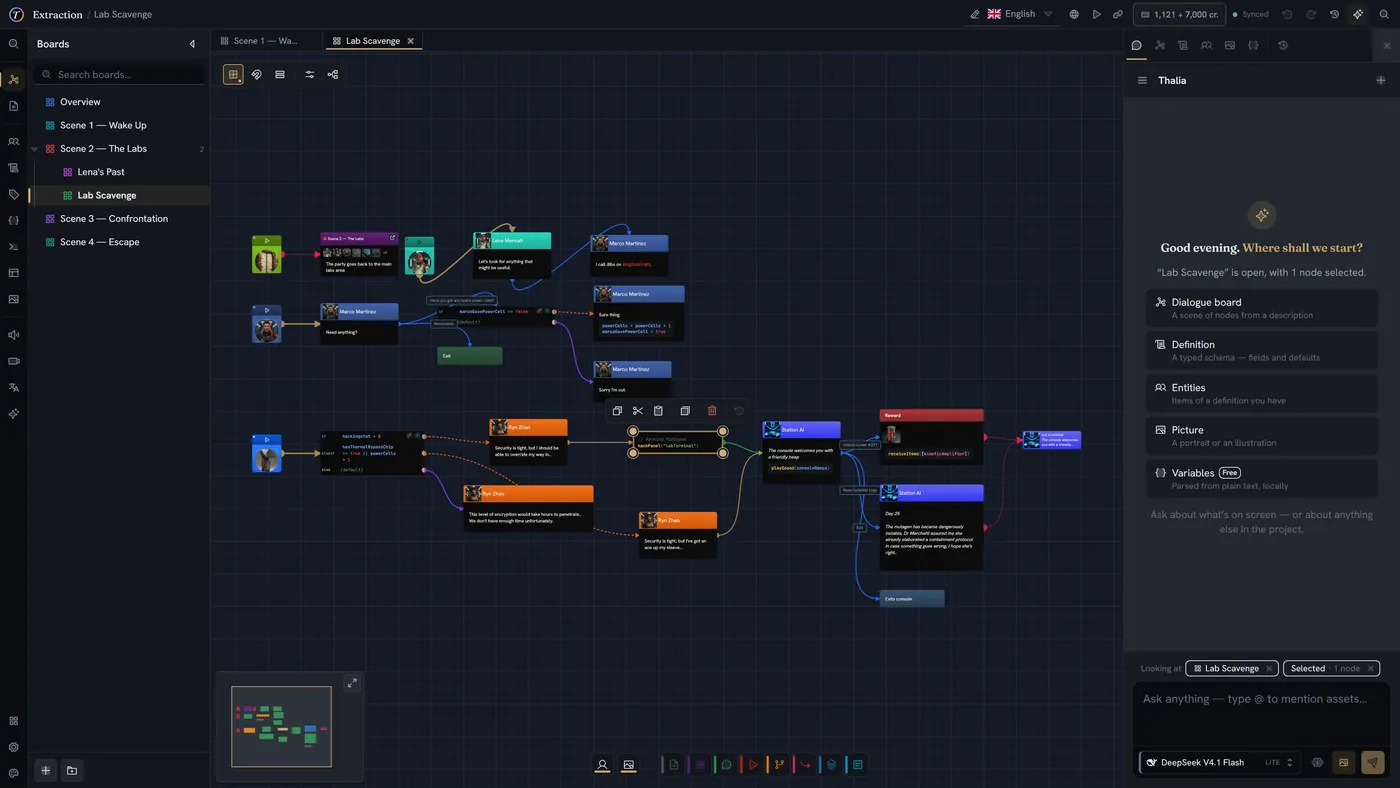
Draw your whole story as a graph. Built to stay smooth when a board grows into hundreds of nodes, and to stay readable when you zoom back out.
- Minimap and zoom for big boards
- Marquee and multi-select
- Copy & paste that keeps references intact
- Labels on edges for choice text
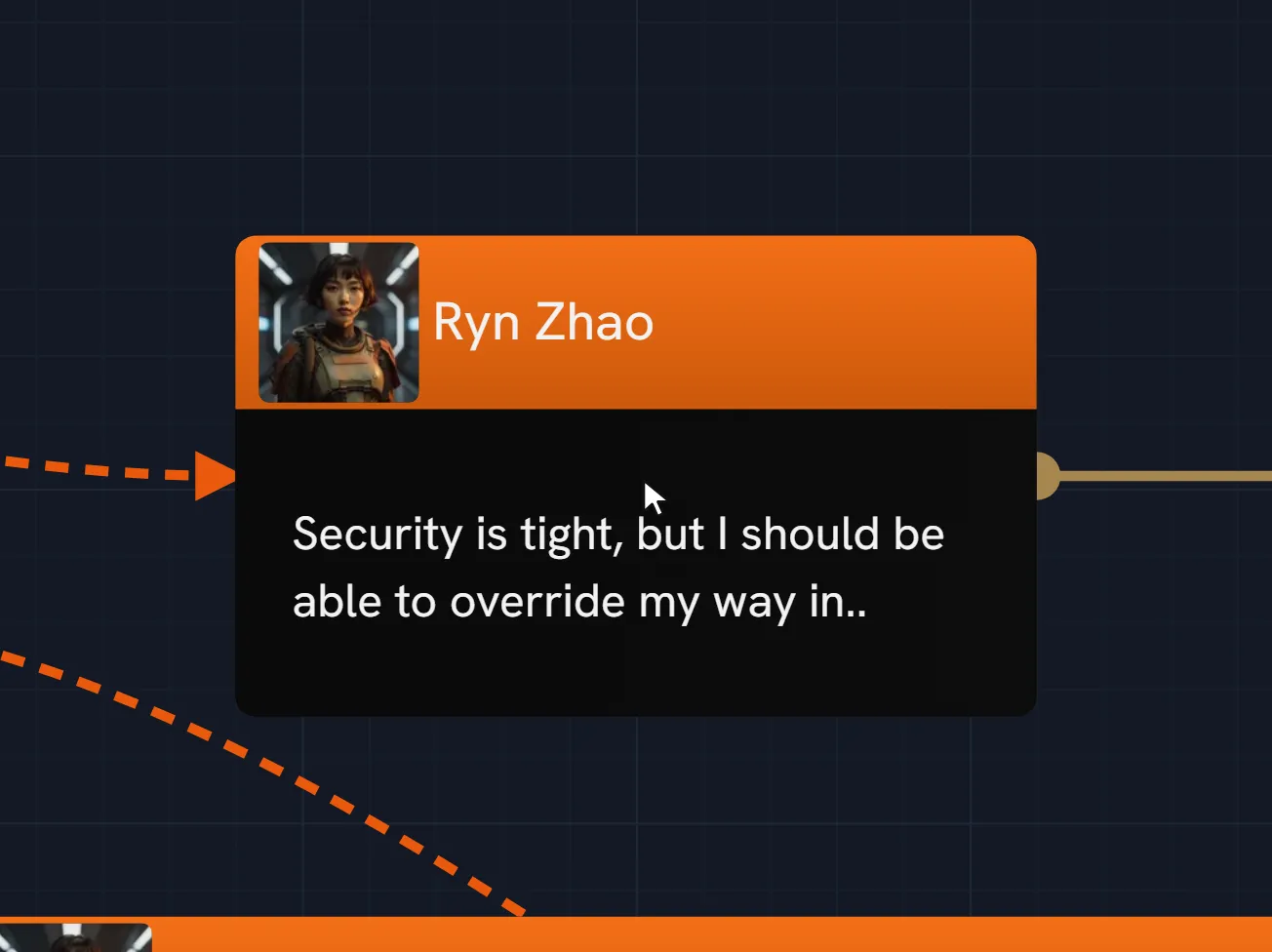
- Conditions on any node, right-click away
Rich inline editing
Every field is rich text. Mention characters, items and documents with @ and they link themselves — rename the character and every mention follows.
- Bold, italic, underline, and links
- @ mentions for characters, items and documents
- Auto-sizing fields that never clip your text
- Cursor position preserved across edits
Scripting with guardrails
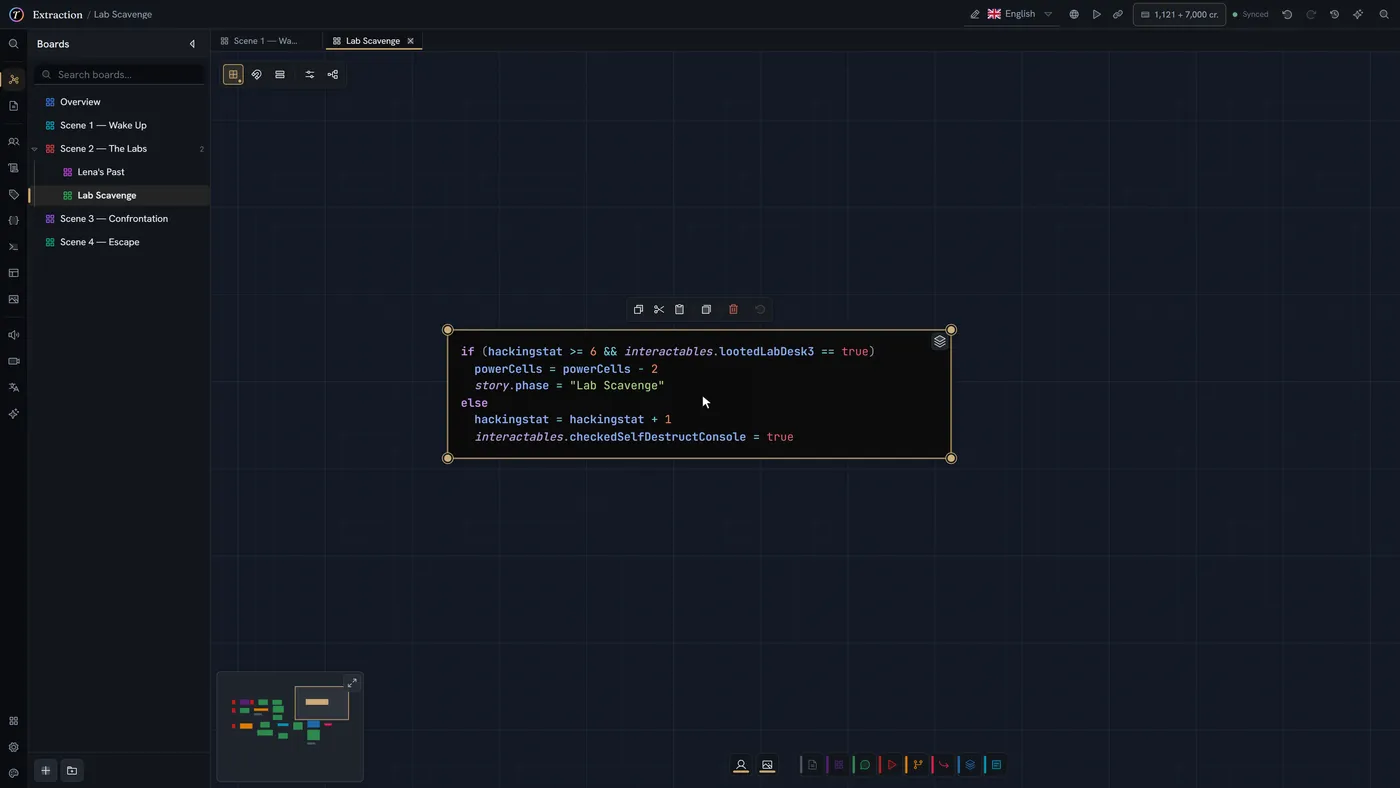
When branches need conditions, variables or calculations, the built-in editor gives you autocomplete, hover help and real-time error checking.
- Context-aware autocomplete
- Hover documentation for every function
- Errors highlighted as you type
- Aware of the types you defined in your world
Nested organization
Organize your story in folders and sub-boards as deep as you need. Breadcrumbs show you where you are; drag & drop moves things around.
- Unlimited nesting
- Drag & drop reordering
- Breadcrumb navigation
- Consistent context menus throughout
Author your own node types
Node types are project data: build them, take them from the library, and draw them your way.
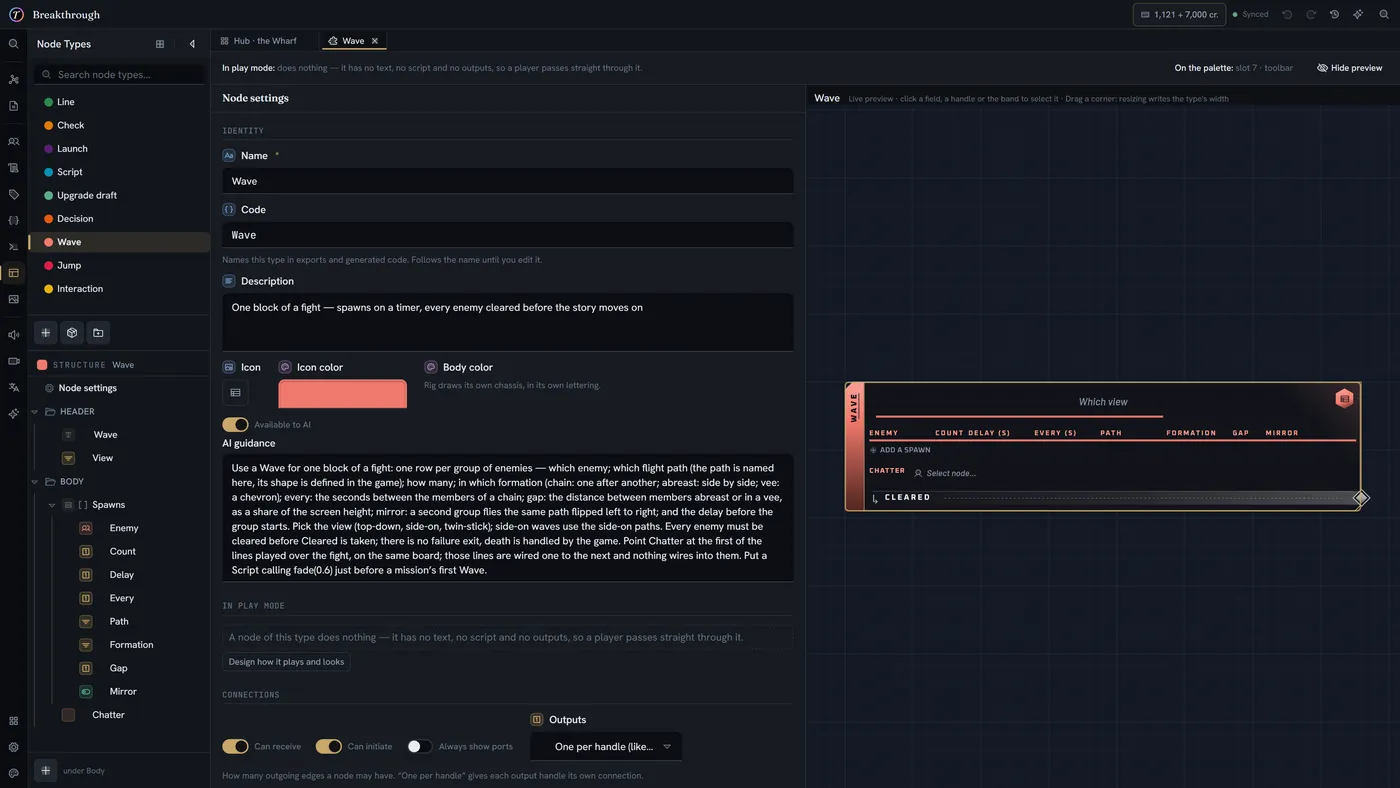
The node builder
Design a node the way you design a character: its fields, how each value is shown, its colour, size and layout. A live preview draws the card with the real canvas renderer.
- Text, number, select, code and reference fields — plus time, position, area and entities with counts
- Values shown as gauges, rings, clocks, maps or portraits
- Live preview against the real renderer
- Duplicate an existing type as a starting point
A library of packs
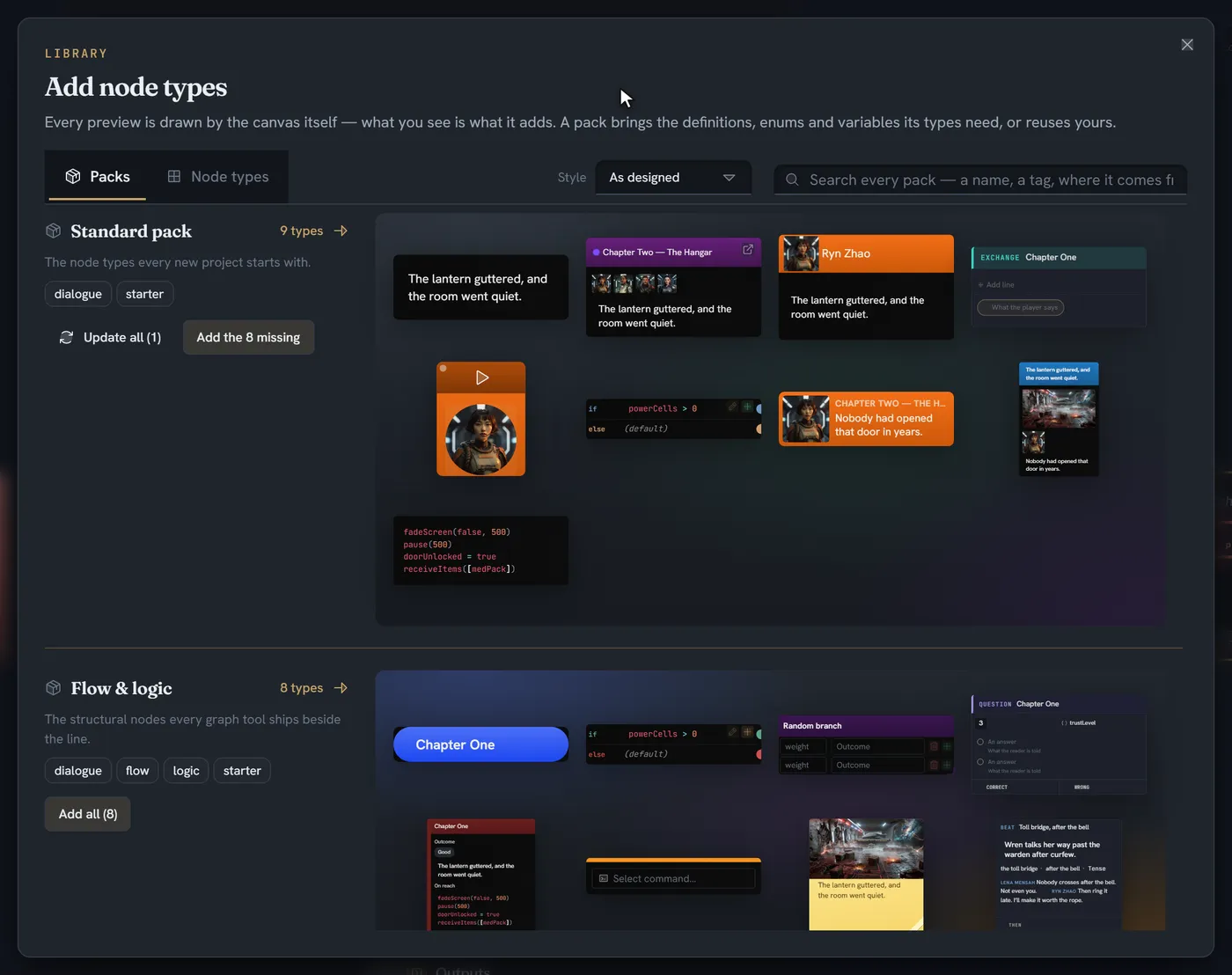
Start from a curated pack instead of a blank card — dialogue, quests, encounters, puzzles, visual novel and interactive fiction among them. A pack brings the definitions, enums and variables its types need.
- Previews drawn by the canvas itself
- Add one type, or a whole pack
- Reuses what your project already has
- Update a type when its pack improves
Card styles and layouts
Pick how a whole card is painted — Standard, Compact, Manuscript or Rig — and how its parts are laid out: choices as tabs, stamps, cards or a truth table, lists as chat bubbles, a timeline, a screenplay or slides.
- Four card styles, chosen per type
- Restyle several types at once
- The look is editor-only — play mode and your game read the data
A palette per project
Every project carries its own set of node types and its own creation menu. A visual novel and a systemic RPG do not need the same vocabulary.
- Arrange which types appear, and where
- Start from blank or from a library card
- Delete the ones you will never use
Share a type by copying it
A node definition is plain data — copy it, paste it, and you have the same node. That is the whole sharing format; there is nothing else to export.
- Copy and paste between projects
- Paste a definition someone posted
- Each import gets a fresh identity
Entity-aware cards
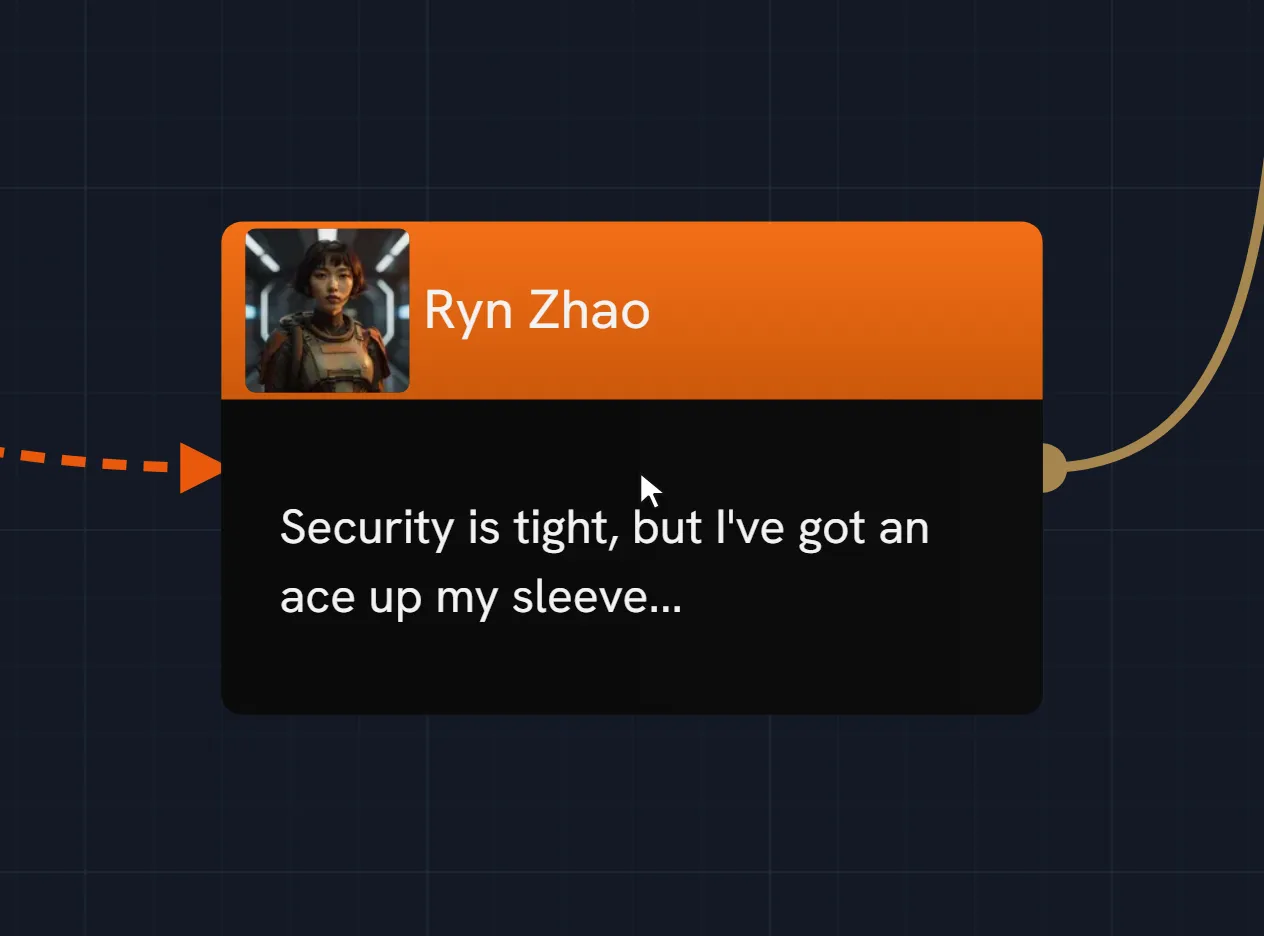
Point a node field at a character and the card can take its colour from them — so a dialogue board reads as its cast at a glance, with nothing to keep in sync.
- Fields that reference entities, media, boards or documents
- Cards tinted by the entity they carry
- Thumbnails rendered inline
Model your world
The type system behind characters, items, locations and game state.
Typed characters and items
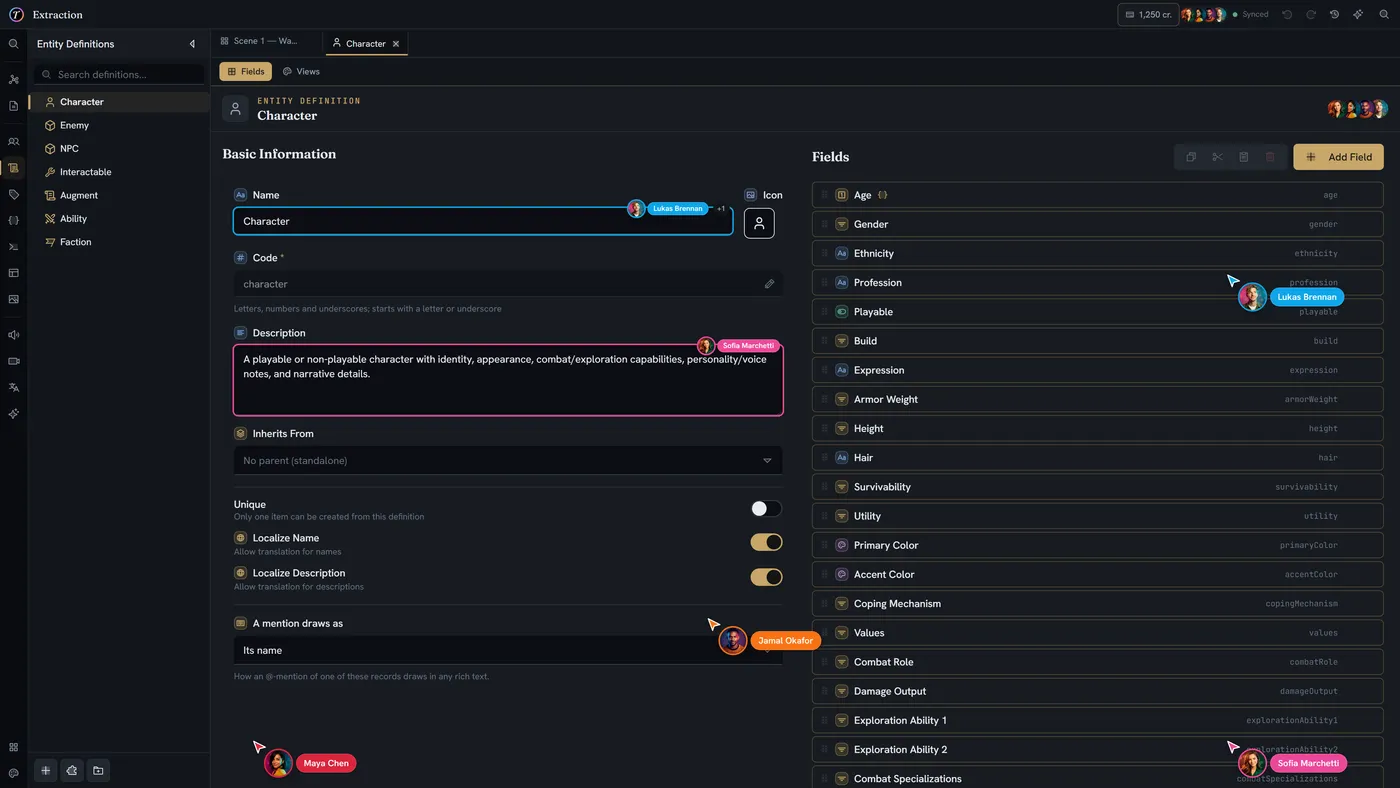
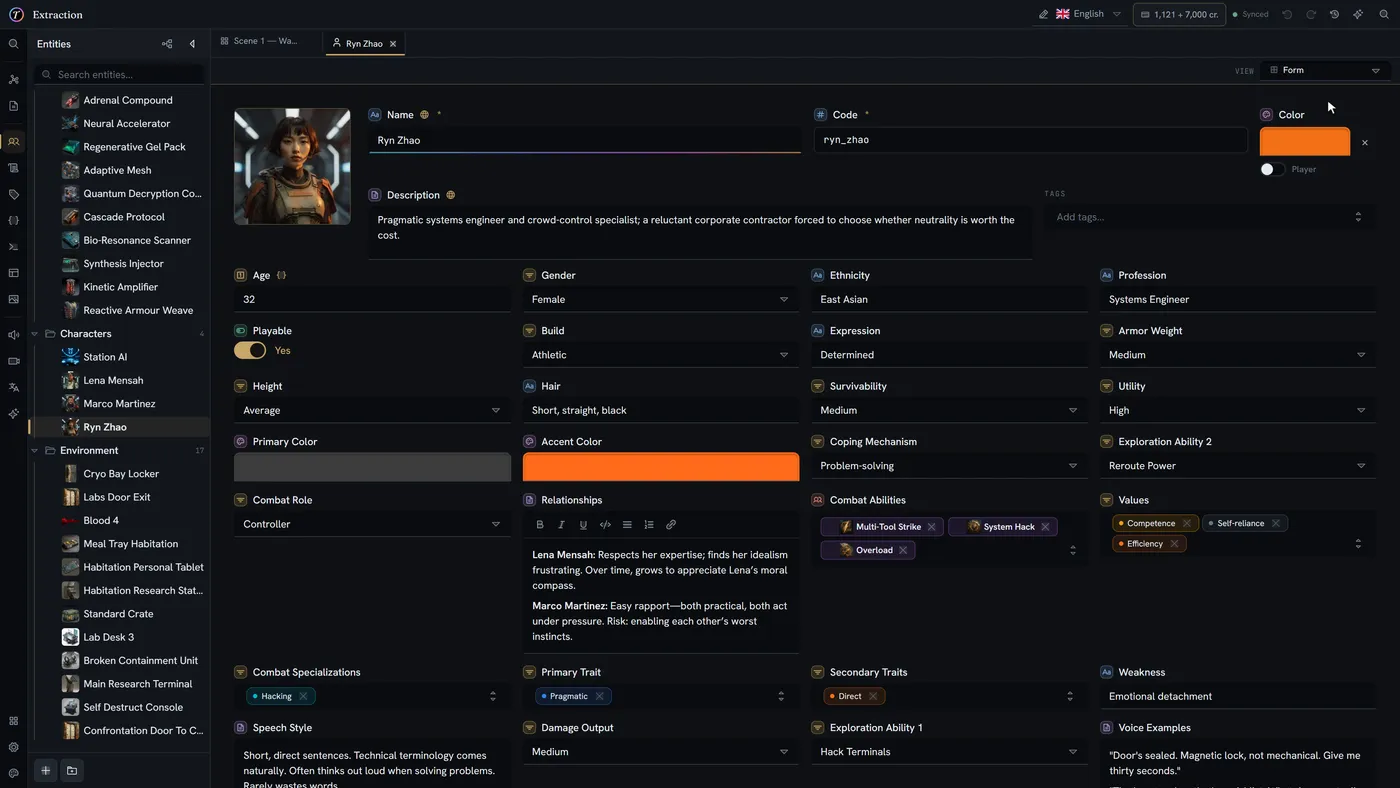
Define characters, items and locations as real types with real fields. Numbers, text, dropdowns, references, colours, code — not freeform notes you forget to update.
- Custom fields across a dozen types
- Portraits and media on every entity
- Inherit from a base type to share common fields
Traits — reusable building blocks
Bundle related fields into a Trait — Stats, Relationships — and drop it onto any definition. Apply the same trait twice under different prefixes when you need two of them.
- Compose any definition from multiple traits
- Apply the same trait more than once, with prefixes
- Field order preserved automatically
Variables, tags, enums, commands
Everything your game's logic needs. Typed variables for state, colour-coded tags, reusable enums and bitmasks, and typed commands you can call from the engine.
- Typed variables (numbers, booleans, text)
- Colour-coded tags with inheritance
- Shared enums and bitmasks
- Typed commands callable from Unity or Unreal
Lore documents
Long-form design docs beside your boards, with the same mentions and references. One place for everything the world needs.
- Rich text editor for worldbuilding
- Hierarchical folders
- Mention characters and items inline
- Version history per document
Read it the way it suits you
Named, editable views over one definition, and the composer that builds them.
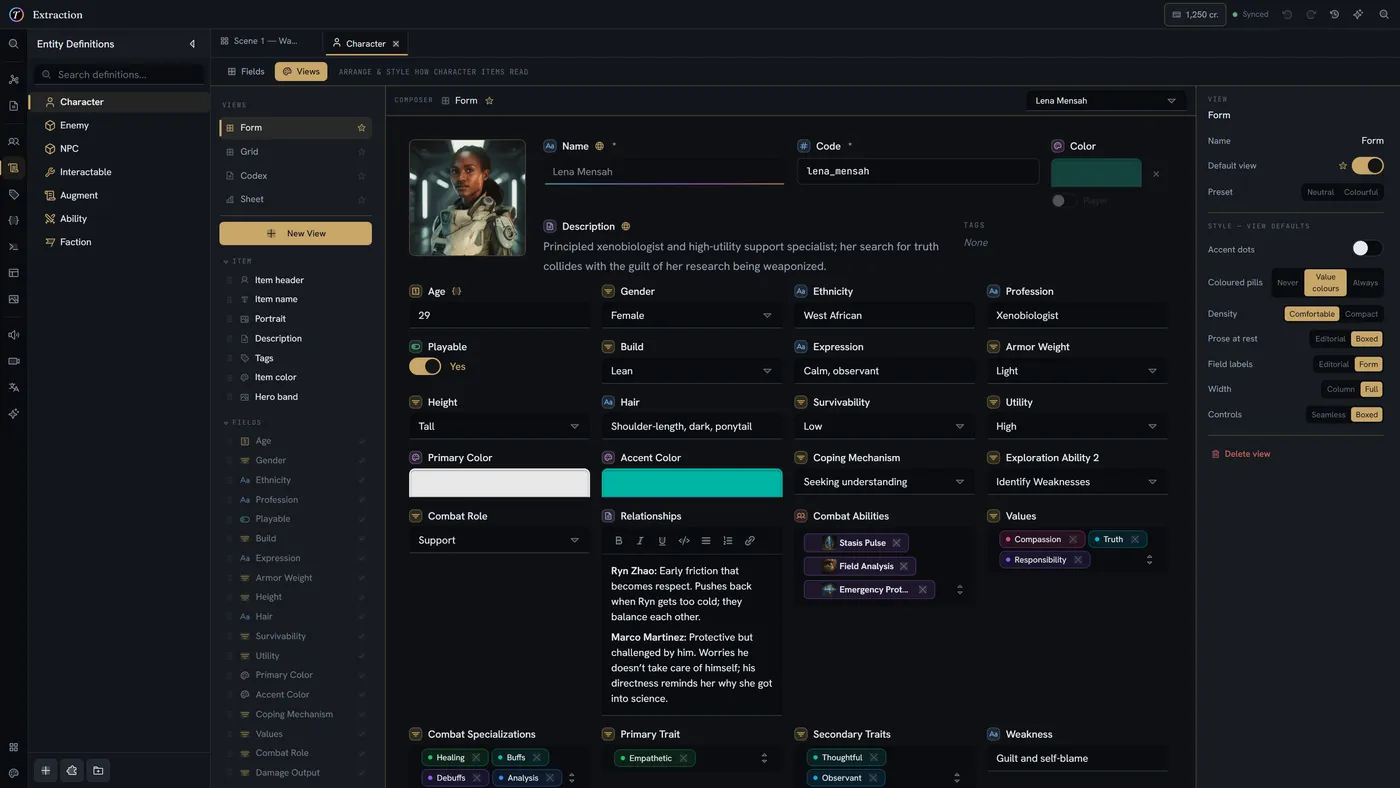
Named views per definition
A form for entry, a codex page for reading, a character sheet for balancing. Build as many as you need over the same fields and switch between them from the item itself.
- Form, Grid, Codex and Sheet presets
- Unlimited named views per definition
- Pick a default; switch per item
A WYSIWYG composer
Arrange blocks on a canvas that IS the real renderer, over a real sample item — so what you build cannot drift from what your team sees.
- Drag blocks from a palette, or click to append
- Columns, grids, tabs and sections
- Side-by-side placement by dropping on an edge
- Live preview against real data
Editable, never read-only
Every view mounts the same controls the form does. A codex page is not a preview of your data — it is a place to change it.
- Display at rest, edit on click
- The same collaborative editors everywhere
- Rich text, code and media inline
Style that cascades
Presets set several knobs at once; any block can override any of them. So one description reads editorial while the notes beside it stay a boxed input.
- Density, prose style, label placement, width
- Per-block overrides of any knob
- Only the controls a block actually uses
Edit it as a spreadsheet
The spreadsheet document kind, the entity table, and the formula engine.
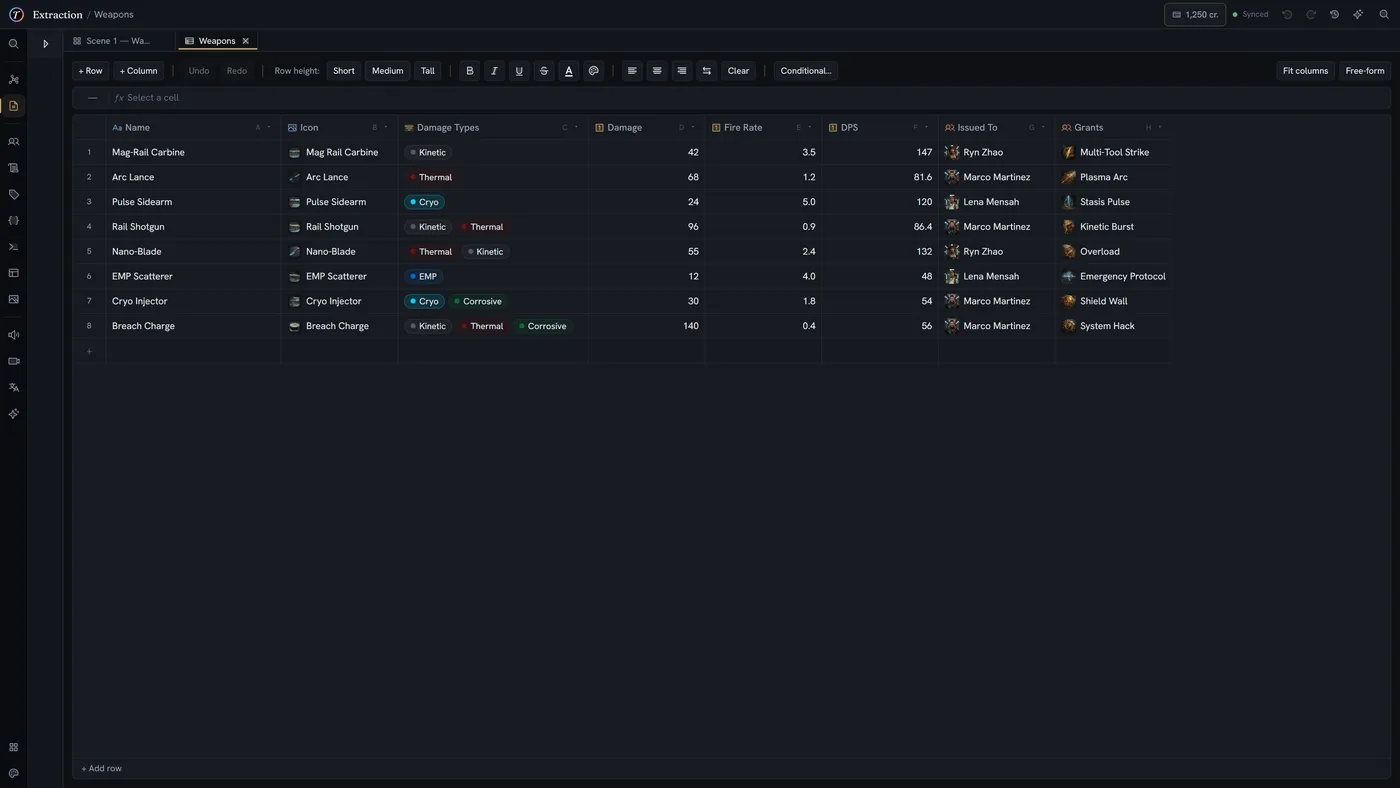
Typed columns
A column can hold an entity, a media asset, a set of tags, rich text or code — and still render as a pill, a thumbnail or a chip in every visible cell.
- Entities, media, multi-selects, colours, vectors
- Rich text and code cells
- Conditional formatting rules
Formulas that follow the cell
Excel-style formulas anchored to stable rows and columns, so inserting a row never silently rewrites what a formula points at.
- Per-cell formulas, not whole-column
- References survive inserts and reorders
- Errors propagate honestly rather than hiding
AI cells
Point a column at a prompt and fill it per row, with the rest of the row as context. Review before anything is applied.
- Per-column or per-cell prompts
- Row context passed automatically
- Nothing written without your say-so
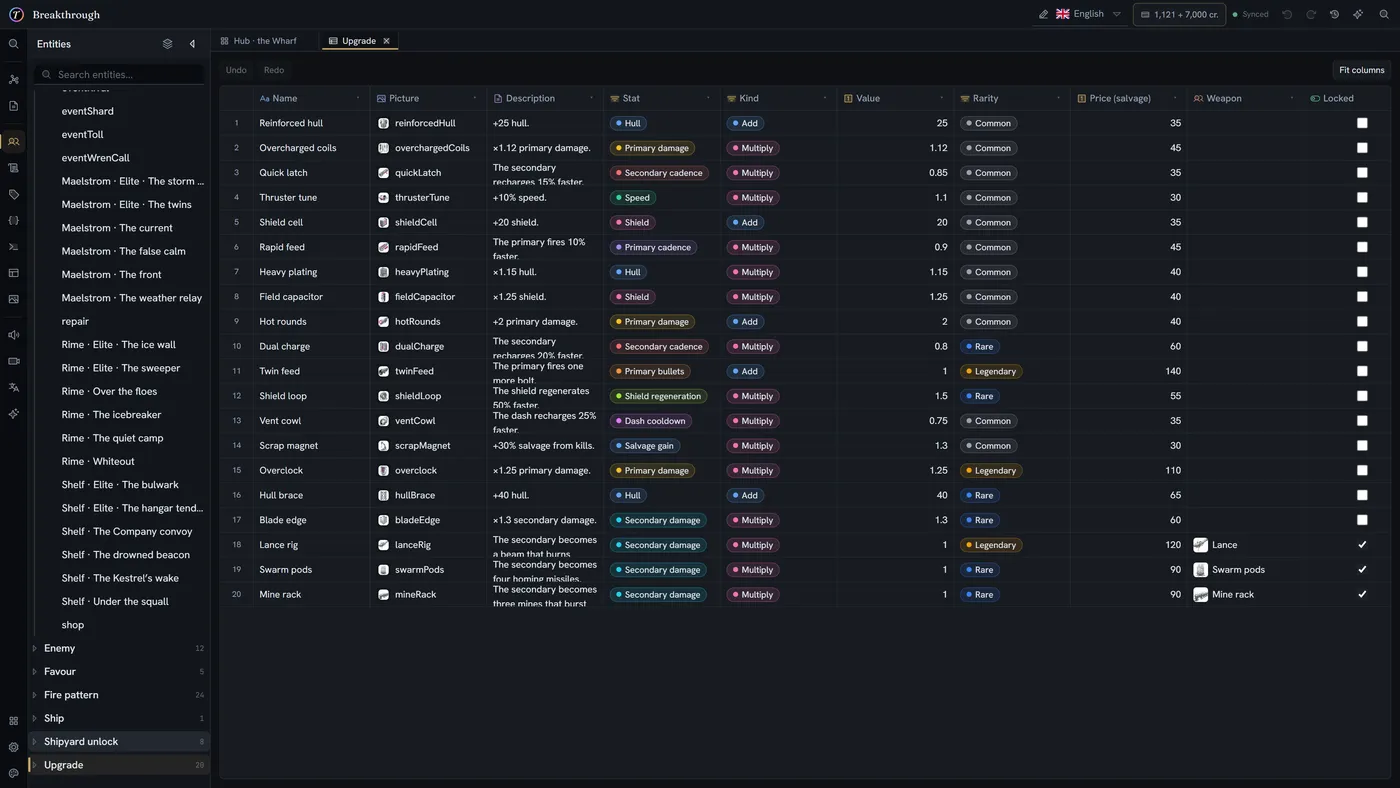
Any entity type, as a table
Open a whole definition as a grid — every character, every item — and edit inline. Simple fields edit in place; complex ones open their own picker or side panel.
- Inline editing for simple fields
- Pickers for entities and media
- Side panels for rich text, code and conditions
- Filter and sort columns
Collaborate
Real-time editing, undo, history and access control.
Several writers, one project
See each other's cursors, carets and selections. Changes merge automatically, even when two people touch the same field — and your work is never left sitting unsaved in somebody's tab.
- Live cursors and text carets
- Field-level presence on forms and grids
- Automatic conflict resolution
- Editing pauses if the connection drops, so nothing is lost
One undo history
Undo and redo that follow your cursor — one shared history across boards, entities and tables, and its own for each open document. Ctrl+Z always means the thing you are actually editing.
- One history across every surface
- Never silently reverts a teammate's edit
- A readable list of steps, not a diff
A history you can read
Open the history panel and every step is a sentence, not a diff. Hover one and the app reveals exactly what it touched.
- Plain-language descriptions of each step
- Hover to reveal the target
- Jump back to any point
Organizations and roles
Invite your team, assign roles, and keep projects scoped to the people who should see them.
- Organization-level membership
- Per-project roles and permissions
- Invites by email
Style and play
Play mode, theming and media management.
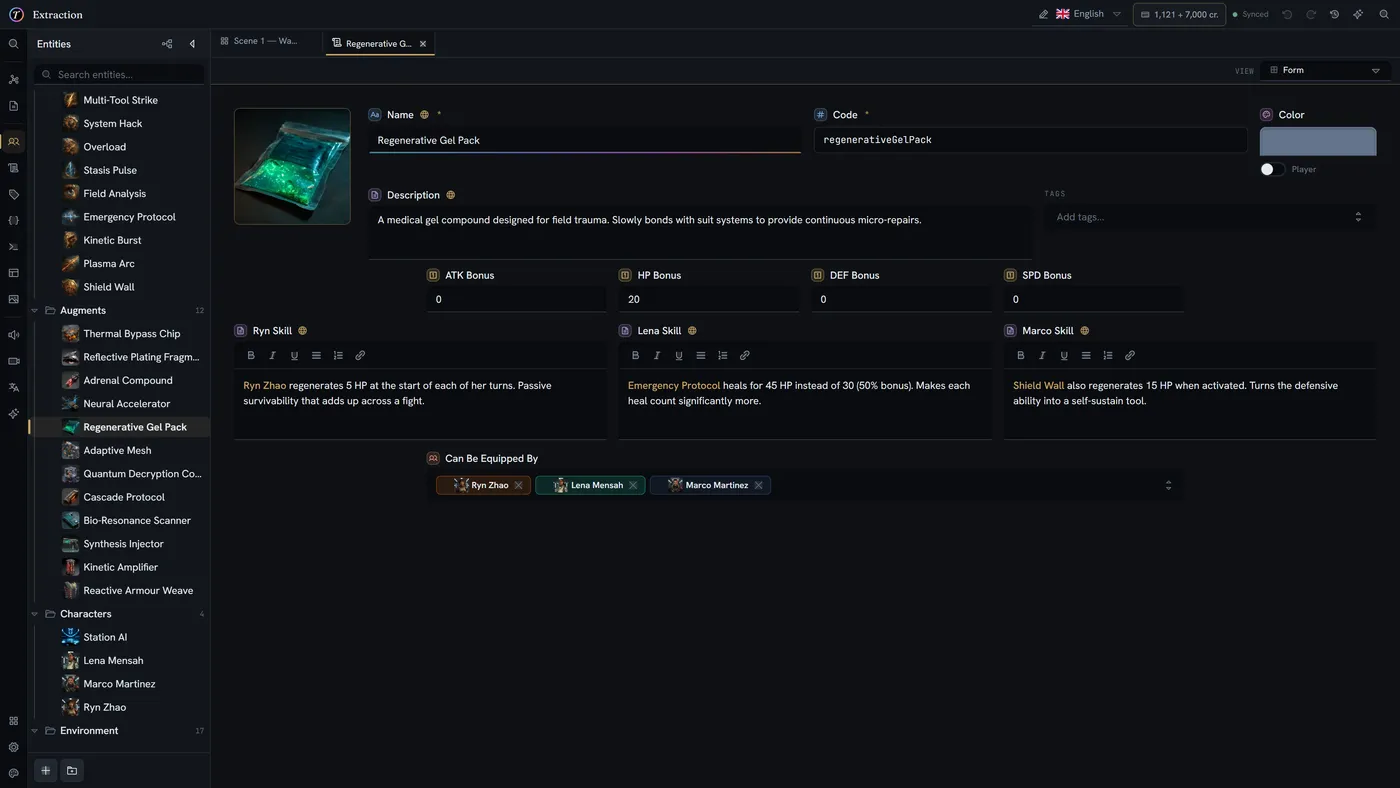
Play mode in the browser
Walk your story the way a player will — as a visual novel, a chat log, or a book — without a build step or an engine round-trip.
- Multiple presentation modes
- Variables and conditions evaluated live
- Jump to any node to test a branch
A theme editor, not a dark-mode toggle
Every surface, accent and border is a token you can edit live. Ship with the house theme, pick a preset, or build your own — your choice, not the project's.
- Live token editing
- Presets including light themes
- Per-user, not per-project
Media, managed
Portraits, concept art and audio organized in folders, referenced from any field, and rendered inline wherever they are used.
- Folder organization
- Referenced from entities, nodes and cells
- Thumbnails generated automatically
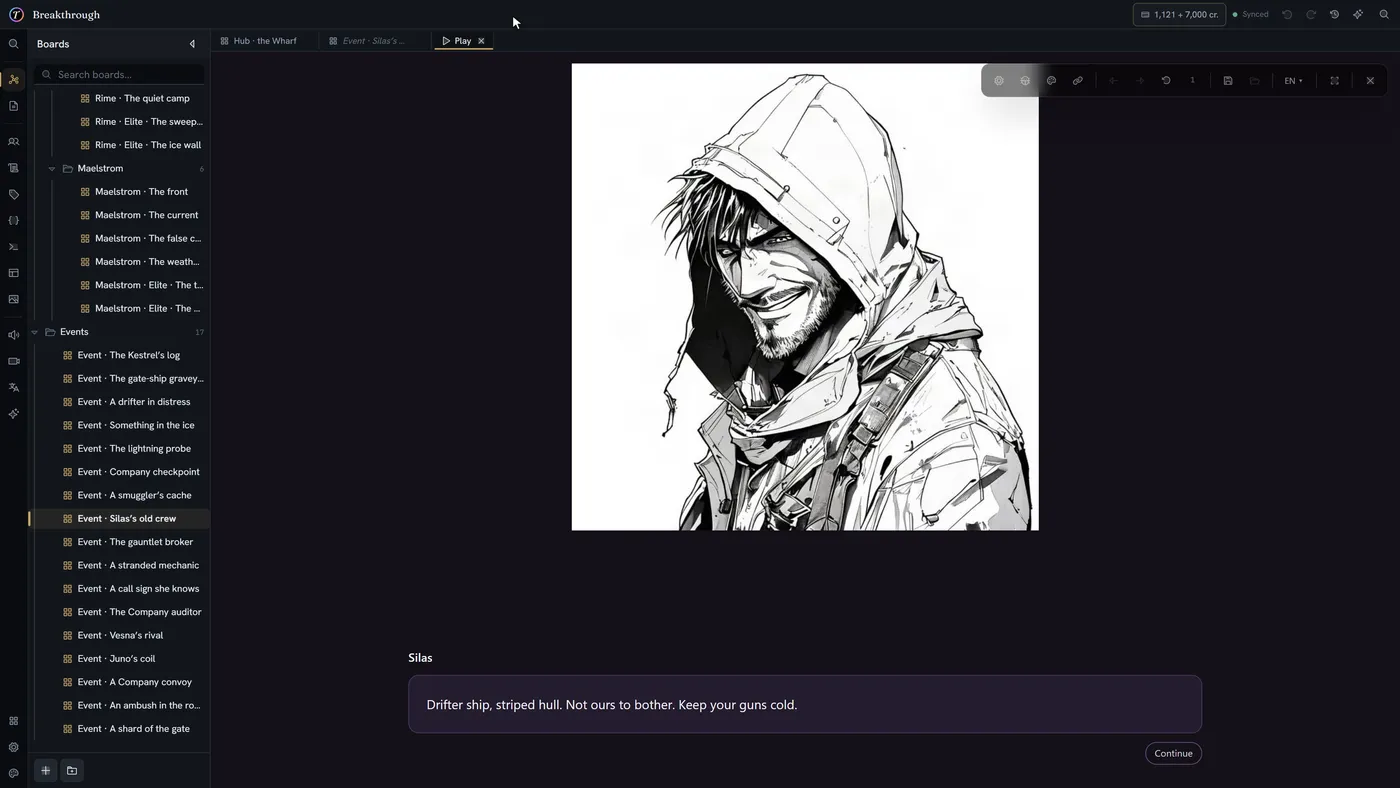
Give it a voice
Voice-over production: designed voices, casting, and a take for every line.
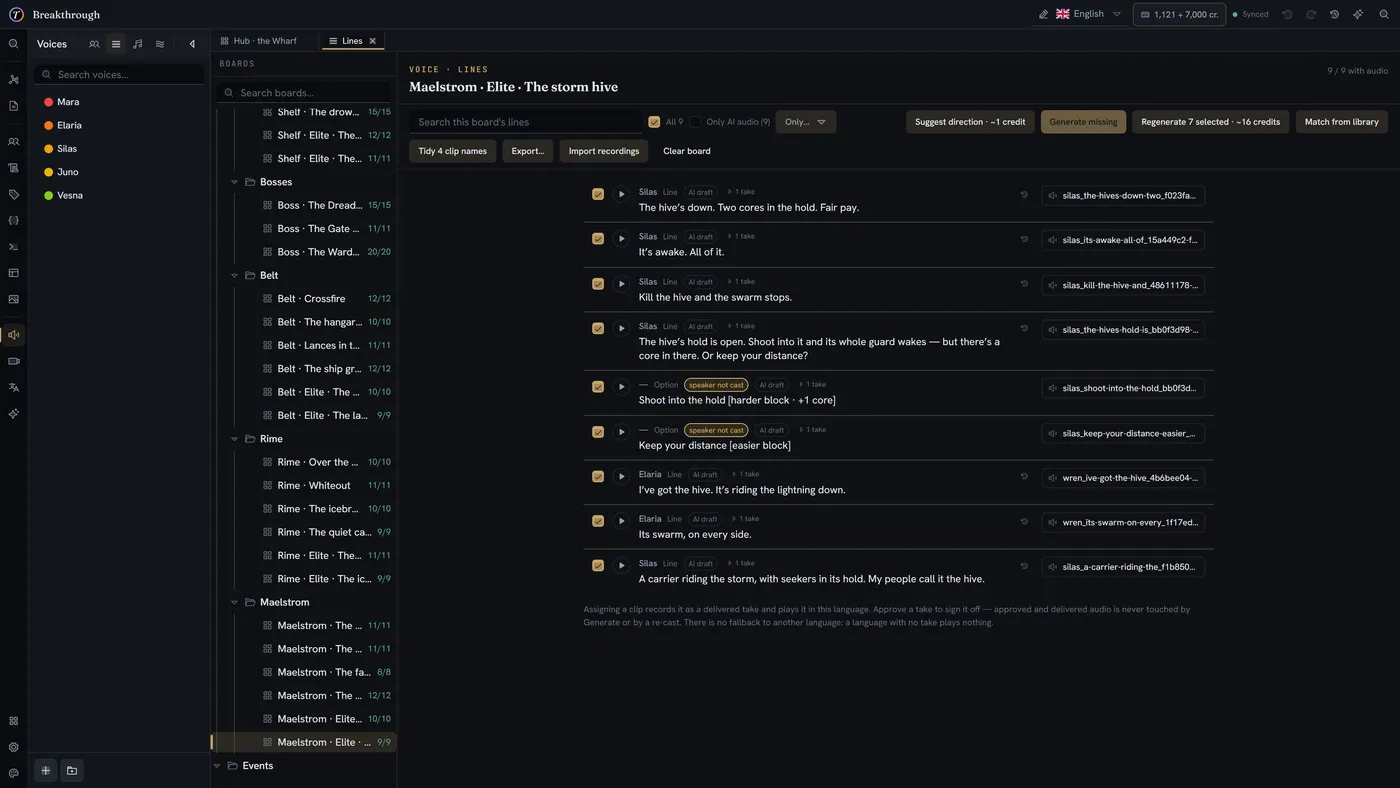
Voices you design
Describe how a character sounds and get a voice; remix it until it fits. One voice can speak every language in your project, accent included.
- Design from a description, or start from a ready-made voice
- Audition a line before you commit
- Direction tags steer a delivery
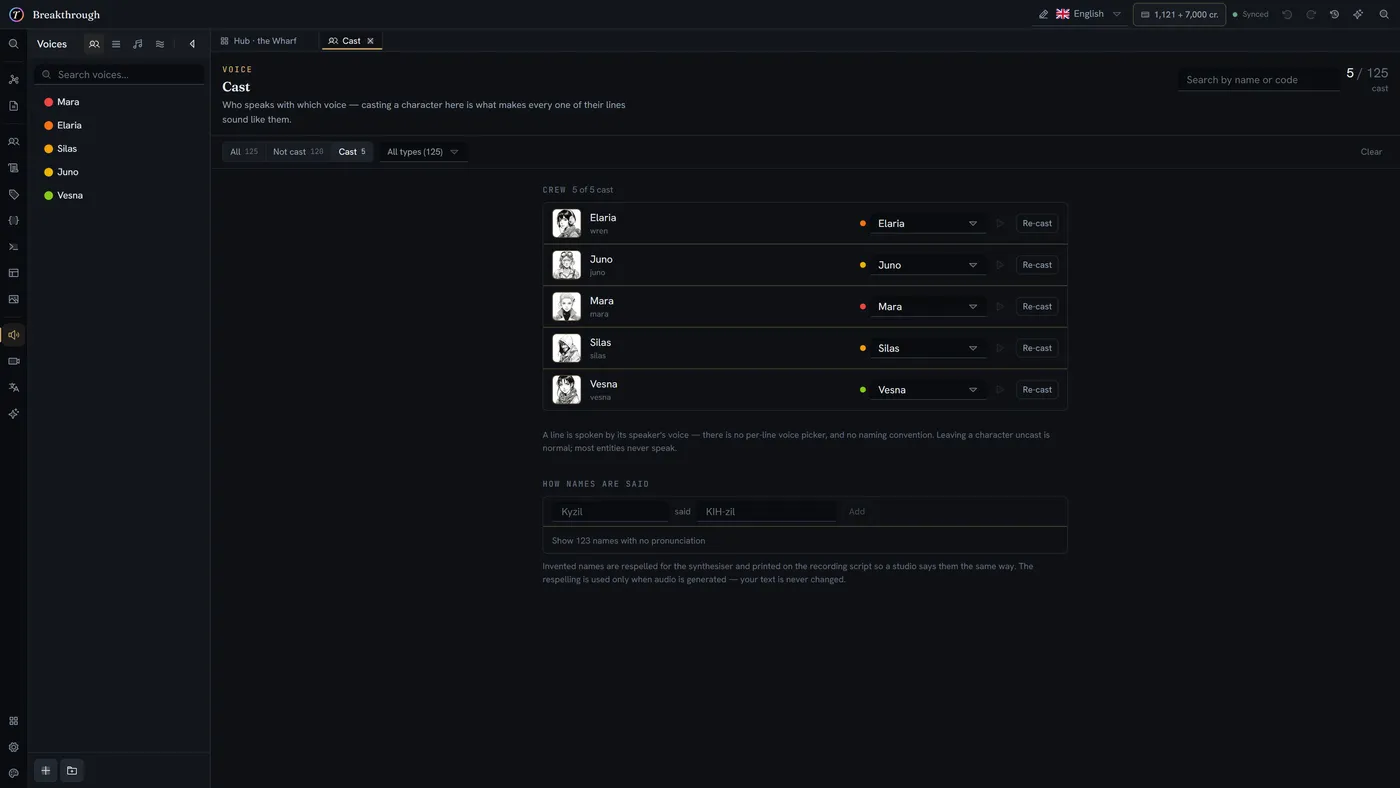
Casting, per language
Cast each character once and every one of their lines speaks in that voice. Cast a language separately when a translation needs its own actor.
- One voice per character, or per language
- Re-cast and see which lines it affects
- A pronunciation dictionary for names and invented words
A take for every line
Generate takes a board at a time, hear them side by side, and approve the one that ships. Approved and delivered audio is never overwritten by a new run or a re-cast.
- Several takes per line
- Approve a take to sign it off
- A credit estimate before every run
Ready for a real studio
When it is time for actors, export a recording script, and import their recordings back over the generated takes — matched to the same lines.
- Recording script and pronunciation export
- A report of AI-generated audio, for store disclosure forms
- Bulk import of studio recordings
Music and sound effects
Describe a sound or a cue and get several takes side by side; keep the ones that fit. Every take lands in your media library, ready to reference.
- Music and sound effects from a description
- Several takes per request, compared side by side
- Saved straight into Media
Heard where you play
Voice-over plays in the browser player and on share links, so a playtest sounds like the game.
- A voice-over toggle and volume in play mode
- On share links too
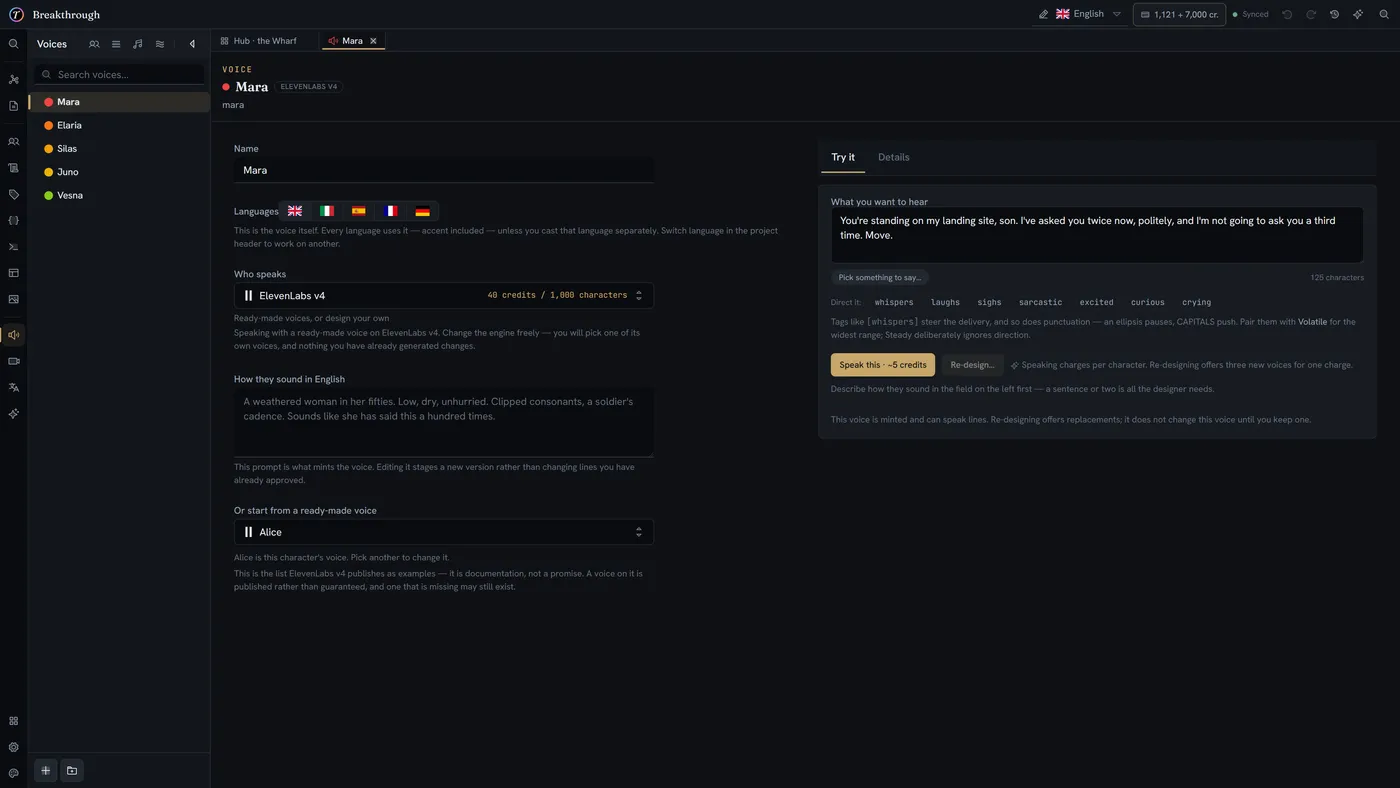
Voice generation is billed in credits and is entirely optional. Recorded audio can replace it at any point.
Translate and ship
Translation workflow, engine plugins and project export.
Localization built in
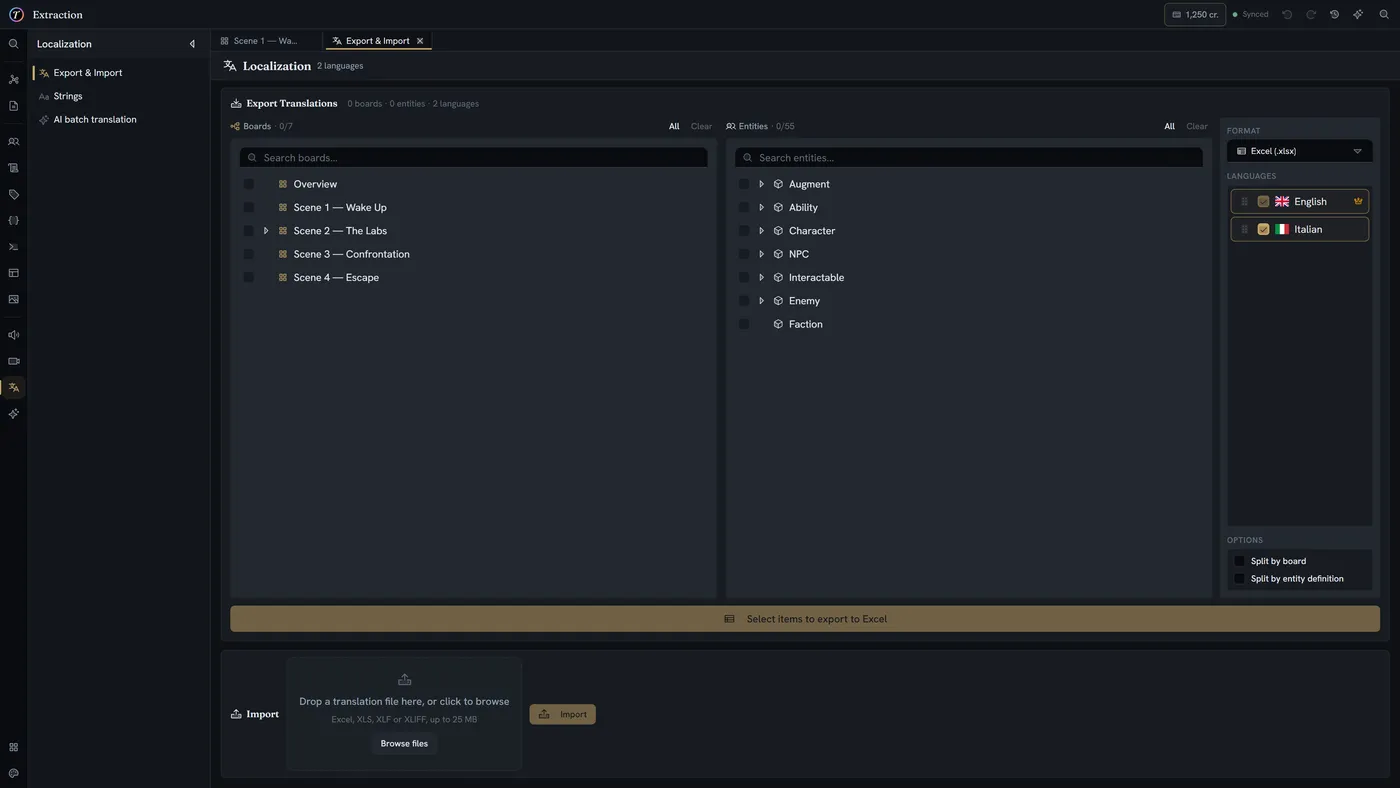
Every translatable string across boards, entities and documents, exported to Excel or XLIFF and imported back when the translations return.
- Excel (.xlsx) and XLIFF
- Split by board or by definition
- Per-language progress
- String resources managed separately
Made for Unity and Unreal
Dedicated plugins bring your story into your engine, with generated types that match your world. Sync from inside the editor — no export step, no hand-written glue.
- Generated C# and C++ types from your definitions
- Synced from inside Unity or Unreal, no export step
- Tables and entities materialized for runtime
Final Draft and Fountain import
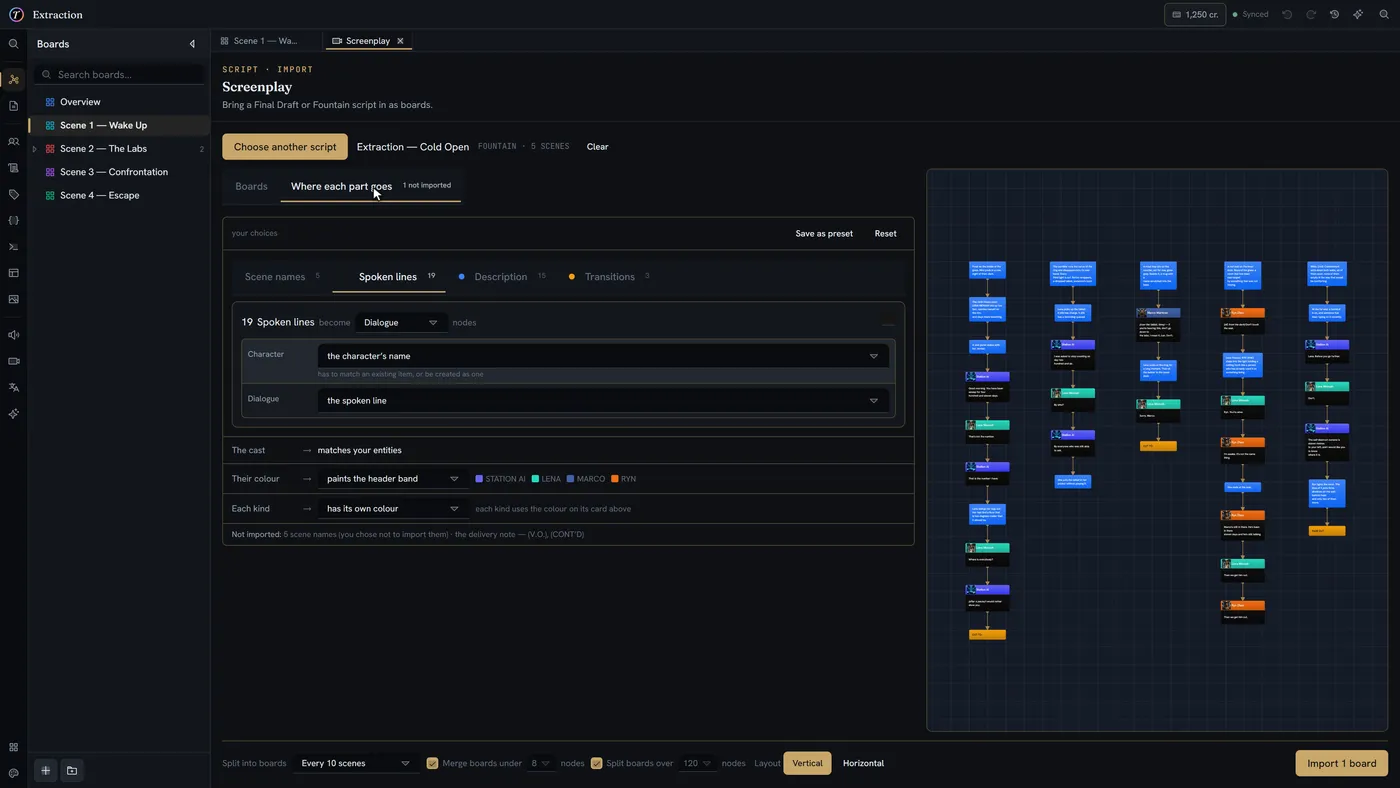
Bring a screenplay in as a graph: each scene becomes its own board, its lines become the nodes, and the branches you add live alongside the linear draft.
- Final Draft (.fdx)
- Fountain (.fountain)
- Scene-level mapping onto boards
- Characters matched to your entities
Export when you need it
Take the whole project as a portable archive — boards, entities, documents, media and all — and import it back anywhere.
- Full project export and import
- Media travels with the project
- Readable, inspectable output
AI that has read what you already wrote
Project-aware, and pointed at the work between your documents and your game.
Thalia, beside your work
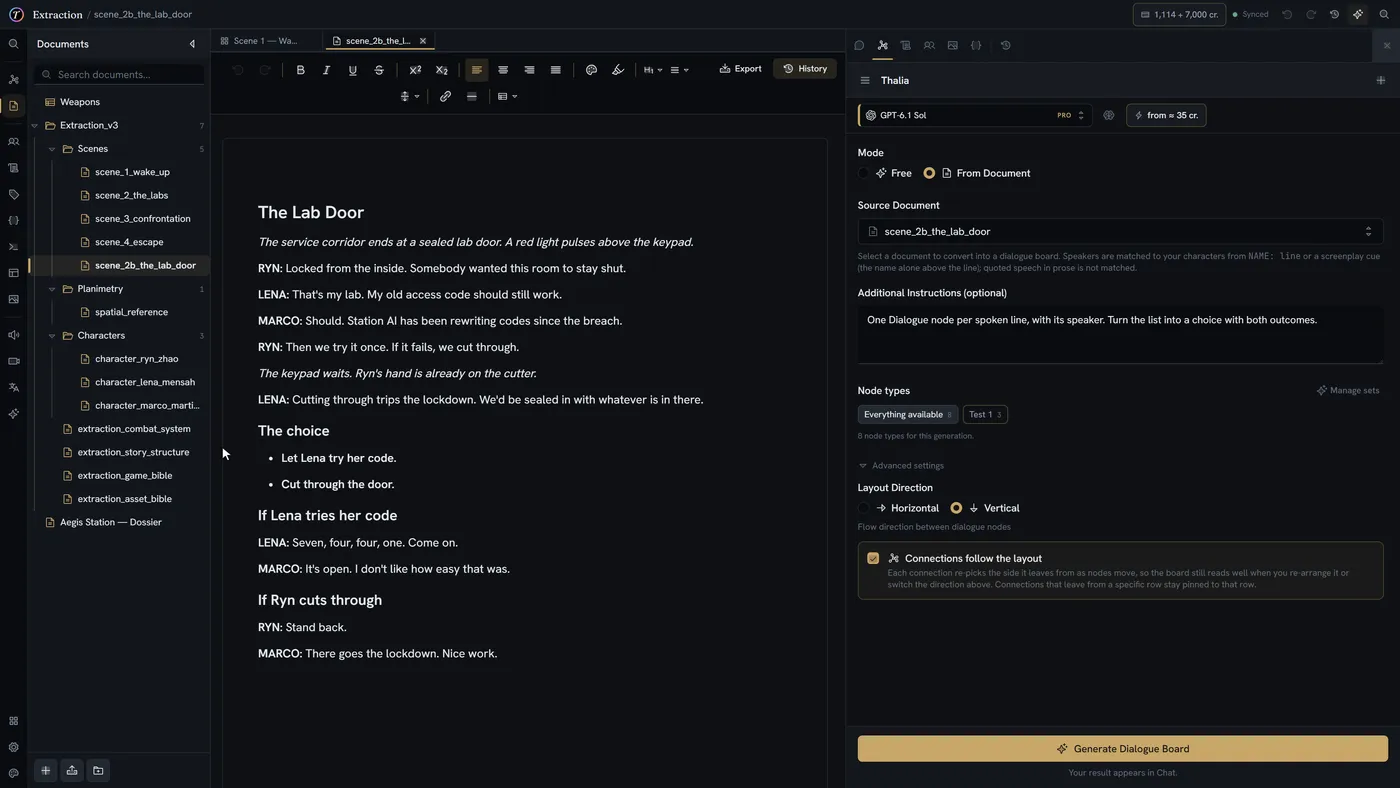
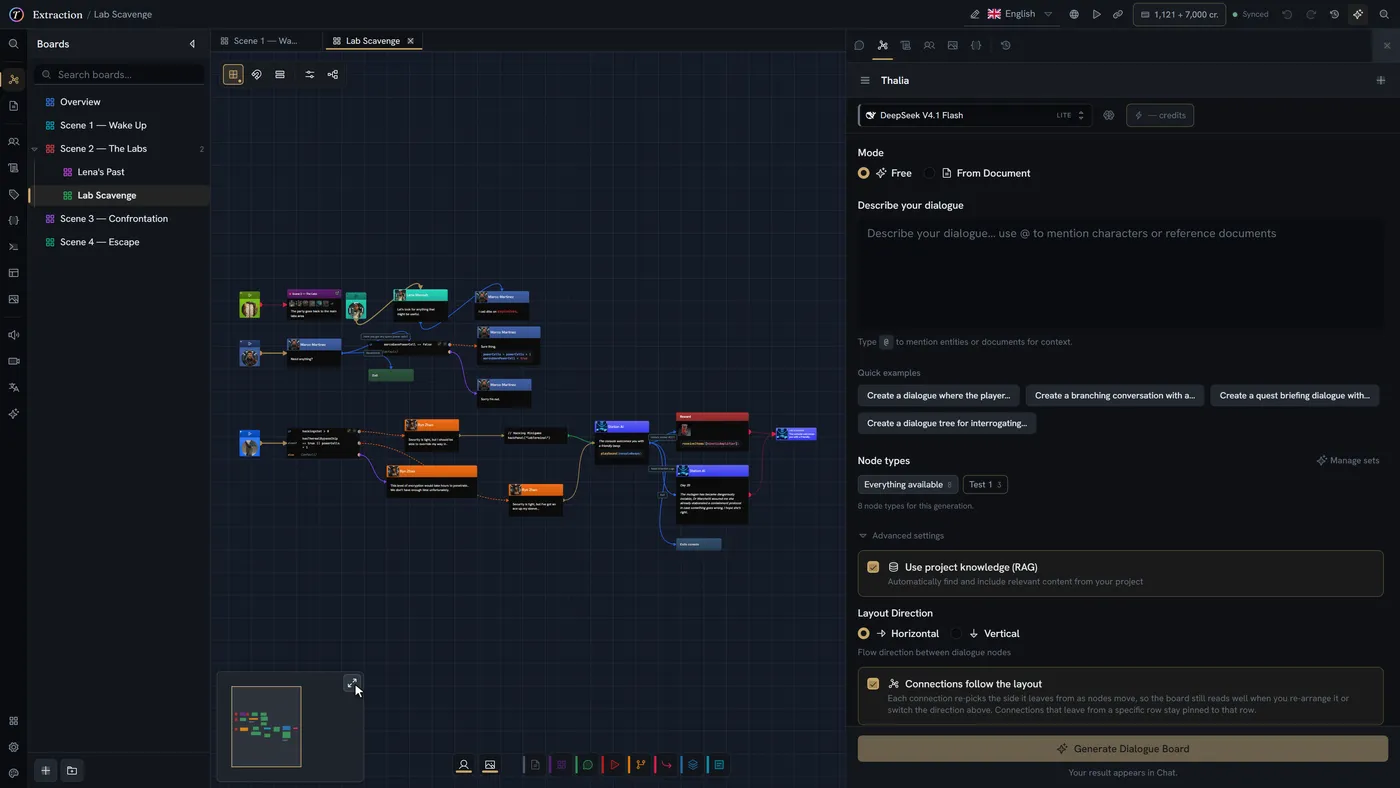
The assistant docks beside the board, document or sheet you have open and reads what you have selected. Ask, and it can extend the board, write at your cursor or fill cells — and one click reverts everything a conversation wrote.
- Ctrl+I opens it anywhere
- Your selection arrives as context you can remove
- Extends boards, edits documents, fills sheets
- Revert a whole session in one click
Your script, as a playable board
Hand over the document your dialogue already lives in and get the board back with the dialogue still in it — every line in its own node, attributed to the right speaker, branching where you wrote it. Your words, moved, not rewritten.
- Full dialogue carried over verbatim
- Speakers matched to your characters
- Choices become real branches
- Review before anything is applied
Your sheets, as real entities
Hand it a character sheet and ask for a Character entity. With no Character definition in the project yet, it writes one from the fields on your page and then fills it in — your structure and your values, taken from the document rather than invented.
- Reads the document you already wrote
- Writes the definition too, when you have none
- Fills YOUR fields, does not invent them
- Replaces the copy-paste between doc and form
Ask your own story
"What happens to Ryn in Act 2?" — the assistant has read the project, so you can interrogate your own continuity while you plan the next act.
- Retrieval across boards, entities and documents
- Answers cite what they drew on
- Useful when the story outgrew your memory
Generate against your own schema
Ask for a character and you get one shaped like YOUR Character definition — the fields you defined, filled in, ready to review.
- Definitions, entities, boards and variables
- Output matches your own field types
- Review and edit before anything is applied
Project context, on request
Let a generation search the rest of your project so a new scene knows who your characters already are. Your project's names always travel with a request, so the output uses them.
- Lore retrieval, opt-in per generation
- Character, variable and command names always included
- @ mention specific entities or documents
Placeholders for prototyping
Stand-in translations and stand-in portraits, so you can playtest a localized build or read a board as a game before the real work arrives. Not a replacement for your translators or your artists.
- Placeholder localization for playtesting
- Placeholder portraits and imagery
- Swap for the real thing at any point
Costs you can see
Every model, its price, and what you have spent — before you run anything, not on a bill at the end of the month.
- Estimated cost before generating
- Per-generation usage log
- Credit balance always visible
AI features are billed in credits and are entirely optional. Nothing is generated, and nothing is charged, unless you ask for it.
A workspace for the whole team
Organization-level project, member and billing management.
Projects at a glance
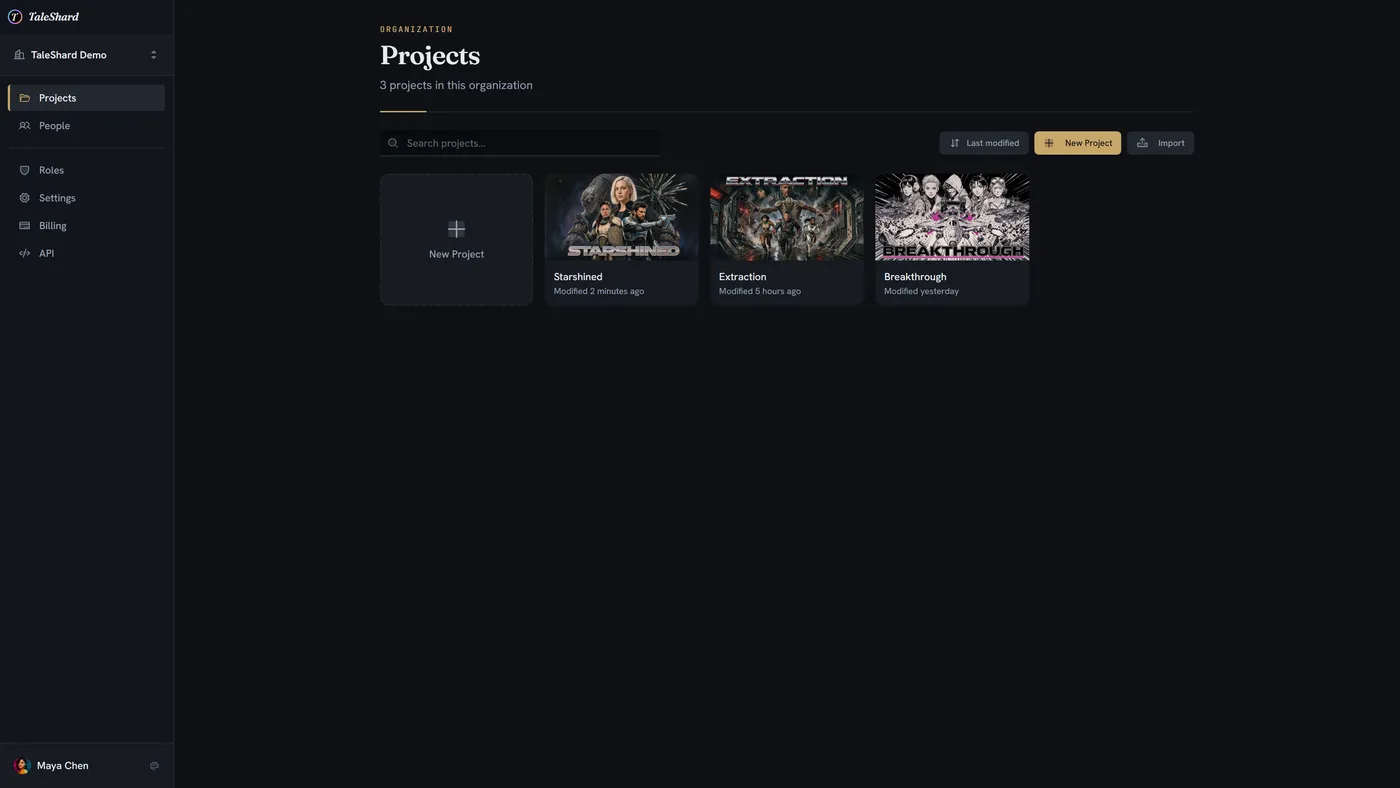
Cover art, last-modified, search and sort. Start a new project or import an existing one from an archive.
- Cover images per project
- Search and sort
- Import from an exported archive
People and roles
Invite writers, designers and translators, and give each of them the access that fits.
- Organization membership
- Roles and permissions
- Per-project access
Billing without surprises
Plans, seats and AI credits in one place, with usage you can check any day of the month.
- Seat-based plans
- AI credits tracked separately
- Usage history