What a node body holds
The eleven item kinds a node is built from — fields, headings, traits, repeaters, rows, elements, actions, references, radars, totals, lookups — and their data.
All documentation — The node builder
Boards and the canvas
The node builder
Modelling the world
Variables, logic and commands
Voice and audio
AI
Working together
Project settings
On this page
- The eleven kinds
- The two regions
- Adding, ordering and moving items
- The Add menu
- Selecting and editing
- The menu on an item
- What removal does to data
- Fields — their place in the structure
- Headings
- Traits
- Repeaters
- The repeater’s inspector
- The block template
- How a block becomes an exit
- Codes inside a block
- On the node
- Rows
- Elements
- Actions
- The verbs
- References
- Radar
- Total
- Lookup
- Codes
- Where a value is stored
- Nesting
- What reaches the engine
- Limits
- What breaks
A node type is two regions, Header and Body, and each region is an ordered list of items. There are eleven kinds of item, and both regions accept all eleven — a header is structurally a second body that happens to be drawn as a band.
This page is the reference for the items themselves: what each one is, every option it offers, what it looks like on a node, where its data is kept, and what a game engine receives. A field’s type is the field types page; how a field looks is presentation; ports, exits and connection policy are connections.
The eleven kinds
The + menu in the Structure tree’s footer names them, with a line each. In its words:
| Kind | On the Add menu | What it is | Holds a value on the node? | Has a code? | Reaches the engine? |
|---|---|---|---|---|---|
| Field | Field — One value: text, a number, a link, a picture… | One value of one of the field types | Yes | Yes | Yes |
| Heading | Heading — A heading, not a group — the grid resets and the items after it flow under it | A label break. The column grid resets and the fields after it flow under the heading | No | No | No |
| Trait | Trait — A reusable field group from Definitions, applied under a prefix | A field group from Definitions, applied inline under a prefix. Offered only once the project has one; otherwise the menu’s footnote reads Traits are made under Definitions | Its fields do | A prefix | Its fields do |
| Repeater | Repeater — A list the writer grows; each block can be an exit | A block template a writer instantiates as many times as the story needs | Its block fields do, once per block | Yes | Yes, as a list |
| Row | Row — One line of the card holding cells side by side; a handle here is an exit | The same kind of block template, instantiated once, by the type | Its cells do, as ordinary fields | No | Its cells and ports do |
| Element | Element — Decoration with no value: a note, divider, spacer or shape | Decoration with no value: heading, note, divider, spacer, shape | No | No | No |
| Action | Action — A button that runs one built-in behaviour | A button that runs one built-in behaviour | No | No | No |
| References | References — A derived list of the entities or media found on a board | A derived list of the entities or media found on a board | No | No | No |
| Radar | Radar — Three or more of this node’s number fields drawn as one shape | A drawing of the node’s own Number fields as one polygon, an axis per field | No — it reads the fields it names | No | No — the fields it draws do |
| Total | Total — A number summed over a list’s rows, drawn as one bar against a cap | A stacked bar adding one number per row of one of the node’s repeaters, against a node-level cap | No — it reads the rows it names | No | No — the rows and the cap do |
| Lookup | Lookup — The places on the boards that use a variable, a record, a command… — found, never typed | A list of the places elsewhere that use something, worked out from the boards | No — at most it reads the field it picks in | No | No — the field it picks in does |
In the Structure tree each item shows the icon of its kind (a field shows its type’s icon) and its
label. The list marker [ ] before a label means this holds a list: a repeater, a references
item, a lookup, or a field set to multiple.
The two regions
Both regions are folders in the Structure tree — the second tree in the drawer, under the Node Types tree, shown while a type’s tab is active — labelled HEADER and BODY under the Node settings row. A new type’s two folders are empty. A row or a repeater inside a region is a folder of its own, with a chevron to fold it and its items listed inside; a field, an element, an action and a handle are leaves.
A header band is drawn as soon as the header has a colour, an icon, or at least one item. The HEADER folder’s first row is the title — its Show on the card switch only decides whether the type’s name is written in the header — and a title alone draws no band. Header items are stored on a node exactly as body items are, and they reach every consumer (translation, the engine, search) exactly as body items do. The only difference is where they are drawn.
Adding, ordering and moving items
The Add menu
One + button, in the Structure tree’s footer. Its caption says which level it will add to — under Body, inside Outcomes — and follows your selection: select a region or one of its items and it adds to that region; select a row or a repeater, or an item inside one, and it adds inside that row or block. A region’s menu offers the eleven kinds above; a row’s offers Field, Heading, Element, Action, Trait — and Handle; a block’s offers the same plus Repeater — A list inside each block — every row gets its own, drawn under its fields — one level down (the block of that inner list offers no further list and no handle). The same entries sit on the right-click menu of a HEADER, BODY, row or repeater row, as Add field, Add repeater, Add row, Add heading, Add element ›, Add action, Add references, Add radar, Add total, Add lookup and Add handle; a repeater’s Each block group and a row’s Cells group in the inspector carry an Add of their own as well. The new item is appended to that level and opens in the inspector.
| Entry | What it creates | With these defaults |
|---|---|---|
| Field | A field | Type Text, label New field, code newField (made unique) |
| Heading | A heading | Empty text — the inspector’s box reads Heading text |
| Row | A row | Holding one Text field labelled Field |
| Repeater | A repeater | Code items (made unique), label Items, add button Add item, a block holding one Text field labelled Label, no block handles |
| Action | An action | Behaviour Open a link, no link yet — the inspector warns until you set one |
| References | A references item | Look in This board, Show Entities — it resolves immediately |
| Radar | A radar | No fields picked yet — the inspector says how many it still needs; the card draws its note until three are picked |
| Total | A total | No list picked yet — the inspector says so, and the card draws the bar at rest until one is |
| Lookup | A lookup | What Variables, How many Every one, Where This board, Show as A list, Group by How it is used — it lists at once |
| Element › | An element, from a submenu: Heading (element) — A line of heading text, styled · Note — A paragraph of help text · Divider — A horizontal rule · Spacer — Empty vertical room · Shape — A dot, a half capsule or a bar in a colour | Text Heading or Note text for the two that carry text |
| Trait › | An applied trait, from a submenu of the project’s traits | Label and prefix taken from the trait. The entry exists only once the project has a trait; otherwise the menu ends with Traits are made under Definitions |
| Handle (rows and blocks only) | A port — A port on this row — an exit or A port on each block — every block becomes an exit | Right side, output only; see connections |
Selecting and editing
Click an item in the Structure tree and the inspector in the type’s tab shows it, headed with the item’s label; the Node settings row at the top opens the type’s own settings. A field, heading, trait, repeater, row, element, action, references, radar or total item always opens in the inspector — never inline in the tree, never a dialog. The items inside a repeater block or a row are listed under their container in the tree and open the same way, one at a time; the inspector’s first line then says where the item lives — Outcomes › Result. A repeater’s Each block group and a row’s Cells group list the same items compactly (icon · label · type), and clicking one there opens it too.
The preview card is a second way to select: click a field, a block, a handle or the header band on the card and the tree and inspector follow.
Everything autosaves on every change. There is no Save button and no draft; Ctrl+Z in the workspace is the way back, one change per step. If a collaborator removes the item you are looking at, the inspector reads This item was removed. Pick another from the outline, or open Node settings.
The menu on an item
Right-click an item in the Structure tree for its menu: Duplicate, Move up, Move down, Move to header (or Move to body), Remove — a row or a repeater’s menu opens with its Add entries first. Any item can also be dragged to reorder it among its siblings — a top-level item within its region, a cell within its own row or block. An item inside a row or a block has Move up, Move down and Remove; a handle listed under a row or a block has Remove handle beside its card in the inspector.
| Verb | What happens |
|---|---|
| Drag / Move up / Move down | Reorders within the level the item sits in — a drop is accepted only into the item’s own parent, so a cell moves within its row or block and never out of it |
| Move to header / Move to body | The item lands at the end of the other region. Its identity is unchanged, so it keeps its values, links and connections. Any element placed at the end of its row travels with it. One undo step |
| Duplicate | A copy is inserted directly below, labelled X copy, and becomes selected. The copy has a fresh identity: no node has any data for it yet. Its code (or a trait’s prefix) is made unique; a repeater’s or row’s contents and per-block handles are copied with it, and handles anchored to the original are cloned onto the copy |
| Remove | Immediate — unless nodes hold content in that item, in which case a confirmation appears: Remove this field? — N nodes hold content in this field. It stays in the project — re-adding a field with the same code and type brings it back, and “Clean unused data” is what removes it for good. — with a Remove field button. Handles anchored to the removed item are removed with it |
What removal does to data
Removing a field deletes nothing on any node. The values stay where they are, and the type remembers the removed field’s code and type. Add a field with the same code and type again and its inspector opens with a notice — A field with this code and type was removed. Its content is still stored on every node — reclaim it, or it stays unused until the next cleanup. — with a Reclaim removed data button; reclaiming makes every node’s old value live again, with zero writes. The type remembers its twenty most recent removals; older ones can no longer be reclaimed, though their values still exist and are still found by Clean unused data… (in the Node Types tree, on empty space), which is the one action that discards them for good.
Fields — their place in the structure
A field can live in four places: at node level in the header or body, as a cell of a row, or as a field of a repeater block. The first three are equivalent for storage and codes — a row is layout, not a scope. A block field is different in both respects (see Repeaters).
A field’s Code follows its label (as camelCase) until you edit it, and is kept unique among the type’s node-level codes as you type. Everything else about a field — its type and configuration, and how it is drawn — is on the two sibling pages.
Headings
| Control | Meaning | Default |
|---|---|---|
| Heading text | The heading drawn on the node | Empty — an unnamed heading is a titleless break |
A heading starts a new row in the node: the column grid resets, and the fields after it flow under it. Fields never share a grid row across a heading, and a heading is drawn even when nothing follows it. Its inspector carries the same sentence: A heading, not a group — the column grid resets, and the items after it flow under it. It groups nothing: the items after it are not inside it, and nothing folds.
A named heading also bounds a surface: an entity field set to tint its container tints the run of fields under the heading it sits in, not the whole card. A heading inside a repeater block breaks the block’s grid the same way, but is not a surface a tint can pick.
Two things are both called Heading in the Add menu, deliberately: this item, and the decorative Heading (element) under Element, which is a styled line of text with its own Position and Label style — see Elements.
Traits
A trait is a field group defined once under Definitions — see definitions — and applied here as one item. On the node it is drawn as a section holding the trait’s fields.
| Control | Meaning | Default |
|---|---|---|
| Label | The section title drawn on the node | The trait’s name |
| Code | The prefix that names this application in exports. Every field the trait contributes is exported as <prefix>__<fieldName> | The trait’s own code. Follows the label (as camelCase) until edited; the hint dup appears when another trait uses it |
| from <trait name> | Which definition this is. Reads source missing if the trait has been deleted | |
| Show title on the node | Off draws the fields without the section heading | On |
| Show field labels | Overrides the type’s default for this trait’s fields | Inherit |
| Editing | Click to edit / Always on / In dialog, applied to the trait’s editable text and number fields; discrete controls ignore it | Click to edit |
What you cannot do with a trait here:
- Edit its fields. They are the trait’s, and change in Definitions. The builder offers no per-field settings for them — none of the field-level controls on the presentation page apply.
- Apply the same trait twice under one prefix. Both applications would export identical
<prefix>__<fieldName>codes. Change the second one’s Code. - Put a Node link in one. Traits are defined on the entity side, where the Node link type is not available.
A trait is a legal cell of a row and a legal item of a repeater block; in a block, its fields are stored once per block like any other block field.
Repeaters
A repeater holds a block template and instantiates it as many times as a writer adds blocks. It is what makes a Branch node’s condition list, a choice list, or any list whose length the type does not fix in advance.
The repeater’s inspector
The repeater’s label box sits at the top, then three groups: List, Each block and Exits.
| Group | Control | Meaning | Default |
|---|---|---|---|
| — | Label | The heading above the list — the box reads Repeater label (optional) | Items on a new repeater |
| List | Code | Required. Names the list in generated code — each block becomes an entry of a list named by this code. Must be unique in the node’s namespace (see Codes). Does not follow the label; it reads duplicate in red when it collides | items (made unique) |
| List | Add button | The caption of the add button on the node — Add outcome, Add choice | Add item |
| List | Min | The floor. A node is born with this many blocks, and the remove buttons disable at it | Empty (0) |
| List | Max | The ceiling. The add buttons disable at it, and an Add a block to a list action honours it | Empty (unlimited) |
| List | Show label on the node | Hide the heading without clearing it (it still names the repeater in the builder) | On |
| List | Show its own Add button | The standalone add button drawn when the list is empty. Turn it off when an Add a block to a list action elsewhere on the card supplies it — otherwise an empty list draws a full-width row holding nothing but a + | On |
| List | Group by | One of the block’s single-select or single-entity fields: the rows are seated under a heading per distinct value, in the order the values are first seen — under a card list and a table as a heading row, on a picture as a row of tabs over the legend (All first) that filter the marks. A block with no such field offers nothing here | None |
| List | Legend shows · Mark · Path | Only while the block’s rows are drawn on a picture (Map): Legend shows picks block fields whose values sit on a line under the name in the legend, in the order picked, each place then on its own row; Mark — Pin · Square · Diamond · Link — is the mark’s shape (a Link needs two place fields in the block and draws an arrow from the first to the second, the block’s first text at its midpoint); Path joins the rows’ pins in row order with a dotted line | Pin, off |
| List | Lane · Bar colour | Only while the repeater draws as a track: Lane — Bars or Bands, a band being a full-height span behind the other lanes (its rows need a duration); Bar colour — Lane (the type’s colour) or Row (the row’s first entity’s colour) | Bars, Lane |
| Each block | Block style | How THIS list’s rows are drawn, as pictures: Card — each block bordered and tinted — Flush — a thin divider between blocks — Table, Bubbles, Track, Checklist, Screenplay, Slides, or Sentence — the block as one line of prose from its Template. Each is described under Layout; a way the rows cannot meet yet says what they need under its picture. Under an exits way that draws rows, a ported list with no pick draws as the exits, and says so here | Card |
| Each block | Template | Only under Sentence: the row’s prose, with a {code} slot per field the sentence names — the block’s codes are offered as chips to insert. A slot naming no field of the block prints as its text; a field the template does not name is the row’s card’s | Empty |
| Each block | Direction | Stacked stacks blocks; Row lays them left to right, and a node that grows with content widens to fit them until someone resizes it, after which they wrap; Tiles wraps them as fixed-width tiles, the remove as a corner badge and a hollow add tile at the end | Stacked |
| Each block | Corner | Only while the blocks flow as Tiles: one of the block’s number, text or single-select fields, drawn as a small badge on the tile’s top-left corner instead of among its fields — a step, a symbol, a word. When it is a number, the order is spelled out in one line under the tiles, the rows sorted by it — reads Wolf → Crown → Ring · Moon never — each row named by its first reference (else its first text), and a row with no number is listed as never, the decoy. An empty corner is a dashed badge with a dash. The badge is a real cell: a double-click edits it in place. Nothing in the corner stores nothing | Nothing in the corner |
| Each block | Start · Duration · Every · Repeats | Only while the repeater draws as a track: each one of the block’s number fields. Start places the row on the ruler, Duration is its length; Every makes the row recur at that interval after its start, Repeats how many times in all (the start counting as one; offered only beside Every) — each recurrence a bead on the lane | None |
| Each block | Weight | Only while the exits draw as odds, or while Plays is One at random: the block’s number field a random exit — or the random row — rolls by. With none picked, a number coded weight is read; with neither, every row has the same chance | None |
| Each block | Plays | Only while the block has no exit handle, so its rows play as beats: which rows play, after each row’s own condition. Every row that holds plays them all. The first that holds plays only the first, in list order, whose condition passes — a cut-in that says the most specific line it can. One at random plays one row whose condition passes, drawn by Weight the way a Random branch draws — a weight of 0 never plays. Least recently said plays one row whose condition passes: while any row that HAS a condition passes, only those compete — so a line that fits the moment is said before an “any time” filler, wherever the filler sits in the list; among the rows that compete, the one said longest ago in this playthrough plays, a row never said coming first, top to bottom — so nobody repeats himself while there is something else to say. No row holds, and the node shows none. The picked answer’s rule is printed under the select, and anything but Every row that holds is said in the type’s In play mode: sentence (plays only the first “Barks” row whose condition holds) | Every row that holds |
| Each block | Once | Only while the block has no exit handle and has a yes/no field: one of the block’s yes/no fields. A row whose box is ticked plays at most once in a playthrough — after it has been said, it is skipped as if its condition failed, under every Plays answer. The playthrough remembers it (a save keeps it). None — every row repeats stores nothing | None |
| Each block | Exit word | Only while the block has an exit handle and its rows are drawn as a card, flush, a table or a sentence (a sentence’s exit sits at the line’s end): one of the block’s single selects. The option a row picks is the word its exit prints beside the dot — key, someone, skill — in place of the handle’s own label; an unlabelled exit prints one too. A row with nothing picked keeps the handle’s label, or its kind. A select over a project enum makes the words the project’s to edit. The port’s own label stores nothing | The port’s own label |
| Each block | Columns | The block’s own grid, 1 to 4 columns | 2 |
| Each block | Column widths | One picker per column, values 1 to 6 or Fit — Relative, not pixels — 1 and 3 makes a quarter/three-quarters split. Fit makes the column exactly as wide as what is in it — a small thumbnail beside a line of text, say. Shown only when columns > 1 | 1 each |
| Each block | the block’s items | A compact list — icon · label · type — of what every block holds, with its own Add at the foot. Click one to open it in the inspector | One Text field labelled Label |
| Exits | Add handle | A port minted once per block — every block a writer adds gets its own copy. A new block handle is an output on the right (on the bottom for a horizontal repeater). The group’s sentence: Each block becomes an exit when it has a handle.; until there is one, No handle yet — the blocks are a list, not exits. | none |
The block template
The items a block holds are listed in the Structure tree, inside the repeater’s folder, and in the Each block group. With the repeater (or one of its items) selected, the tree’s footer + reads inside ‹Repeater› and offers what a block accepts — Field, Repeater, Heading, Element, Action, Trait and Handle — and nothing else: there is no Row or References inside a block. The repeater’s right-click menu and the Each block group’s Add offer the same. Each item opens in the inspector on its own, with ‹Repeater› › ‹item› on its first line. An action added inside a block starts as Open a link, exactly as one at node level does; switch its Does to Clear a field and its Field menu lists the block’s own fields.
A list inside a block — Repeater on a block’s Add — is an ordinary repeater one level down: its own label, code, add button, min and max, its own Block style and its own block of fields, each opening in the inspector with ‹Outer› › ‹Inner› › ‹item› on its first line. One rule: its block holds no list and no handle — a list nests one level, and its rows are content, never exits (the inner block’s Add offers neither). On the node, every row of the outer list draws the inner list under its own fields, in the inner’s way — a table under a card, tiles under a band, sentences under a heading — with the inner’s own add and remove; a row of a way that draws no fields (a bar, a sentence, a table row) carries the pencil, and the row’s card holds the inner list. A new outer row is born with the inner list’s Min rows; removing an outer row removes its inner rows with it, one undo step. The node dialog lists the inner rows under their outer block, each with its own add.
A block field’s Show when and Editable when read the block’s other fields, not the node’s: their menu lists the sibling fields in the same block, by code, and is greyed — needs a second field — until the block has one. A row cell, which shares the node’s namespace, reads the node’s fields like any node-level field.
How a block becomes an exit
If the block template has at least one handle that is not input-only, every block a writer adds is an exit — one port per block per such handle, wired on the canvas like any other port. What kind of exit it is follows from what else the block holds:
| The block holds | The exit is |
|---|---|
| A presentable text field (Text, Rich text) | Offered — the player picks it, and reads that text on the option |
| A Condition field, or a single-expression Code field, and no presentable text | A branch — taken automatically when its condition passes |
| Neither | Continue — taken automatically, ungated |
The first Condition (or single-expression Code) field in the block is the gate, written in the language of conditions and gates. A block with a handle and no gate is still an exit; a Number, Select or Entity cell is data the block draws, never something the player reads. The handle’s own exit kind and when blocked settings can override the derived answer — connections has them. The type’s In play mode: read-out names the result, using the repeater’s code — offers one option per “outcomes” row, takes the first “outcomes” row whose condition passes, continues through each “outcomes” row.
Codes inside a block
A block is its own namespace. A block field’s code must be unique within the block, and it
may repeat a code used at node level — the standard Branch type carries condition once in its
if row and once in its repeater block. In generated code the block’s fields are members of the
block’s class, not the node’s. A list inside the block is a member of the block’s class too —
its code shares the block’s namespace with the block’s fields — and its own block opens a
namespace of its own, one level down. One exception cuts across every level: a list’s code is
unique across the whole type, inner lists included. The game and the Stage read a list’s rows
by its code alone, so two inner lists both called groups, under two different outer lists,
would read as one — the builder reports the second as a duplicate. A block field may still be
called like a list elsewhere.
On the node
The heading (if shown), then the blocks in order, each with its own add and remove buttons — drawn only while the node is selected, and keeping their room when hidden, so picking the node moves nothing; the standalone add button when the list is empty. Adding a block appends a new, empty instance; removing one leaves every other block’s data untouched, because each block’s values are keyed by its own identity (see Where a value is stored). A node is created with Min blocks already present.
Rows
A row is a block template instantiated once, by the type rather than by the writer. It exists so that a fixed line of the card — a Branch node’s if line, an else line — can carry its own cells and its own port without any special mechanism.
Its inspector is titled Row and says what it is: One line of the card. The first cell takes
the free width; the rest sit beside it at their natural size. A handle here becomes a port on this
row. Under it, Cells says how the cells share the line: First one fills the line (the
default, as above) or Run on, a dot between — every cell at its natural width, one after another
with a · between two, wrapping like text (the Beat card’s the toll bridge · after the bell · tense). An empty cell keeps its place in the line, so the first value typed moves nothing. Then
two groups:
| Group | What it holds |
|---|---|
| Cells | The row’s items, as a compact list with its own Add — Field, Heading, Element, Action, Trait, Handle (a block offers those plus Repeater; a row does not), minus any Columns control: a row has no grid; its first cell stretches and the rest keep their natural width. A cell’s Span and Rows are greyed with a row places its cells side by side — span does not apply to a cell |
| Exits | A handle on this row is an exit — like a branch condition. — with Add handle, and No handle yet — this row is a line of the card, not an exit. until there is one. A row handle keeps its own identity as its port id — there is exactly one row, so nothing is minted per instance |
A row with a handle that is not input-only is an exit, by the same table as a block: a gate if it holds a Condition or single-expression Code field, offered if it holds presentable text, otherwise continue. A row with a port and no gate is the authored else: it survives as a branch row where an ungated repeater block would not.
There is no “head” or “tail” slot on a repeater. A row before the repeater and a row after it is the whole mechanism, and any number of rows may sit anywhere in either region.
Elements
An element is decoration — it holds no value, has no code, and reaches nothing but the canvas. The Add menu’s Element entry opens a submenu of five variants, and the inspector is titled with the variant.
| Variant | Controls | Default |
|---|---|---|
| Heading (element) | Heading text · Label style (alignment, emphasis, size, typeface, indent, width, colour) | Text Heading |
| Note | Help / description text (multi-line) · Label style | Text Note text |
| Divider | None — A horizontal divider line. No options. | |
| Spacer | Height — Small / Medium / Large | Medium |
| Shape | Shape — Dot / Half capsule / Bar · Size — Small / Medium / Large · Colour | Dot, Medium, the border colour (reads as chrome rather than an accent) |
Every variant also has Position — withheld inside a row, where there is nothing to position against: Its own line (the element is a full-width unit and breaks the field grid) or End of the row above (it sits at the trailing edge of the preceding field’s or element’s row, and does not break the grid). An element set to End of the row above with nothing above it to attach to falls back to its own line rather than disappearing. A repeater, row, action or references item above it does not count as a host.
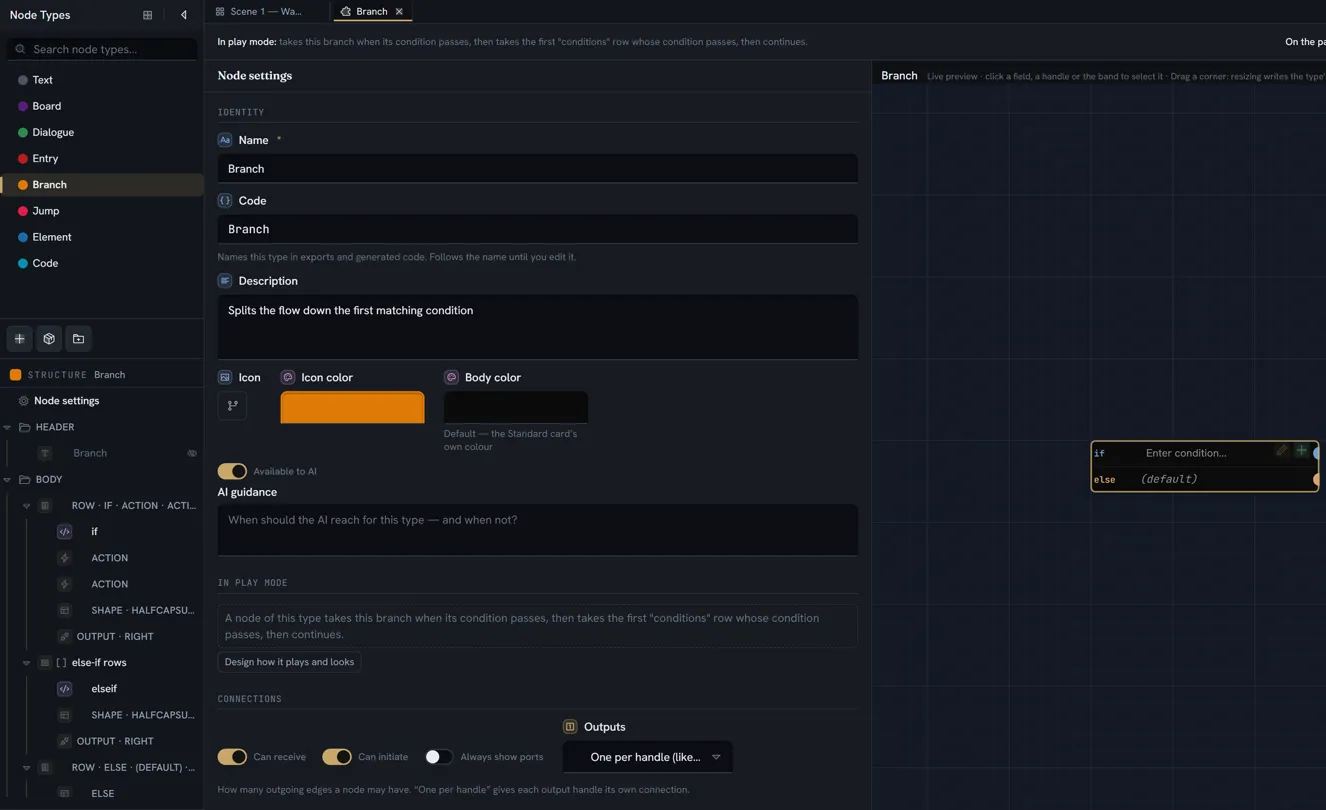
A Half capsule is the pip the standard Branch type draws on each condition line — rounded on its leading edge, flat against the border its row’s port sits on. A Bar reads as a coloured rule in the flow, or a vertical stripe when it sits at an edge.
Actions
An action is a button on the node that runs one built-in behaviour when clicked. Its inspector’s own summary: A button on the node that runs a built-in behaviour when clicked — it holds no value. It has no code and is invisible to exports, translation, search and the engine.
| Control | Meaning | Default |
|---|---|---|
| Button icon | The button’s glyph, picked from the icon dialog | A lightning glyph |
| Button label | The caption. Blank falls back to the verb’s own label. Always present as the button’s accessible name, even when only the icon is shown | The verb’s label |
| Does | The verb — see the table below. A verb the type cannot use is listed but disabled, annotated with what it needs | Open a link |
| Field / Edits / Follows / URL / List | The verb’s target — a field picker, a URL box or a repeater picker, depending on the verb | Empty — This button won’t do anything yet — it needs a link to open (or a field to act on / a list to add to) |
| Position | In the card · End of the row above · Top-right corner · The whole node (no button). Inside a row: In this row or The whole node (no button) | In the card |
| Style | Icon and text or Icon only | Icon and text |
| Accent | One colour: a light wash behind the button and the icon drawn in it | None — a neutral button |
| Show | Always, or On hover — hidden at rest, revealed when the pointer rests on the node | Always |
Style, Accent and Show are replaced by an explanatory caption when the position is The whole node (no button) — there is no button to style.
The verbs
| Verb, as listed | Needs | What it does on the node |
|---|---|---|
| Clear a field | A node-level field of any type except Rich text — Needs a field that can hold a clearable value | Empties that field |
| Open a link | A URL | Opens the http or https address in a new tab. Inert in the builder’s preview |
| Edit in a dialog | A Code field — Needs a code field (the only type with its own dialog editor) | Opens that field’s own editor dialog |
| Go to the target | A Node link, Board link or Document link field — Needs a node, board or document link to follow | Navigates to whatever the field points at |
| Edit this node’s fields | Nothing — Opens this node’s editor dialog, showing every field set to Edit in dialog. No options. | Opens the node’s dialog listing every field whose editing mode is In dialog (or that is marked Also in the node dialog) |
| Add a block to a list | A repeater on this type — Needs a repeater on this type | Appends a block to that repeater, honouring its Max |
Switching the verb clears the target and, if the caption still equalled the old verb’s label, relabels the button.
A whole-node action makes the entire body the trigger: Clicking anywhere on the node runs this — except on a field the reader can edit, which keeps its own click. Dragging the node never triggers it. It draws no button, so icon, style and show settings do not apply. A type is meant to carry at most one; nothing in the builder refuses a second, and only one of them can run.
If you pick Icon only without an icon, the builder warns: Pick an icon — without one the button falls back to showing its text, so it is never invisible.
References
A references item is a derived list: the entities or media that a board contains, drawn as thumbnails, chips or a count. It stores nothing on the node and has no code — what it shows is computed from the board, not authored. It is the general form of the standard Board type’s entity grid.
| Control | Meaning | Default |
|---|---|---|
| Look in | This board — the board the node sits on — or A linked item — the board (or entity) named by a link field on this type. The second option is disabled, and reads A linked item (add a board or entity link), until the type has such a field | This board |
| Link field | Which link field names the container. Shown when Look in is A linked item | The first eligible |
| Show | Entities or Media | Entities |
| As | Thumbnails, Chips with names or Count only | Thumbnails |
| Heading | An optional title — Cast | None |
| Max shown | How many entries are drawn; the rest collapse into a +N | 8 |
| Thumbnail size | The thumbnail edge, in pixels. Thumbnails only | The theme’s default |
In the Structure tree an unlabelled references item reads Entities in… or Media in….
Radar
A radar is a drawing of the node’s own Number fields — three or more of them as one polygon, an axis per field running clockwise from the top, the field’s label and its value at each tip, and two rings behind it (the rim and its half) to read about half against. Like a references item it stores nothing and has no code: it draws the values the fields it names already hold, and redraws as they change. It is an item, not a field, so it never appears in a Shown as menu — you add it where you want it drawn and pick which fields it reads. The entity view builder has the same block for a definition’s fields; this is its twin on the card.
| Control | Meaning | Default |
|---|---|---|
| Fields | Which of this node’s Number fields are the axes, in the order picked. Only fields on the node itself are offered — a block’s fields are per row, and a radar draws one shape | None — Pick three or more… |
| Label | An optional caption under the drawing | None |
| Max | One scale for every axis. Blank scales each axis by its own field’s Range upper bound, or by the largest value present when it has none | Per field |
Fewer than three axes draws no shape: the inspector says how many more to pick, or that the node has too few Number fields, and the card draws the same note in the radar’s place until it has three.
Total
A total is a number summed over a list’s rows, drawn as one stacked bar against a cap — a roster’s cost against a budget, a menu’s calories against a limit, a boss’s phases as one bar. Like a radar it stores nothing and has no code: it reads the rows of one of the node’s repeaters and redraws as they change, and as the records they name change. It is an item, not a field — you add it where the bar should be drawn and say which list it adds up.
| Control | Meaning | Default |
|---|---|---|
| Over | Which of the node’s repeaters is summed. Only node-level lists are offered — a list inside a block is per row | None — the bar rests until one is picked |
| Count | One of the block’s Number fields, taken per row as that row’s count; with none, every row counts 1 | None |
| Weigh by | An Entity field of the block and a code: each row’s count is multiplied by the number the row’s record holds under that code — a crew member’s cost, a dish’s calories. With none, each row weighs 1 | None |
| Cap | One of the node’s own Number fields, the figure the sum is read against — 12 / 20 after the bar; with none, the sum alone | None |
| Label | An optional caption before the bar | None |
On the node the bar has one band per distinct record the rows name (per row, when the block has no Entity field), each band’s width its share of the sum, in the order the rows are seen; the figure after it. A list with no rows draws the bar at rest, empty. Nothing of it reaches the engine — the rows and the cap already do — and there is no entity twin, since an entity has no rows.
Lookup
A lookup is a list of the places elsewhere that use something — where a variable is set and read, which characters a scene holds, which sounds a board plays in story order, what a level needs from before, which links point at something deleted. Like a total it stores nothing and has no code: what it shows is found on the boards, never typed, and never written into the project. It is a design aid — it has no value for a game to read.
| Control | Meaning | Default |
|---|---|---|
| What | The kinds of thing it looks for — Variables, Records, Record fields, Commands, Tags, Option sets, Flag sets, Boards, Nodes, Media, Documents (the link only). None picked means every kind | Variables |
| How many | Every one of those kinds, or One or Several — picked on the card, in a field of the type | Every one |
| Picked in / Narrowed by | The field the card picks in: a link of the kind (a single link for One, a list for Several) or a Text field of codes and names. Under Every one it may name a link field whose own settings narrow the list — the record types an Entity field allows, the variable types a Variable field allows. The inspector says so while One or Several has no field, or has more than one kind | None |
| Where | This board, This board and the boards it runs (the boards its nodes’ board links move the story to — the links play mode’s designer marks as a jump — and theirs), or The whole project | This board |
| Which uses | Set, Read, Called, Mentioned, Linked, Tagged, Named (typed on a card). None picked means any | Any |
| Missing only | Only the places that name something that is not there — a deleted id, a name nothing answers | Off |
| Reads only where nothing here sets it | Of a variable’s reads, only those where nothing in the lookup’s reach sets it — what this needs from before | Off |
| Show as | A list, Counts — one line per thing, or Story order — along the wires | A list |
| Group by | A list only: One list, Board, Node kind, Kind of thing, Thing, or How it is used | How it is used |
| Label | An optional caption | None |
On the node each place is a row: a stamp saying how it is used (SET, READ, CALL,
TEXT, LINK, TAG, NAME), the thing, the node it sits on with its first line, where
on the node (a field’s label, its requirement, the wire’s condition), a call’s arguments by
parameter, and the script line. ↗ takes you to that node. A name typed on a card is listed as
a name, never as missing. Counts draws one line per thing with its total and how it splits;
Story order walks each board from the nodes that start it, along the wires, and draws a fork as
either / or lanes, with the places no wire reaches last. When a set or a read is listed, a
footnote says they are a best guess — a command may change the value in the game, and a let of
the same name hides it.
The list is counted when the board opens and when you press ↻, and says when — as of 14:02. It does not follow edits live — only a change to its own pick field recounts it — so press ↻ after changing something it lists. In the Builder’s preview and on the pack shelf it draws a made-up sample, never your project.
A type whose only job is a lookup has no ports, so it sits beside the story rather than in it: play mode never reaches it, and the game receives the node with its pick field and no exits.
Codes
A code is the name a thing has in exports and generated code. Node types, fields, repeaters and applied traits (as a prefix) carry one; headings, rows, elements, actions, references, radar, total and lookup items do not.
The shape a code must have: letters, digits and underscores, not starting with a digit — a valid identifier in C# and C++. The builder derives one from the label and keeps it valid as you type; a code that does not fit can arrive only by paste or import.
Where a code must be unique — the two namespaces:
| Namespace | What shares it |
|---|---|
| The node | Header fields, body fields, row cells, every repeater’s code, and every applied trait’s composite codes (<prefix>__<fieldName>). All of these become members of the node’s generated class |
| Each repeater block | That block’s fields, which become members of the block’s class. A block code may repeat a node-level code |
Because trait composites live in the node namespace and an underscore is a legal character, a
plain field coded stats__hp collides with a trait prefixed stats that has a field hp, and
two traits applied under one prefix collide with each other.
What tells you about a collision:
- The row in the Structure tree shows a dup badge: “<code>” is already used by another item — codes name the generated properties, so they must be unique. The badge compares plain codes and prefixes; it does not see trait composites.
- The item’s Code box reads duplicate in red and takes a red border.
- A banner across the top of the type’s tab, N export-code problem(s), lists up to six lines of the form <where> — no code, “x” is not a valid identifier or “x” is already used, then …and N more. The banner does see trait composites, and it walks the header, the body, every block and the type’s own code.
Where a value is stored
Every item that holds data stores it on the node under a key the type decides. You never type these keys, but their shape explains what survives an edit and what does not.
| The field is | Its value is keyed by | Which means |
|---|---|---|
| At node level, header or body | The field’s own identity | Moving it between header and body, into a row or out of one, changes nothing |
| A cell of a row | The field’s own identity — unchanged | A row is layout, not a scope |
| In a repeater block | The repeater, the block, and the field | Every block has its own copy; adding or removing a block disturbs no other block. Each block also stores its own position in the list |
| Contributed by a trait | The applied trait item and the trait’s field | Two applications of one trait hold two independent sets of values. Inside a block, the block’s key comes first |
Three storage regimes follow from a field’s type, not from where the field sits: plain text, Code and Condition are collaborative text; Rich text is stored per language; everything else — numbers, booleans, dates, colours, every kind of link — is a plain value. Translations of translatable text, voice-over takes, archived values from a type change and the node’s requirement rows each live beside these in their own compartment on the node. A change to the type’s structure destroys none of it: a value whose field is gone, or whose type no longer fits, reads as empty and stays until Clean unused data….
Nesting
Containers go one level deep, with one exception. A row accepts fields, headings, traits, actions, elements and a handle — its Add menu offers nothing else. A repeater block accepts the same and one list (the block template): a repeater inside a block is built here, and the block of that inner list offers no further list and no handle. So a row inside a row, a list inside an inner list, a port on an inner list’s rows, or a references item inside a block cannot be built.
Such an item can still arrive, because a type is pasted and imported as data. What happens then:
- A repeater inside an inner list’s block is refused by the paste and by the pack shelf, and so is a handle on an inner list’s block — the finding names the list and says to move it up a level or make it fields of the row.
- A row inside a block or a row is not drawn on the node, but it is flattened rather than dropped: its cells still count as declared fields for exports, translation, search and the engine, so nothing is lost silently. The builder’s block list draws nothing for it.
- A references item inside a block is likewise not drawn in the block list.
The paste path refuses a type whose structure is nested more than 32 levels, or larger than 512 KB; anything shallower is accepted as-is.
What reaches the engine
The engine receives a type description once and a node description per node. Only items that hold data or make exits appear in either; headings, elements, actions, references, radar, total and lookup items are presentation and are absent.
| Item | On the type | On each node |
|---|---|---|
| Field (node level or row cell) | One field template — id, code, sanitised member name, label, type, storage, and no repeater | One field entry, by the field’s key |
| Field in a block | One template, carrying the repeater it belongs to; its member name is unique within that block | One entry per block, each carrying the repeater’s id and code, the block’s id and its position in the list |
| Trait | Its fields, as field templates coded <prefix>__<fieldName> | Their values, one set per application |
| Repeater | One repeater template — id, code, class name, label, Min, Max, and Plays when it is not Every row that holds — which generated code turns into a list of blocks | Nothing of its own; its blocks appear through their fields and exits. Each block’s reference carries the list’s Plays, and under One at random the block’s weight, so the game’s engine plays the same rows the preview does — and draws the random one from the same seeded sequence, so a save replays it. A block whose Once box is ticked carries that too. Under Least recently said and Once the engine remembers which rows it has said, in the save, so a loaded game goes on from the same memory |
| Taken by (a track’s variable) | — | The take, resolved for the node: the picked variable’s name, how long a span runs before it wraps round (under Clock or Wraps round), and every row it may take — the row’s reference, its start and duration, and whether it is an exit. The engine takes one row by that rule and presents it, or follows its exit without a menu |
| Row | Nothing named. Its cells are ordinary templates | Its ports appear as exits |
| Exit (a row handle or a block handle that is not input-only) | — | One exit per row handle, and one per block handle per block: the port id, the gate (absent when there is no gate field, blank when the field exists and is empty — the two mean different things), the keys of the content it presents, the block reference for a block exit, the exit kind and the blocked policy |
A node-level port declared in Connections is never an exit — only rows and blocks make exits. Reading a node on the game side, and what the generated code looks like, is the engine page.
Limits
| What | Limit | Enforced by |
|---|---|---|
| Items per region, rows per type, repeaters per type | None | Nothing |
| Blocks a writer may add | Min and Max on the repeater | The add and remove buttons disable; an Add a block to a list action honours Max |
| Block grid columns | 1 to 4 | The Columns picker |
| Block column widths | Fit, or 1 to 6, relative | The Column widths pickers |
| References entries drawn | Max shown, default 8; the rest collapse into +N | The item itself. Nothing caps the number you may type |
| Removed fields remembered for reclaim | 20 most recent | The type; older removals drop off, their data stays |
| Whole-node actions | Meant to be one | Nothing — a second is accepted and only one can run |
| Pasted type | 32 levels of nesting, 512 KB | The paste path refuses beyond either |
| Nesting depth | One level | The Add menus; a deeper item from a paste is refused, ignored or flattened as described above |
| Heading or note length, label length | None | Nothing |
What breaks
| Situation | What happens |
|---|---|
| Two node-level items share a code | The banner and the dup badge report it, and within a couple of seconds the later item is re-coded (_1) and a notice says so, by whoever has the project open with edit rights (or when it is next opened) |
| A trait composite collides with a field | Nothing refuses or repairs it. The banner and the dup badge report it; generated member names are made unique anyway, and the diagnostic naming your code names a duplicate |
| A block field repeats a node-level code | Nothing — that is legal. The block is its own namespace |
| A repeater is removed | Its blocks’ data is stranded for good on every node until Clean unused data…; there is no reclaim |
| A field is removed and re-added with the same code and type | The inspector offers Reclaim removed data at its top; the old values return with no writes. After twenty later removals, the offer is gone but the data is not |
| A field’s Code is renamed | Exports and generated code change their member name; nothing on the nodes moves, because the stored key is the field’s identity, not its code. Two things do address a field by code and break silently: a sibling’s Show when / Editable when condition, which no longer resolves and so the sibling is simply shown and editable; and every Stage binding to the field in play mode’s Design tab, which is disconnected without a warning |
| A repeater’s Code is renamed | The generated list is renamed; every block’s data is untouched |
| A trait is deleted in Definitions | The applied trait reads source missing in the builder, and its fields no longer appear on the node |
| The same trait is applied twice under one prefix | Both applications export identical codes; the badge and the banner both report it |
A plain field is coded to look like a trait composite (stats__hp beside a trait prefixed stats) | They collide; only the banner reports it |
| A repeater inside a block | Drawn — one level down, as that outer row’s own list |
| A repeater inside a row | Drawn — a row is layout, so its list is a node-level one |
| A repeater inside an inner list’s block | Refused by the paste and by the pack shelf; the finding names the list |
| Fields set to In dialog and no Edit this node’s fields action | The fields are unreachable on the node; the banner ‘X’ is edited in a dialog and nothing opens it names them and offers the action as a one-click fix. Nothing else stops you |
| A Condition field on a type with no Edit this node’s fields action | The same — a Condition is always dialog-edited, wherever it sits, and the banner names one inside a repeater block too |
| Show its own Add button left on beside an Add a block to a list action | An empty list draws a stray full-width row holding nothing but a + |
| An element set to End of the row above with nothing above it | It falls back to its own line rather than vanishing |
| A whole-node action beside a second one | Only one runs |
| A heading’s or note’s Above / Inline label position | Has no effect; every other label-style setting applies |