Field types
Every field type — what each stores, every option the builder offers, how it is edited on the canvas, what a game engine receives, and what breaks.
All documentation — The node builder
Boards and the canvas
The node builder
Modelling the world
Variables, logic and commands
Voice and audio
AI
Working together
Project settings
On this page
- The types
- Settings every field has
- How a field is edited
- Text
- Rich text
- Number
- Boolean
- Date
- Time
- Asset
- Entity
- Entities with counts
- Select
- Color
- Vector3
- Position and Area
- Code
- Condition
- Reference fields
- Node link
- Board link
- Document link
- Variable link
- Tag link
- Command call
- Changing a field’s type
- What each type reaches
- Keys the format accepts that the builder does not offer
- Limits
- What breaks
A field is a typed value on a node. The type decides three things at once: how the value is stored, how it is edited on the canvas, and what a game engine receives for it. Everything else on a field — its label, its layout, its reading — is presentation. You can change a field’s type after nodes exist: the values that no longer fit are parked, not deleted (see changing a field’s type and the guarantee on the index page).
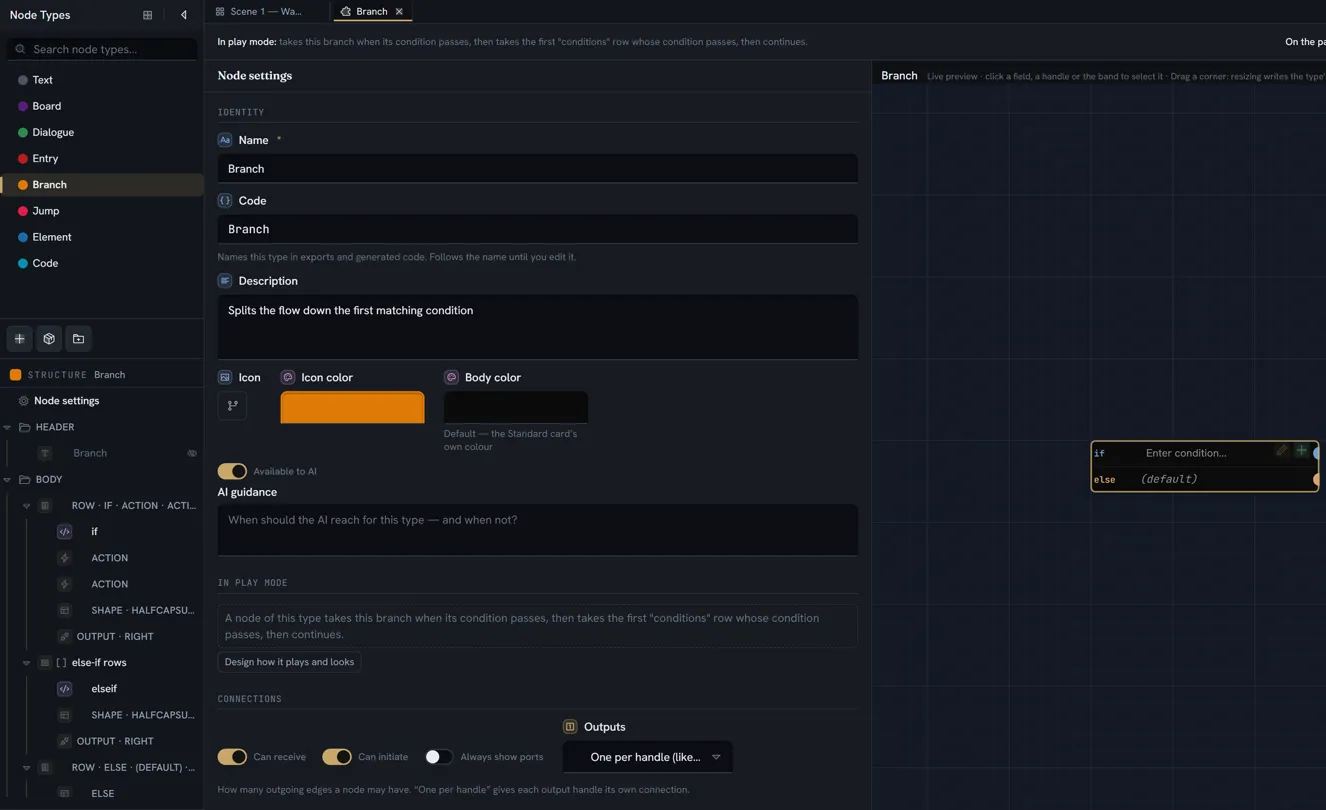
The types
In the order the Type tiles are laid out, under Type & code in a field’s inspector.
| Type | Key | A node stores | Points at | Translatable | The AI |
|---|---|---|---|---|---|
| Text | text | A plain string | — | Yes, when Translatable is on | Writes it |
| Rich text | richText | Formatted text, one copy per language | — | Yes, when Translatable is on | Writes it — never inside a repeater block |
| Boolean | boolean | true or false | — | No | Writes it |
| Date | date | A timestamp | — | No | Writes it |
| Time | time | A time of day — HH:MM, 24-hour | — | No | Writes it |
| Number | number | A number | — | No | Writes it |
| Asset | asset | A media item’s id, or a list of them | Media | No | Only an existing id |
| Entity | entity | An entity item’s id, or a list of them | Entities | No | Only an existing id |
| Select | select | An option’s value token, or a list of them | An enum or bitmask, optionally | No | Picks from the options |
| Color | color | A hex colour string | — | No | Writes it |
| Vector3 | vector3 | Three numbers, x, y and z | — | No | Writes it |
| Code | code | Expression-language source | — | No | Writes it |
| Node link | nodeRef | A node’s id | A node on any board | No | Not checked |
| Board link | boardRef | A board’s id | A board | No | Only an existing id |
| Document link | documentRef | A document’s id | A document or spreadsheet | No | Only an existing id |
| Variable link | variableRef | A variable’s id, or a list of them — or a name you type, when the field allows it | A variable | No | Only an existing id, unless the field allows a typed name |
| Command call | commandCall | A command’s id and its arguments | A command | No | Not checked |
| Tag link | tagRef | A tag’s id | A tag | No | Only an existing id |
| Condition | condition | Expression-language source | — | No | Writes it |
| Position | position | A point on one of the type’s pictures — x and y, each 0 to 1 | — | No | Leaves it |
| Area | area | A box on one of the type’s pictures — x, y, w and h, each 0 to 1 | — | No | Leaves it |
| Entities with counts | itemCounts | A list of entity items with a count each — [{ item, count }], in your order, an item allowed more than once | Entities | No | Only an existing id — a list naming a record that does not exist, or longer than the field’s capacity, is dropped whole |
All of them are available on a node type. Node link, Position and Area are the three types you cannot put on an entity definition — an entity form has no picture to place anything on — so every other one is shared with definitions.
The AI column means: writes it — the assistant authors the value; picks from the options — one of the select’s values, and a value outside the list is reported; only an existing id — the assistant may only fill it with an item it has been told exists, and it is told about entities above all, so the other references usually stay empty rather than invented; not checked — nothing verifies what it writes, so set these by hand; leaves it — a place on a picture is dragged there by you, and the assistant never writes one.
Settings every field has
These appear for most types, across the inspector’s four groups — Type & code, Type settings, Where & when, Look. The label is what the builder shows; the key is what a pasted definition carries. A control listed as greyed is shown but disabled, with its reason on hover.
| Setting | Key | What it does | Default | Offered when |
|---|---|---|---|---|
| Type | type | The type, as a grid of tiles. Changing it resets the type’s options, the reading and the editing mode; the field keeps its id, so its values are parked, not lost | Text | always |
| Code | code | The identifier exports and generated code use. Follows the label until you edit it. A red duplicate hint marks a collision; the builder re-codes a typed duplicate as you commit it, and one that arrives anyway is re-coded automatically | from the label | always |
| Span | layout.columnSpan | Full width, 1 column, 2 columns… | Full width | greyed until the body has more than one column, and always for a row’s cell |
| Rows | layout.rowSpan | 1 (normal) to 8 rows | 1 | the same |
| Placeholder | placeholder | Text shown while the field is empty — the box reads Shown when empty; for a chip-style type the hint reads Empty = icon only. A placeholder shows the form of the value, short and on one line (Enter condition..., gold > 10, Epilogue…); what the field is for goes in its label and its Hint (the hover tooltip). A sentence in a placeholder is an explanation in the wrong place — it is dimmer than a label, it is clipped to one line on the card, and it vanishes the moment you type | none | every type but Boolean |
| Initial text | initialText | The words a new node’s field starts with — written once, when the node is created, and the node’s own from then on. Editing the type later never changes a node that already exists. Not a template: one literal string | empty | Text, Code and Condition fields outside a repeater block (a block’s text is created when you first edit it) |
| Show label | showLabel | Overrides the type’s Show field labels for this field | the type’s setting | always |
| Shown as | reading | How the value is drawn at rest — see each type, and Shown as for the whole list, the region defaults and what a region withholds | Control · default — or the region’s default where the field sits | every type but Rich text, Position and Area |
| Show border | showBorder | The box around the control | on | every type but Boolean |
| Hide when empty | hideWhenEmpty | Draw nothing while the value is unset, blank or an empty list. false and 0 are not empty | off | every type but Rich text and Code — save a Code field shown as a ledger, which hides while it holds no statement; never in a table |
| Between rows | seam | Draw this field before its row rather than inside it — a seam across the list: a phase’s trigger, a chapter’s heading. Full width under a card list, a full-width row under a table, on the span’s leading edge under a band lane; the first row’s seam only once it has a value; the field stays in the row’s card. One per block — a second flagged field draws inside the row, and the builder says so (Appearance) | off | a field inside a repeater block |
| Show when / Editable when | showWhen / enableWhen | A condition on a sibling field: is set, is empty, equals, is not — the last two take a value | Always | greyed until the field has a sibling to read — another field on the type, or, inside a repeater block, another field in the same block |
| Use as this node’s name | preview | Shown in the jump picker, search and exports. Several marked fields join in order; none marked means the first text-like field | off | Text, Rich text, Code, Select, Date, Entity, Asset |
| Value align | valueAlign | Left, centre or right, for controls that do not fill their cell | left | Entity, Asset, Select, Date, Color, Boolean and every link type |
| BG | background | A background tint for the field | none | always |
| Editing | interaction | Click to edit · Always on · In dialog — see below | per type | greyed for Rich text, Code and Node link (edited on the card by its own editor), and for Condition and Entities with counts (edited in the node’s dialog — there is no card editor for it; a click on a Condition’s cell opens its own card; Entities with counts opens the row’s card on a repeater row, and at node level is a chest edited in place — or opens its own card when shown as Sentences or Chips — see Entities with counts) |
| Big empty state | placeholderStyle: "hero" | Centre the placeholder + icon as a large press-me target | off | every type but Boolean, Rich text and Code (Text, Number and Vector3 only when shown as something that draws its own element — a stat, a meter, prose, a line; not as a word or a pill) |
| Hide on the node | hideOnCard | Keep the value, draw nothing on the card — it stays editable in the dialog | off | Editing is In dialog; otherwise greyed |
| Also in the node dialog | inDialog | Edited on the card AND listed in the node's field dialog | off | Editing is not In dialog, and the dialog can edit the type; otherwise greyed |
| Translatable | isLocalizable | Include this text in translation exports and the localization panel | off | Text, Rich text |
| Spoken aloud | hasVoiceOver | This field's text gets a voice-over take, per language | on | Text, Rich text |
| Label style | labelStyle | Position, alignment, emphasis, size, typeface, indent, width, colour | — | the label is shown |
| Value style | valueStyle | Weight, italic, size, typeface, colour, auto-contrast | — | every type with text in it (not Boolean, Color, Code, Condition) |
How a field is edited
| Mode | What it means |
|---|---|
Click to edit | The card shows a read-only display, so a single click selects or drags the node; double-click opens the control in place |
Always on | The control is live; a single click acts |
In dialog | Edited in the node’s own dialog, still drawn read-only on the card |
Defaults: Text, Number, Vector3 and Rich text open on double-click; Condition is always In
dialog; everything else is Always on. An empty Text or Rich text field (still showing its
placeholder) opens on a single click, and typing on a selected node opens its first Text or Rich
text field that is edited on the card. Click to edit is offered only for Text, Number and
Vector3 — a switch, a picker or a chip has no read-only state to offer.
Text
A short line: a title, a name, a caption. With Multiline, a paragraph.
| Option | Key | What it does | Default |
|---|---|---|---|
| Multiline | multiline | A taller, wrapping box. Rendering only — the stored value is the same string either way | off |
| Quote marks | quoted | Set the words in curly quotes on the card — a line of speech, whatever it is shown as. The card’s drawing only: the stored words never hold the marks, the box you type in shows none, and an empty field shows its placeholder without them | off |
| Max length | maxLength | The text box stops accepting characters at this length, on the card and in the dialog | None |
| Max height | maxHeight | Caps the box in pixels and scrolls inside it. Offered only while Multiline is on | blank — grows |
| Inset | padding | Field padding in pixels, 0 to 40 — the space at the sides of the value | 8 in a box; none for a word drawn without one |
| Shown as | reading | Word — bare text, no box; Pill — a mono code pill; Stat — the value at title size with the label as a caption; Prose — a flowing paragraph, never clipped; Display line — a title or a line of speech, display face, clipped to two lines | Control · default |
On the canvas: a read-only line; double-click opens the text box in place. Translation and voice-over are per field: Translatable is off until you turn it on; Spoken aloud is on.
To a game engine: a string.
Rich text
Prose with emphasis, links, @ mentions of your project’s objects and {interpolated} values —
what a line of dialogue is written in.
| Option | Key | What it does | Default |
|---|---|---|---|
| Formats | allowedFormats | Which marks the editor offers: bold, italic, underline, strike, highlight, subscript, superscript, link. With every chip off ([]) the field is plain prose that still takes mentions | all on |
| Min height | minHeight | px (reserve room) — room to write before any text exists | auto |
| Max height | maxHeight | px (blank = grow) — caps the field and scrolls inside it | blank |
| Fill body & scroll | fillBody | Makes this field the part of the body that stretches and scrolls when a node is resized. It takes a row of its own on the card. One per node — the first in order wins | off |
| Inset | padding | Field padding in pixels, 0 to 40 — the space between the field’s outline and its text | 8 |
Fill body & scroll is disabled unless the type has a settled height: Needs a settled height. This type grows with content and its height can't be dragged, so nothing ever squeezes the body — set Height to Fixed height, or allow a vertical Resize. It is also disabled for a field inside a
repeater block or a row, with the reason beside it — only a field in the body’s own flow can fill.
On the canvas: the formatted text; double-click edits in place. The editing mode is not configurable, and the node dialog does not edit rich text. In Value style, weight, italic, size and typeface take effect on rich text; colour does not, and is not offered. Hide when empty and Big empty state are not offered.
To a game engine: the text per language, both as HTML and as plain text; the field’s value is the default language’s plain text.
Number
| Option | Key | What it does | Default |
|---|---|---|---|
| Allow decimals | decimal | Off: the value is read as a whole number. On: decimals are kept | off |
| Step | step | The spinner’s increment. A value of zero or less is stored as blank | blank — the placeholder shows the box’s own step |
| Unit | unit | What the number counts in — s, h, kg, %. The card shows it wherever the number is: in brackets after the label when the label is drawn (After (s) — a table’s column head, the row card, the node’s dialog), after the value when it is not (20 s, a number shown as a Word with its label hidden; not in a sentence, whose template says it), and in a map legend (After 2 s). This is the only way to give a number a unit: brackets typed into the Label are just words — Weight (optional) is a label, never a weight in optionals | blank — no unit |
| Range … to | min / max | Bounds. The spinner respects them, and a typed value is clamped when you leave the box | blank |
| Ends … / | minLabel / maxLabel | The words at the two ends of a Meter’s track — Hostile / Friendly on a stance. Offered only while the field is shown as a Meter; either alone is fine | blank |
| Danger from | dangerFrom | The value a Gauge’s red band starts at, in the field’s own units. The band runs from that value to the nearer end of the range — 25 on 0 to 100 bands the low quarter (a hull), 80 bands the top fifth (a heat) — and the note beside the box says which (below 25 / above 80); a value inside the band turns the sweep and the number red. Offered only while the field is shown as a Gauge; a value outside the range draws no band, and the note says so | blank — no band |
| Shown as | reading | Word — the bare number; Stat — at title size, the field’s icon leading it; Meter — needs both bounds; Gauge — a half-circle dial, the value swept in the type’s colour with a needle, the number under the pivot and the range at the two ends; needs both bounds; Ring — a count out of a total as a ring with the number inside (3/8), needs the upper bound (the lower is the ring’s zero, 0 when blank), green when full; Pips — one pip per unit up to the maximum, which must be 1 to 10 | Control · default |
On the canvas: the value; double-click opens a number box in place. Three or more Number fields on a node can also be drawn together as one shape by a radar — an item of the type, not a reading of any one field — and a Number field of a repeater’s block can be summed over the rows by a total. Inside a repeater block a Number can hold a role, picked on the repeater rather than on the field: a track’s Start, Duration, Every and Repeats, and the Weight a random exit rolls by (the repeater’s inspector). The field itself is unchanged by the role; the way reads it.
To a game engine: a number, with whether decimals were allowed carried beside it so generated code can declare an integer or a floating-point member. The three-state detail is on the payload page.
A Meter or a Gauge with no range, a Ring with no upper bound, or Pips with a maximum outside 1 to 10, falls back to the default row silently. Nothing but the box enforces the range — a value written by an import or the assistant is not clamped.
Boolean
| Option | Key | What it does | Default |
|---|---|---|---|
| Labels … / | trueLabel / falseLabel | What the switch, and the State dot, say when on and off | Yes / No |
| Shown as | reading | State dot — a state you scan rather than a switch — or Tick box, the checklist’s square alone, flipped by one click | Control · default |
On the canvas: a switch; a single click toggles it. Boolean has no Placeholder, no Show border and no Value style.
To a game engine: true or false.
Date
| Option | Key | What it does | Default |
|---|---|---|---|
| Include time | includeTime | The picker takes a time as well, and the card shows it | off |
| Range … to | minDate / maxDate | Earliest allowed date / Latest allowed date — the picker’s bounds | blank |
| Shown as | reading | Word — the date as bare text; Stat — the date at title size under a small caption | Control · default |
On the canvas: the date, formatted in your browser’s locale; a click opens a calendar. The formatting is display only — what is stored, and what a game receives, is the timestamp.
To a game engine: a string — the stored timestamp.
Time
A time of day — hours and minutes, HH:MM on a 24-hour clock (18:30, 02:40) — with no day
attached: a Date says which day, a Time says when in one. It has no options of its own beyond
the ones every field has.
| Option | Key | What it does | Default |
|---|---|---|---|
| Shown as | reading | Word — the digits as bare text; Pill — the digits as a mono pill; Clock — a clock face with its hour and minute hands, the digits beside it and the part of day as a small word when it is not daytime (dawn, dusk, night), the face tinted by it — amber at dusk, dark at night | Control · default |
On the canvas: the digits; double-click opens a box in place, where a loosely typed time (7:5,
18.30) is normalised to HH:MM when you leave it. A value that is not a time is not stored.
The same type is offered on entity definitions, variables, command parameters and spreadsheet
columns, with the same HH:MM value everywhere. It sorts and compares as text — 09:00 before
18:30 — so a condition can compare two times directly.
To a game engine: the stored HH:MM string under a field kind of its own, read as a typed
time-of-day value — a TimeOfDay struct in the Unity plugin, its twin in the Unreal one; on a
play step a value that does not parse reads as absent, not as midnight.
Asset
A media item — an image, video, audio clip or document from the Media section — or a gallery of them. An audio file here is a sound effect in Play and in a game engine: it plays once when the story shows the node (Sound on a node). Every other kind is drawn, never played.
| Option | Key | What it does | Default |
|---|---|---|---|
| Multiple (gallery) | multiple | A list instead of one item | off |
| Max items | maxItems | Caps the list; a longer list committed on the card is truncated to it. Offered while Multiple is on | Unlimited |
| Accepts | allowedTypes | Chips Images · Video · Audio · Documents · Other — what the picker offers. None selected means any | any |
| Display | displayVariant | Pills (with name) pills · Thumbnails only thumbnails · Large preview preview · Cover (edge to edge) cover · Fill the cell (crop) fill. Steps aside under a Portrait, which replaces the chips | Pills |
| Shown as | reading | Chips — the chips with their box gone; Name only — the chip’s name alone, its picture gone; Avatar — the chip with a round picture; Picture and name — the picture as a square tile beside its name, or, with the Picture row beside it set to Banner, a wide strip across the card with the name over its foot; Portrait — the picture filling the width, cropped to a portrait about its focal point (a click on the picture in its media tab); Map — the picture at its own proportions, carrying the node’s Position and Area fields as pins and boxes (a spot whose row names a record shows the record’s face), its doors, and a legend of the places — see Map | Control · default |
| Legend | legend | Where the map’s list of places sits: Below below — under the picture, the lines wrapping (one per line once the rows carry a caption); Beside beside — in a column to the picture’s right, the picture narrowed to make room, each place on its own line with its caption under the name. Offered while Shown as is Map | Below |
| When empty | standIn | The id of one of the type’s node-level single Entity fields whose own picture fills the portrait frame (or the avatar’s round face) while this picture is empty — a Portrait line’s Speaker, so the ordinary line needs one pick and a picture is picked only when the line wants a different face. A picked picture always wins; with nobody picked in the named field either, the frame is hollow. Offered while Shown as is Portrait or Avatar on an Asset field; never picked for you — a scene picture beside a character keeps its hollow frame unless you say so | Nothing — the empty frame |
| Thumb size | thumbSize | Thumbnail edge in pixels, in steps of 4. Offered for Pills and Thumbnails | 32 |
| Round thumbnail | thumbShape: "circle" | A portrait-style circular crop instead of a rounded square | off |
On the canvas: chips or thumbnails; a click opens the media picker, and a media item can be dropped onto the field. In a gallery the chips can be dragged to reorder and removed one by one. A single picture is cleared from the picker itself: while the field holds one, a None row leads the list — the same row every reference picker on the card leads with.
To a game engine: a media reference — the id and the URL where the bytes are — or a list of them. The stored value is the item’s id, never its code, so renaming a media item never strands a field (media codes).
Cover and Fill need the media item’s stored dimensions; an item without them draws in a square box.
Entity
An entity item — a character, a place, an object — or a list of them.
| Option | Key | What it does | Default |
|---|---|---|---|
| Multiple (entity list) | multiple | A list instead of one item | off |
| Max items | maxItems | Caps the list; a longer list committed on the card is truncated. Offered while Multiple is on | Unlimited |
| Accepts | allowedEntityDefinitions | One chip per definition in the project; the picker offers only those. None selected means any | any |
| Display | displayVariant | Pills (with name) · Thumbnails only · Cover (edge to edge) · Fill the cell (crop) — no large preview for an entity. Steps aside under a Cue, a Portrait or a View, which replace the chips | Pills |
| Shown as | reading | Chips; Checklist — a multi-value reference as ticks, one per record, the tick that record’s own first yes/no field, k / n above; Cue — the name in caps with the definition’s name under it, a screenplay cue; Name only — the chip’s name alone, its picture gone; Avatar — a round picture beside the name; Picture and name — a picture row: the picture as a square tile, the name beside it, the definition’s name under it — or, with the Picture row beside it set to Banner, the picture as a wide strip across the card with the name over its foot (the premade Barrier); Portrait — the entity’s picture filling the width, cropped about its focal point; View — the entity’s whole record through one of its definition’s saved views, read-only, a click opening the item | Control · default |
| View | viewId | Which saved view a View draws through — every accepted definition’s views, named Definition · View when more than one definition has some. Offered while Shown as is View; a definition with no view is said so under the row | Default view · default — the item’s definition’s default view |
| Counts against | checklistTotalField | The id of one of the type’s node-level Number fields whose value is the checklist’s total: its k / n counts the ticked records against that number instead of against how many are listed — five fuses on the list, a Need of 3, 0 / 3. With the number left empty on a node, the list’s length. Offered while Shown as is Checklist; never picked for you; a type with no number field is told so in the row | How many are listed |
| Use this entity’s colour for its section | tintContainer | Paints the section the field sits in (the header band for a header field) with the held entity’s colour | off |
| Colour the whole node | tintScope: "node" | Off = tint only the section this field sits in. Offered while the tint is on | off |
| Thumb size / Round thumbnail | thumbSize / thumbShape | As for Asset | 32 / off |
On the canvas: chips, or the entity’s picture as a cover; a click opens the entity picker, and an entity item can be dropped onto the field. Shown as a View, the record on the card is read-only and a click still opens the picker; rest the pointer on the node and an open button appears at the record’s corner — that is what opens the item. To take the entity off again, open the picker: while the field holds one, a None row leads the list (a multi-value field removes from its chips instead). Every reference picker on the card — entity, picture, document, variable, tag, node, board — leads with that same row; in the node’s dialog and in forms the trigger carries a ✕ instead.
An empty picker points at the pack that fills it. When a field that Accepts only certain definitions has nothing to offer — the project holds no record of any of them — and a library pack brings records of one of those definitions, the card’s picker says so in place of its list: No input actions yet · Add the Input actions pack, with Open it in the Library, which closes the picker and opens the library on that pack. It asks by the definition’s code, so any such field gets it, not one card. With no such pack, the picker reads No entities found as before. The node’s dialog and forms show the plain empty state.
To a game engine: an entity reference by id — the entity’s field values are resolved when the game reads them, because a script may have changed them since the payload was built.
When two tinting fields share one container, the first wins. A per-node colour override wins over the tint, and the tint wins over the type’s own colour.
Entities with counts
Entity items with a count each — what an outcome hands the player, what a recipe needs, what
a chest holds. The value is a list in your order: Regenerative Gel Pack ×2 · Med Crate ×1. An
item may appear more than once — two Gel Pack lines at 1 each and one line at 2 both mean two,
and the card draws each as you wrote it; nothing merges them. A count is a whole number of at
least 1; to hand over none, remove the line. An entry may also carry the cell it sits in
(slot, a whole number from 0): a chest is a grid with positions, and the cell you put an item
in is where it stays — and where the game finds it. An entry with no cell takes the first free
one.
| Option | Key | What it does | Default |
|---|---|---|---|
| Accepts | allowedEntityDefinitions | One chip per definition in the project; each line’s picker offers only those. None selected means any | any |
| Editor | itemsLayout | Lines — A line per entry — the record, its count, a remove — and Add under them. The default. · Grid — A tile per entry — the record’s picture with its count in the corner — and an empty tile to add. The grid is the cells in order: a filled cell is the entry’s tile — a click opens that entry’s line in a popover, the × on its shoulder removes it — and every hollow cell is a + that adds into that cell: the pick lands there with ×1. With a capacity the lines list the entries in cell order, each with its cell number (#2) before the picker; + Add takes the first free cell | Lines |
| Grid | columns · maxItems | The chest’s shape, Columns × Rows. Columns fix the width — the cells lay out that many to a row on the card and in the editor’s grid, whatever the node’s width, so the third cell of the second row is always the same cell. Rows with them fix the capacity (maxItems = columns × rows) — a hard ceiling: an empty chest of 4 × 2 is eight hollow cells, each a place to add; a filled cell keeps its place when its neighbours change; and once every cell is filled there is nowhere to add — no hollow in the grid, and the add line reads Full · 8 / 8. Nothing can be placed past the capacity. A list already longer than the capacity is kept whole and drawn whole — the entries the grid has no cell for are drawn on a strip under it; only adding is refused. Rows wait for Columns; leave Rows empty for an unbounded chest that wide, and both empty for one that wraps at the card’s width and ends in one hollow cell, the add — its lines are then a plain list with no cell numbers | empty |
| Shown as | reading | Slots — a tile per line, the item’s picture with ×n in its corner; a hollow tile for an item with no picture, a red one for an item the project no longer has; on the card’s own grid the tile is 32px, in a repeater row’s cell 26px · Sentences — what the records say: each record’s description with the line’s count filled in ({n} the count, {n|one|many} a word picked by it), on one flowing line; see Shown as. · Chips — each line as its record’s chip, picture and name, the count after the name only past one; a record the project no longer has reads Missing item. A field shown as sentences or chips is not a chest: a click opens its card | Slots |
On the canvas, a node-level field shown as Slots is a chest edited in place, and its cells are the whole editor: a click on any cell opens that cell’s panel — the record list with a quantity box above it. On a hollow cell the pick lands there with the quantity shown (1 unless you set it first); on a filled tile the panel opens on its record — a new pick swaps the record and keeps the cell and the count, the quantity box changes the count, and the clear row at the top of the list empties the cell. The panel stays open through all of it, so you pick and then set how many without reopening anything; it closes when you click elsewhere or press Escape. While the node is selected each filled tile also wears a × that clears its cell. The strip beside the tiles does nothing; the field’s card — the same grid, or the lines, as Editor says — is in the node’s own edit dialog. A field with no Grid draws its entries in order and one hollow cell to add into. In a repeater block the items are a hand-over list, not a chest: the click opens the whole row’s card, so the row is written in one place. On an entity item’s form the field’s editor is the control, and its definition’s field config offers the same Editor and Grid choices; in the entity grid the cell reads the list as text and is edited in the item view.
To a game engine: the items’ references, their counts and their cells, in your order, on the
field — the cell the card shows each item in, or none for an item the grid has no cell for —
with the chest’s Grid beside them on the field’s declaration (maxItems and columns, so a
cell n is row n ÷ columns, column n mod columns) — and,
when the field sits on a row that is an exit, on that exit as items, handed to the game when
the exit fires (a Loot roll’s outcome). The engine keeps no inventory; a game with a grid
inventory seats the items where the writer put them, a game without one ignores the cell. The
assistant never writes one.
Select
One value from a fixed set, or several. The set comes from one of four sources.
| Source | Key it writes | Multiple | What is stored |
|---|---|---|---|
Enum (single) | enumRef — the enum’s id | no | The chosen option’s value token |
Bitmask (multiple) | bitmaskRef — the bitmask’s id; sets multiple: true | yes | A list of value tokens |
Inline options | options — rows of value, Label and a colour, added with Add option; and multiple when its Multiple switch is on | your choice | The chosen option’s value token, or a list of them |
From a sibling entity field | optionsFrom — { field, path }: field is the code of an Entity field beside this one, path the name of a field on the entity that field holds | no switch is offered; whatever the field had is kept | The chosen option’s value token — one of the entity’s select values, or one entry of its text field |
Enums and bitmasks are project objects, edited in the Variables section and reusable across types —
see enums and bitmasks. Inline options live only on
this field. A sibling-fed select has no list of its own: pick a character in the Entity field
beside it, and this select offers that character’s expressions — a select field on the entity
gives its values, labelled through the entity definition’s own options; a text field gives one
option per line or comma-separated entry.
| Option | Key | What it does | Default |
|---|---|---|---|
| Source | see above | Enum (single) · Bitmask (multiple) · Inline options · From a sibling entity field. Switching clears the other sources’ keys. With no enum in the project the enum picker is replaced by No enums defined yet. Create one in the Enums section, or switch to inline options.; the bitmask picker likewise | Enum |
| Options | options | The inline list, shown as soon as Inline options is chosen: value, Label and a colour swatch per row, Remove option, Add option | empty |
| Multiple | multiple | Several options can be chosen; the node shows them as pills — inline options only. An enum is single and a bitmask multiple by what the definition is | off |
| Sibling / Field | optionsFrom | Shown as soon as From a sibling entity field is chosen. Sibling lists the Entity fields beside this one (inside a repeater block, the block’s own); with none there, the note Needs an entity field beside this one — add one, and its item's field will supply the options. takes its place. Field is the name of the entity’s field that supplies the list, typed as it is spelled on the entity definition, e.g. expressions | both blank |
| Shown as | reading | Word — the option’s label as bare text; Pill — as a mono code pill; Stat; Badge — the option’s own pill in its colour, single-value only; Chips — a multi-select’s pills with the box gone | Control · default |
On the canvas: a pill, or one pill per chosen option; a click opens the option picker.
To a game engine: the token string, or a list of tokens for a bitmask or a multiple inline select. A select backed by an enum carries the enum’s reference, so generated code can offer a typed enum member; a select with inline options carries no reference and produces a plain string.
Things worth knowing before you choose a source:
- A multi-value select is a bitmask or an inline list with Multiple on. An enum is always single; a bitmask is always multiple; only the inline source lets you choose.
- Option colours come from the definition for an enum or bitmask, and from each row’s swatch
for inline options. The
Badgepresentation and the pills use them. - An inline list wins. If a pasted definition carries both
optionsand anenumRef, the card draws the inline list. The builder never produces that combination. - Nothing checks the option rows. An empty
value, or two rows with the samevalue, is accepted as typed. - Max items is not offered for a select.
- A value that is not in the current list — after a source switch, or an option was removed — shows as its raw token; the assistant’s validator reports it as not an option. A select whose enum has been deleted shows its placeholder.
Color
No type options; the swatch is the whole control.
| Option | Key | What it does | Default |
|---|---|---|---|
| Shown as | reading | Swatch — the square alone, no hex text; Colour band — the colour painted as a full-width band. Both need a valid hex value | Control · default |
On the canvas: a swatch; a click opens the colour popover. Stored as a hex string such as
#3366cc.
To a game engine: the string.
Vector3
The three axes are fixed; the one option is how the value reads at rest.
| Option | Key | What it does | Default |
|---|---|---|---|
| Shown as | reading | Word — the three numbers as bare text, no boxes | Control · default |
On the canvas: three boxes, x, y and z, each stepping by 0.01; double-click to edit.
To a game engine: three numbers, [x, y, z], which the plugin exposes as its own three-component
vector so you convert to the engine’s type at your edge.
Position and Area
A place on one of the type’s pictures — a Position is a point, an Area is a box. The
picture is an Asset field on the node (not in a repeater block, not a gallery); the value is
normalised to it — 0 to 1 across and down, from the picture’s top-left corner — so re-uploading
the picture at another size moves nothing.
| Option | Key | What it does | Default |
|---|---|---|---|
| Picture | pictureField | Which of the type’s pictures the place is on. With one picture on the type it is preselected; with several you pick; with none the row says add a single asset field at node level first and the field cannot be placed | the type’s only picture |
On the canvas: the value is dragged on the picture, or typed as its exact numbers in the row’s card and the node dialog (x y, and w h for an area — fractions, four decimals). Show the picture as a Map
and every Position becomes a numbered pin on it, every Area a dashed box with a grip at its
bottom-right corner — drag the pin, drag the box to move it or its grip to size it. A Position or Area in a repeater block is
one pin or box per row, numbered in the rows’ order, with the block’s first text as the pin’s name
in the legend under the picture (or beside it — the picture’s Legend setting). A spot whose row
also has a record — an Entity field in the block — shows the record’s face as its pin, round,
its number in a small badge, and a count (×3) when the row has a Number; the legend then adds
the record’s name after the row’s. Every pin, face and box is listed — the name alone, and
under it the block’s second text as a caption when the block has one; a door is not listed,
its pill is its word. Until dragged, a pin waits near the picture’s centre — the first
on it, the next ones on a small spiral around it so a type with six spots lands six pins you can
tell apart — and a box as a centred square, all dimmed. A double-click on an empty part of the
picture adds a row with its pin already there; a box dragged on an empty part adds a row with
those bounds. The field’s own cell — in a list, a table column — is a read-only
readout (x 0.26 · y 0.64).
A Position in a block that also has an exit handle makes the rows doors — see Map: the row draws as a pill on the picture instead of a pin, its port the pill’s dot, and a double-click on an empty part of the picture still adds a pin, never a door (a door is added like any row — the block’s Add button). The block’s first Position is the door’s point; a second one is a pin of that row as before.
To a game engine: the numbers as stored — {x, y} or {x, y, w, h}, each 0 to 1 — plus which
picture they belong to, so the plugin can scale them to the box it draws the picture in. The
assistant never writes one.
Code
Expression-language source. One option decides what the field means.
| Option | Key | What it does | Default |
|---|---|---|---|
| Single expression | expressionOnly | Off: the field is the node’s script, run when the story arrives — several script fields on one node run in order. On: the field holds one expression, and it is a gate when it sits in a row or repeater block that has an exit; on its own it does nothing at play | off |
| Keep to one line | singleLine | Never wrap; scroll sideways | off |
| Skill check control | control: check | On a script field only. The node dialog edits the script as a skill check — stats (one or several, added or best-of), a die, a difficulty, modifiers — and writes the script for you; on the card the field reads as the check in words and opens as the usual code editor on click. The script stays the source: edit it as code and the control steps aside until the text is a check again | off |
| Min height / Max height / Fill body & scroll | minHeight / maxHeight / fillBody | As for Rich text | auto / blank / off |
| Inset | padding | Field padding in pixels, 0 to 40 | 8 |
| Shown as | reading | Pill — the code at rest as a mono pill (the editor opens as usual on click); Ledger — a script (not a single expression) as what it changes, a stamp per statement, a click opening the row’s card — see Shown as | Control · default |
On the canvas: a code editor in place, highlighted and validated against the expression language. The editing mode is not configurable. The node dialog edits a Single expression field with the visual condition builder, and a Skill check control field with the check control; it does not edit any other script.
To a game engine: a script becomes a compiled program the runtime executes; a single expression becomes an expression. Both keep their source text. What a script may do is scripts on a node; what a gate may do is conditions and gates.
Condition
A gate, by construction. It has no type options — a condition is authored in the node dialog, not
configured in the builder — and two presentations: Shown as Pill draws the expression as a
mono code pill at rest (the default on a list, a table or a strip), and In words reads it as a
sentence — [Ryn Zhao] hacking at least [3] — printing as written anything that is not a simple
run of terms (Shown as has the rules).
On the canvas: the expression, highlighted, read-only. It is edited in the node dialog with the
visual builder, which is why a type carrying one needs an Edit this node's fields action (see
how a field is edited). Editing is fixed to In dialog.
To a game engine: an expression, with its source text.
Reference fields
Six types hold a link to another object in the project. All six can be Shown as Chips — the
chip with its box gone, the default on a list, a table or a strip.
Node link
A node on any board. The one type not available on an entity definition.
| Option | Key | What it does | Default |
|---|---|---|---|
| Display | displayVariant | Chip (with name) pills · Target summary preview — the target’s own preview text, board name, picture and colour | Chip |
| Use the target’s entity colour for its section | tintContainer | Tints the section with the colour of the entity on the target node | off |
| Colour the whole node | tintScope: "node" | Offered while the tint is on | off |
| Thumb size / Round thumbnail | thumbSize / thumbShape | As for Asset | 32 / off |
On the canvas: a chip or the target’s summary; a click opens the node picker. The editing mode is not configurable, and the node dialog does not edit a node link. Four states are drawn distinctly: empty · the target cannot be resolved yet · the target is gone · live.
To a game engine: a node reference — the node id and, for a target on another board, the board id.
Whether a node link moves the story there is not a builder setting. It is set in play mode’s
designer, which writes role: "jumpTarget" and returnAfter on the field; see
play mode.
Board link
No type options — a board link points at a board, and there is nothing to restrict.
On the canvas: a chip with the board’s colour dot; a click opens the board selector. To a game
engine: a board reference. A board link can also carry role: "jumpTarget" from play mode’s
designer.
Document link
| Option | Key | What it does | Default |
|---|---|---|---|
| Accepts | allowedDocKinds | Any document · Documents only (["richtext"]) · Spreadsheets only (["spreadsheet"]) | Any document |
On the canvas: a chip whose glyph says page or grid; a click opens the document picker. To a game engine: the raw id string — there is no engine-side document kind. See documents and spreadsheets.
Variable link
| Option | Key | What it does | Default |
|---|---|---|---|
| Multiple (variable list) | multiple | A list of variables instead of one | off |
| Max items | maxItems | Caps the list; the picker stops adding at it. Offered while Multiple is on | Unlimited |
| Hide icon once selected | hideSelectedIcon | Drop the type glyph once a value is picked | off |
| Accepts | allowedVariableTypes | Which variable types the picker offers — tick none for any | any |
| Allow a typed name | allowTypedName | Accept a name typed into the picker, as well as a pick. Hidden while Multiple is on | off |
On the canvas: a chip showing the variable’s code — what you would type in a condition — with
its label as the tooltip; a click opens the variable picker. The field stores the variable’s id, so
the link survives a rename; to a game engine it arrives resolved to the name: the variable’s
code, and its context’s code beside it, so a handler can compare either or join them into
context.variable. A link to a variable the project no longer has arrives as nothing at all.
Accepts is how a type says what it wants without naming anything that changes. A card whose
From field means which place this comes from ticks Text, and the author keeps the places
themselves in a context per level — Level1.spawnPointInitial — so a
new level is a new context and the type never changes. Ticking nothing offers every variable.
See variables.
Allow a typed name is for the sketch. With it on, the picker’s search box offers a Use “…”
row: whatever you typed becomes the value, and the field stops needing a variable to exist first —
write the loading bay now, pick Level1.loadingBay when the level does. A typed name is drawn on
the card as plain words, a pick as the variable chip, so you can always see which of the two a
node holds.
To a game engine, a typed name arrives as the field’s text, with no reference. The rule a handler follows is: the reference’s name if there is one, else the field’s text.
Multiple makes the field a list of variables — a keep list, a watch list. On the canvas each
variable is its own chip, in your order; a click opens the picker, where picking a variable already
on the list takes it off and picking any other adds it at the end. In the node’s form the list is a
row of pills you can reorder and remove. To a game engine it arrives as one variable reference per
item, in order — a variable the project no longer has is left out — read with VariableList() in
Unity and Get Variable List in Unreal; generated code types it as a list of ids.
Tag link
| Option | Key | What it does | Default |
|---|---|---|---|
| Hide icon once selected | hideSelectedIcon | As above | off |
On the canvas: a chip with the tag’s colour dot; a click opens the tag picker. To a game engine: a tag reference — id and label. A tag with no label is dropped from the payload rather than sent as a bare id. See tags.
Command call
A command and its arguments, stored as data — the game decides when, or whether, to dispatch it.
| Option | Key | What it does | Default |
|---|---|---|---|
| Hide icon once selected | hideSelectedIcon | As above | off |
| Arguments | argLayout | Hidden — The command chip alone — arguments are edited in the panel. The default, and the only correct drawing for a command that declares no parameters. · Signature — One read-only line, playSound("door", 0.8). Costs no height, but it is positional and truncates from the right. · Inline — Arguments run across the card and wrap. Cheapest labelled layout; a long value truncates before a short one does. · Rows — Arguments run down the card, one field row each. The most legible and by far the tallest. | Hidden |
| Labels | argLabels | Above · Beside · None — where a parameter’s name sits. Offered for Inline and Rows; under Hidden the caption reads Arguments are edited in the panel, not drawn on the card., under Signature A signature line is positional — it has no labels to place. | Beside |
| Command leads the row | argCommandInline | In the Inline layout, the command chip leads the strip instead of sitting above it | on |
On the canvas: the command chip and, per the layout, its arguments; a click opens the command
panel, where each argument is a literal or a variable. Arguments are keyed by the parameter’s id,
so renaming a parameter never strands them. An argument whose stored value no longer matches its
parameter’s type is drawn as unresolved, never dropped. Hidden is forced for a command with no
parameters, or one that no longer exists.
To a game engine: the field is typed as a command reference — the command’s code and its arguments in declaration order. As of this writing, a stored command call does not arrive in it: the engine receives the field empty, so do not build a game mechanic on a command call field until that is fixed. Calling a command from a Code field’s script does reach the game.
Changing a field’s type
Changing the type destroys nothing. A value that no longer fits its field reads as empty and is
parked, keyed by the field and its old type; change the type back and it returns. The type-specific
options, Shown as and the editing mode are reset by the change, so set them again. Removing a
field parks its values too — and adding a field with the same code and type later shows A field with this code and type was removed. Its content is still stored on every node — reclaim it, or it stays unused until the next cleanup. with a Reclaim removed data button. Only Clean unused
data…, with its confirm Clean unused data?, deletes a parked value. The full mechanism is on
the index page.
What each type reaches
| Type | A game engine receives | In the translation export | In the AI’s search index |
|---|---|---|---|
| Text | A string | When Translatable | Yes, as Label: value |
| Rich text | HTML and plain text per language; the default language’s plain text as the value | When Translatable | Yes |
| Boolean | true / false | — | — |
| Date | A string | — | — |
| Time | The HH:MM string, read as a typed time of day | — | — |
| Number | A number, plus whether decimals were allowed | — | — |
| Asset | A media reference: id and URL; a list when Multiple | — | — |
| Entity | An entity reference by id; a list when Multiple | The speaker’s name, when it is the first entity field | Yes, as the entity’s name |
| Select | The token; a list of tokens for a bitmask; an enum reference when backed by an enum | — | — |
| Color | A string | — | — |
| Vector3 | [x, y, z] | — | — |
| Code | A compiled script, or an expression; the source text | — | Yes, scripts as code |
| Condition | An expression; the source text | — | Yes, as the gate it is |
| Node link | A node reference: node id and board id | — | — |
| Board link | A board reference | — | — |
| Document link | The raw id string | — | — |
| Variable link | A variable reference: its id, its code, and its context’s code or nothing; absent when the variable is gone; a list when Multiple | — | — |
| Tag link | A tag reference: id and label; dropped without a label | — | — |
| Command call | Typed as a command reference; arrives empty today | — | — |
| Entities with counts | The entity references in order, and the counts beside them; on an exit’s row, also the exit’s items | — | — |
The engine-side vocabulary — one field kind per type, the narrow reference structs, and the rule that an unknown kind is a diagnostic rather than an error — is the step reference and the payload in the Unity plugin’s documentation. The Unreal plugin, still in development and not yet released, reads the same payload and documents its own typed layer at its manual.
Keys the format accepts that the builder does not offer
A definition you paste may carry these; on a node they are kept and ignored. The builder never writes them.
| Key | On a node |
|---|---|
rows (text) | Ignored |
numberFormat, displayDecimals, useGrouping, currencyCode (number) | Display formatting for grids and exports; the card shows the plain value |
dateFormat (date) | The card formats by your locale instead |
precision (vector3) | Ignored |
step (vector3) | Honoured per axis, but not authorable here — the builder fixes the axes |
defaultValue, allowCustom, allowAlpha | Entity-field keys; not part of a node field’s configuration at all |
Limits
| What | Limit | Enforced by |
|---|---|---|
| Text length | Max length, if set | The text box, on the card and in the dialog. Nothing else in the editor enforces it |
| A number’s range | Range, if set | The box clamps when you leave it. Nothing else in the editor enforces it |
| Items in an asset or entity list | Max items, if set | The card truncates the committed list. Not enforced for a select |
| Entries in an entities-with-counts list | Grid’s capacity (Columns × Rows), if set | The editor refuses to add past it. A longer list is never cut — it is drawn whole and reads Full |
| Pips | 1 to 10 | The card draws the control instead outside it |
| Row span | 8 rows | The Rows menu stops there |
| Inset on a Text, Rich text or Code field | 0 to 40 pixels | The Inset box |
| Number of options, fields, list items | None | Nothing caps them |
What breaks
| Situation | What happens |
|---|---|
| Two fields share a Code (or differ only by case or underscores) | The builder re-codes a typed duplicate as you commit it; a paste, an archive or two people editing at once can still produce one. It shows a red duplicate hint and the banner N export-code problem(s) naming "x" is already used — and within a couple of seconds the later field is re-coded (_1) and a notice says so, by whoever has the project open with edit rights (or when it is next opened) |
| A Code is not a valid identifier | The same banner, "x" is not a valid identifier. Advisory |
A field is In dialog and the type has no Edit this node's fields action | The banner ‘X’ is edited in a dialog and nothing opens it, with a button that adds the action; the field cannot be edited anywhere until it exists. A field inside a repeater block is named the same way |
| A Condition or a Single expression Code field sits outside any row or block with an exit | It gates nothing and does nothing at play |
| A Meter has no range, or Pips exceed 10 | The control is drawn instead, silently |
| Shown as names a way the type does not have | Ignored; the region’s default is drawn |
| Shown as names a way the region cannot draw (a portrait in a table cell) | The region’s default is drawn, and the row says why |
| A select value is not in the current list | The raw token is shown; the assistant’s validator reports it |
| A select’s enum or bitmask is deleted | The card shows the placeholder; stored tokens are kept |
| A sibling-fed select names an Entity field that is not beside it, or its Field is blank | The type’s validator records a warning that the list would be empty, but nothing refuses it and the builder shows no banner for it: on the card the select opens with nothing to pick until the sibling holds an entity whose named field has values |
| A stored value does not fit the field’s type (after a retype, a paste or an import) | It reads as empty and is parked, never deleted |
| A field is removed from the type | Its values are parked; re-adding a field with the same code and type offers Reclaim removed data |
| A tag link points at a tag with no label | The engine payload drops it |
| A node link’s target is deleted | The card shows the “target is gone” state; the id is kept |
| A field’s type is one this version does not know (a pasted definition from a newer version) | The cell is empty on the card; the engine reads it as an unknown kind, keeps the raw type name and raises one diagnostic per unknown name |
Nothing here refuses a write. The builder autosaves on every keystroke and tells you with a banner, a hint or a fallback drawing. When a node looks wrong, read the banner across the top of the type’s tab first.