Variables, contexts, enums and bitmasks
Four object types in one panel — every field, how a dotted name resolves, how enum and bitmask values are assigned, and the complete expression language.
All documentation — Variables, logic and commands
Boards and the canvas
The node builder
Modelling the world
Variables, logic and commands
Voice and audio
AI
Working together
Project settings
On this page
- Variables
- The ten variable types
- The form
- Contexts
- How a dotted name resolves
- Enums and bitmasks
- An option
- How intValue is assigned
- The expression language
- Operators, tightest binding first
- Statements
- Literals and names
- The built-in functions — all 47
- The ten methods on a variable
- Type coercion
- Named expressions
- The budget
- What breaks
- The visual builder
- Limits
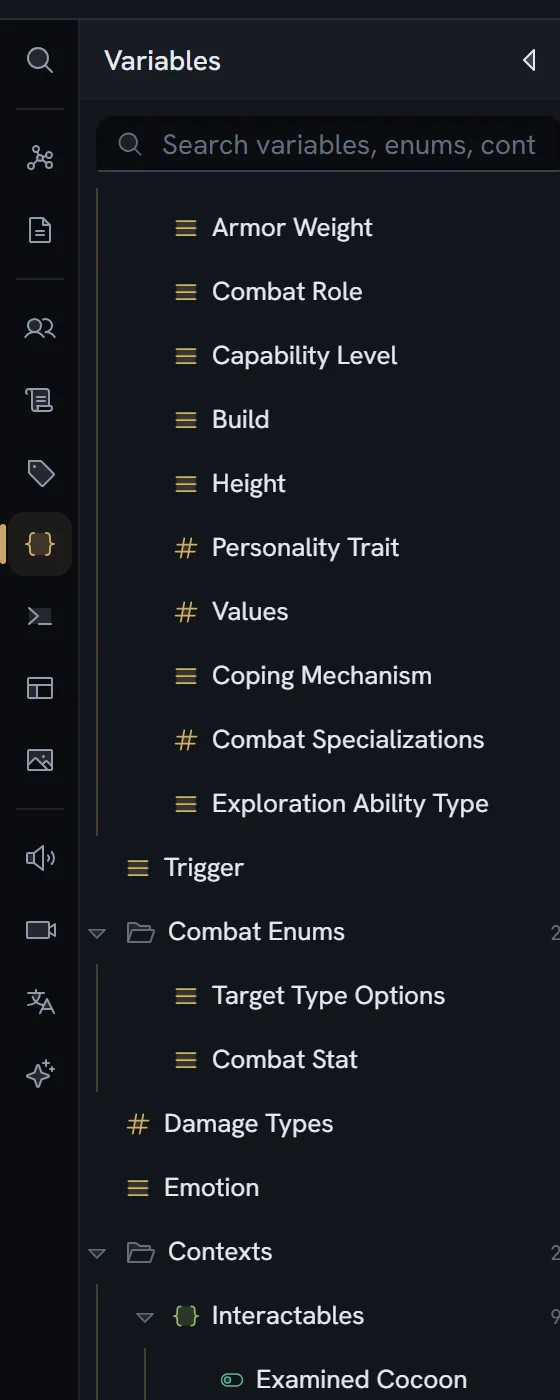
The Variables section, Ctrl+6. Four first-class object types share its tree: variables,
contexts, enums and bitmasks. Contexts, enums and bitmasks have no section of their own
— they live here, because they exist to serve variables.
This page also carries the expression language, because a variable is only useful in one.
Variables
| Field | Type | What it is |
|---|---|---|
id | string | |
code | string | The identifier used in expressions |
label | string | |
description | string | |
type | field type | One of the ten below |
multiple | boolean | Asset, entity and select only — a list |
decimal | boolean | Number only. False is a whole number. |
multiline | boolean | Text only. Rendering, never storage. |
defaultValue | value | |
options | option[] | Inline options for a select |
enumRef | string | An enum id — single-valued select |
bitmaskRef | string | A bitmask id — multi-valued select |
associatedEntityId | string | Set at creation only |
tagIds | string[] | |
contextId | string or null | The context binding |
parentId | string or null | Its folder |
order | number | |
createdAt · updatedAt · createdBy |
The ten variable types
Not all twenty field types are legal on a variable. These are:
text · number · boolean · date · asset · entity · select · color · vector3 ·
condition
Excluded on purpose: richText, code, and every reference type — nodeRef, boardRef,
documentRef, variableRef, commandCall, tagRef.
Only three types can be lists: asset, entity and select. The Multiple values (list)
checkbox appears for those and nowhere else.
The form
One Details section: Code (e.g., skullKeyCount, playerHealth), Label (e.g., Skull Key Count, Player Health), Type, then the type-dependent checkboxes — Multiple values (list), Allow decimals, Multi-line — then Default Value, then either an Options Source (referencing an enum or bitmask) or an inline Options list, then Description (What does this variable track?).
Contexts
A context is a named container that groups related variables. Variables in a context are
referenced with a dot: contextCode.variableCode.
| Field | Type |
|---|---|
id, code, label, description | string |
parentId, order | Its folder and its place in it |
createdAt · updatedAt · createdBy |
Form placeholders: Code e.g., playerStats, inventory, questState; Description Optional description of what variables this context groups.
How a dotted name resolves
The variable carries contextId; the context has no member list. Resolving story.gold:
- Try
story.goldas a bare code first. A variable literally codedstory.goldcannot exist — a code has no dots — so this fails, but it is tried first so that an unqualified variable always wins. - Split at the first dot. Find the context whose
codeisstory. - Find the variable coded
goldwhosecontextIdis that context.
At play time the qualified code is the key the runtime stores against.
Enums and bitmasks
Structurally identical — one form edits both, switched by which it is. An enum is a pick one; a bitmask is a pick several.
| Field | Type |
|---|---|
id, code, label, description | string |
options | option[] |
parentId, order | |
createdAt · updatedAt · createdBy |
An option
| Field | What it is |
|---|---|
id | |
value | The string code a game engine receives. This is what a select field stores. |
label | What you see |
intValue | Assigned automatically — see below |
color | |
order | Display order only |
How intValue is assigned
| First option | Each next option | |
|---|---|---|
| Enum | 0 | the highest so far, plus 1 |
| Bitmask | 1 | the highest so far, times 2 — so 1, 2, 4, 8, 16… |
There is no enforced cap on the number of bitmask bits. The next value is always the previous
one doubled, with no ceiling, and the generated C# enum declares no explicit underlying type — so it
is C#‘s default int. What happens past 31 options is not asserted anywhere in the code; treat 31
as the practical ceiling until it is.
The expression language
One language, three entry points, and the difference between them is enforced by the grammar rather than by a check.
| Entry point | Used for | May call a command? |
|---|---|---|
| Script | code script fields, run when the flow enters a node | |
| Single expression | Gates on an exit, inline expression editors | |
| Condition statement | if / elseif / else / endif markers inside rich text |
The purity split is structural: the pure hierarchy has its own grammar productions, and the code path from a gate to a command call does not exist. A condition cannot change anything because there is no syntax for it to do so.
Operators, tightest binding first
| Level | Operators | Arity | Associativity | Accepts |
|---|---|---|---|---|
| 1 | ! - (prefix) | 1 | right | Anything. !x is not truthy; -x coerces to a number. |
| 2 | * / % | 2 | left | Both sides coerced to numbers. Dividing or taking a modulo by zero gives 0, never infinity or NaN. |
| 3 | + - | 2 | left | See below |
| 4 | == != < > <= >= | 2 | left | See below |
| 5 | && | 2 | left | Short-circuits, and absorbs errors |
| 6 | || | 2 | left | Short-circuits, and absorbs errors |
+ and - are set operations when a list is involved. For +: if either side is a list it is a
union; otherwise if either side is a string it is a text join; otherwise it is numeric addition.
For -: if the left side is a list it is a difference; otherwise numeric subtraction.
== and != compare lists as multisets — order-insensitive. The four orderings compare
lexicographically when both sides are non-numeric text, and numerically otherwise.
There is no ternary, there are no bitwise operators, and there is no while: the language is
deliberately not Turing-complete. The word forms and, or, not and is are reserved and
unimplemented.
Assignment operators are statement-level, not expression-level: =, +=, -=, *=, /=,
%=. The compound forms follow the rules above, so += on a list is a union and -= on a list is a
difference. Dividing by zero still gives 0.
Statements
Available in a script only:
| Statement | Form |
|---|---|
if | if (…) · elseif (…) · else · endif |
for | for (name in expression) … endfor, with break and continue |
let | let name = expression — block-scoped |
| assignment | to a variable, a dotted name, or an entity field |
| method call | one of the ten below |
| command call | see commands |
A statement may end with an optional ;. A method call’s receiver may be dotted —
kim.traits.add("brave") — and the split is at the last dot.
Literals and names
| Form | Notes |
|---|---|
| Number | 12, 3.5 |
| String | Double or single quotes. A backslash escapes any character; an unrecognised \X decodes to X. |
| Boolean | true, false |
| Identifier | [a-zA-Z_][a-zA-Z0-9_]* |
| Member access | a.b, a.b.c |
| Array literal | [a, b, c] — it flattens, so nesting collapses |
| Parentheses | (…) |
| Comment | // … to end of line |
A dotted name resolves in this order: a named expression, then a context-qualified variable, then
an entity field (the playthrough overlay first, the authored value as the default), then an
enum value (GameState.Playing).
An entity field is everything after the first dot. That is how a field an item gets from its
parent definition (morrow.health) and a field a trait adds (morrow.stats.armor, the trait’s
prefix in front) are written: an item can be read by every field its form shows. A longer path that
names no field is refused as having too many dots.
Reserved and refused as identifiers: if elseif else endif for endfor in break continue while do switch case default let const var function return try catch throw true false null undefined and or not is.
The built-in functions — all 47
Numbers
| Function | Signature | Notes |
|---|---|---|
abs | abs(number) | |
round · floor · ceil | round(number) | |
sqrt | sqrt(number) | A negative input gives 0 |
pow | pow(number, power) | |
sign | sign(number) | |
min · max | min(a, b, …) | One or more arguments |
clamp | clamp(number, lowest, highest) |
Text
| Function | Signature | Notes |
|---|---|---|
upper · lower · trim | upper(text) | |
startsWith · endsWith | startsWith(text, start) | Returns a boolean |
replace | replace(text, find, put) | |
substring | substring(text, from, length) | 0-based; length optional |
split | split(text, separator) | Returns a list |
join | join(list, separator) | |
text · number | text(value) | Conversion |
Lists
| Function | Signature | Notes |
|---|---|---|
count | count(list) | A string counts its characters |
empty | empty(value) | |
contains | contains(list, thing) | |
first · last | first(list) | Returns a single value |
reverse · sorted | sorted(list) | sorted is stable, over a total order |
sum | sum(list) | |
union · except · intersect | union(a, b) | |
list | list(value, …) | list() is the empty list |
vec3 | vec3(x, y, z) |
Over a list, with a binding — the second argument is a bare name bound over the third, which is evaluated once per item:
| Function | Signature | Returns |
|---|---|---|
any · all · none | any(list, name, test) | boolean |
filter | filter(list, name, test) | list |
map | map(list, name, value) | list |
countWhere | countWhere(list, name, test) | number |
sortBy | sortBy(list, name, value) | list, stable |
So filter(items, x, x > 3) — x is a name, not a value.
The playthrough
| Function | Signature | Notes |
|---|---|---|
visits | visits(nodeId) | How many times |
seen | seen(nodeId) |
Random — impure, and refused in a condition
| Function | Signature |
|---|---|
random | random() |
randomInt | randomInt(lowest, highest) — both ends inclusive |
roll | roll(sides) |
pick | pick(list) |
The ten methods on a variable
| Method | Signature | Returns | Pure |
|---|---|---|---|
has | has(value) | boolean | |
hasnt | hasnt(value) | boolean | |
hasany | hasany(a, b, …) | boolean | |
hasall | hasall(a, b, …) | boolean | |
count | count() | number | |
add | add(value, …) | list | |
remove | remove(value, …) | list | |
toggle | toggle(value) | list | |
set | set(value, …) | list | — set() empties it |
clear | clear() | list |
Every argument is flattened, so a list argument counts as its members. has(list) means holds
all of them. hasnt means holds none of them — it is not !has. toggle flips each value
independently.
Type coercion
| Coercion | Rule |
|---|---|
| To boolean | null false · 0 false · "" false · [] false |
| To number | null 0 · non-finite 0 · true/false 1/0 · a string parsed, unparseable is 0 · a list becomes its length |
| To text | null empty · a number without exponent, at most 6 decimals, trailing zeros trimmed · a list joins with ", " |
| To list | null empty · a scalar becomes a one-element list |
Numbers and their own numeric text compare equal; a non-numeric string and a number do not.
Named expressions
A variable whose type is condition is a named expression, not a value: its text is evaluated
wherever the name is used. It is always evaluated in pure mode whatever the outer mode, and a
self-reference is refused.
There are no parameters, no call stack and no recursion.
The budget
| Limit | Value |
|---|---|
| Expression size | 5,000 parts |
| Operations per invocation | 200,000 |
| Nesting depth | 64 |
| Items in one value | 100,000 |
| Characters in one value | 1,000,000 |
These are enforced in the browser. Nothing on the server checks them. The look-ahead pass that decides which options are available pays the operation budget too.
What breaks
A runtime error never ends the playthrough. A gate that throws reads false, loudly recorded.
&& and || absorb an error on one side when the other side already decides the result.
| Code | When | Example message |
|---|---|---|
unsupported | The language cannot read it | There’s a mistake in this script here — the language can’t read it. · name(…) needs N parts, but got M. Write it as «signature». |
bad-method | No such method | 'obj' has no action called 'm'. Available: has, hasnt, hasany, hasall, count, add, remove, toggle, set, clear. |
impure | A command or an impure function reached a gate | A condition can’t change anything, and 'm' changes 'obj'. Move it into a script that runs on the node. · A condition can only use the built-in functions, and 'name' isn’t one. If it’s one of your commands, it belongs in a script — a condition must not change anything. |
budget | Too much work, or a value too large | This script did too much work and was stopped after 200,000 steps… · …built a list too large to store (limit 100,000 items)… |
too-large | The expression itself is too big | This expression is too large to run (N parts, limit 5,000). Break it into smaller pieces. |
cycle | A named expression refers to itself | 'name' is defined in terms of itself, so its value can never be worked out. |
internal | Anything unanticipated | Something went wrong running this script. |
The trace is the “why was this false?” feature. Every evaluation records each part, its value, its depth, whether it errored, and whether it was skipped by a short-circuit — which is a different thing from having evaluated to false. In play mode it is the Why this step? button.
The visual builder
Every condition and script can be edited as rows instead of as text, and the toggle is per control.
The architecture is worth knowing because it decides what you can trust: text is the source of truth, and the visual surface is a projection of it. The builder parses with the same parser and reads the same function and method registries, and serialises back through the same encoder — so there is only ever one tree, not two that could disagree.
The parse into rows is lossy, so every row records the exact source range it came from, and an edit splices only that range. Anything the builder cannot draw is preserved byte for byte.
Switching Code → Visual is refused unless every control parses. Switching Visual → Code always works.
The builder covers the whole language: all 47 built-ins through one operation row derived from the
registry, all ten methods on any receiver the grammar admits, real for / let / break /
continue rows, and the compound assignment operators. The one thing with no builder affordance is a
named expression, which is still authored as a condition variable.
Limits
Nothing caps variables, contexts, enums, bitmask options or expression length on the server — no guard reads such a number, on any plan, and none of these object types is plan-gated. The browser budgets above are the only ceilings that exist.