Commands
How the story tells a game to do something — the declaration, the nine parameter types, the waiting switch, and exactly what crosses the boundary.
All documentation — Variables, logic and commands
Boards and the canvas
The node builder
Modelling the world
Variables, logic and commands
Voice and audio
AI
Working together
Project settings
On this page
The Commands section, Ctrl+7. A command is how the story asks the game to do something the
story cannot do itself — play a cutscene, start a minigame, move a camera, award an achievement.
It is the one concept authored on this side of the line and implemented on the other. A command you declare here becomes a method a programmer fills in; what they receive is the Unity plugin’s documentation.
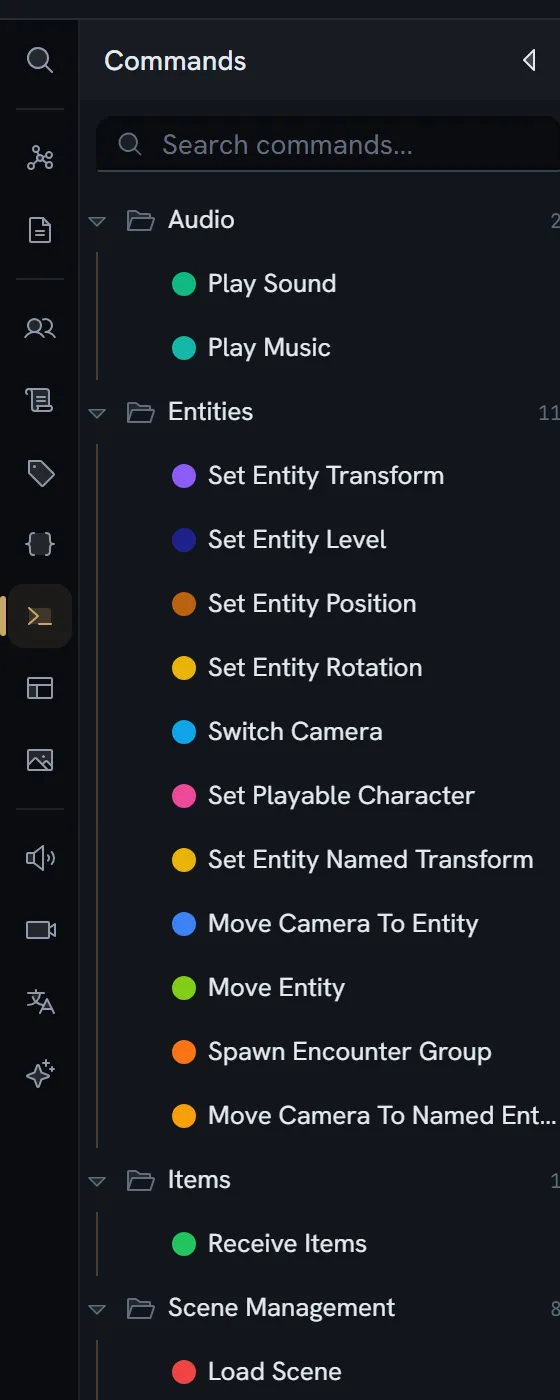
A command
| Field | Type | What it is |
|---|---|---|
id | string | |
code | string | delay, setActive — the name a script calls |
label | string | |
color | string | A hex value |
description | string | |
awaits | boolean | Whether the story waits. See below. |
fields | parameter[] | The parameters, in order |
tagIds | string[] | |
parentId · order | Its folder and place | |
createdAt · updatedAt · createdBy |
A parameter
| Field | Type | What it is |
|---|---|---|
id | string | |
order | number | Optional on read. Legacy parameters have none and are held in place by a stable sort. |
code | string | Used in exports |
label | string | |
type | field type | One of the nine below |
multiple | boolean | Asset, entity and select |
decimal | boolean | Number — false is a whole number |
multiline | boolean | Text |
options | option[] | Inline options for a select |
allowedTypes | media type[] | Restricts an asset parameter |
allowedEntityDefinitions | string[] | Restricts an entity parameter |
optional | boolean |
A new parameter defaults to type text.
The nine parameter types
text · number · boolean · date · asset · entity · select · color · vector3
One fewer than a variable’s ten: condition is excluded, along with richText, code and every
reference type.
Required before optional
Making a parameter optional makes every later one optional; making one required makes every earlier one required. It is enforced as a cascade rather than as a validation message you have to read and fix — the rule cannot be violated, so it never needs to be reported.
When the story waits
The switch is labelled The story waits for this command to finish. It is for commands that take time — a cutscene, a minigame, an animation — where the game tells the story when it has finished.
Switch it on only where the game will implement it. A waiting command the game has not implemented does not break the game’s build and does not hang the story: when the story calls it, the wait fails with an error naming the method the programmer has to write, and the story carries on.
| Setting | Behaviour |
|---|---|
| Off (the default, and what an absent value means) | Fire and forget. The game is told to run the command and the story moves on immediately. |
| On | The story stays parked on the calling node until the game reports the command done. |
What it does to generated code
| Case | What the game gets | If the game has not implemented it |
|---|---|---|
| Not awaited | public virtual void On{Name}(«params») | it runs, and warns once, naming the method |
| Awaited | public virtual void On{Name}Async(«params», CommandCompletion completion) | it fails the wait with an error naming the method, and the story carries on |
Every command is optional to implement and never silent, in Unity and Unreal alike: the game’s build compiles whether it answers a command or not — so a command a pack brings never breaks it — and a command it has not answered says so when the story calls it.
The completion object the game receives carries the command’s code, its arguments, an optional result variable code, and whether it has completed, gone stale, or failed. Settling it twice, from the wrong thread, or after the story restarted are each reported and dropped rather than corrupting the run. When the command completes with a result, the engine writes it into the result variable before the node’s exit gates run, so a gate can read what the game just decided.
What actually crosses the boundary
Two paths, and they carry different things.
A command called from a script
What crosses is the command’s code plus positional arguments. Not its id, and not a named bag.
The generated registration coerces each argument to a C# type and calls the typed method, so at the implementation you receive individual typed parameters:
| Parameter type | C# type |
|---|---|
text, date, color | string |
number, whole | int |
number, decimal | float |
boolean | bool |
asset or entity, single | string |
asset or entity, multiple | List<string> |
select, multiple | List<string> |
select, single, enum-backed | The generated enum type |
select, single, inline options | string |
vector3 | Vector3 |
Plus a trailing completion object when the command is awaited.
A command stored in a field
A commandCall field holds a command and its arguments as data rather than
calling it. In the payload it arrives as {kind: 'command', code, args} — again the code and
positional arguments, for the same reason.
Calling one from a script
A command call is a statement, available in a script and nowhere else. A gate on an exit structurally cannot call one — the grammar for a pure expression has no production for it — and attempting it says so:
A condition can only use the built-in functions, and
'name'isn’t one. If it’s one of your commands, it belongs in a script — a condition must not change anything.
Limits
Nothing caps the number of commands or parameters per command. No guard reads such a number, on any plan, and commands are not plan-gated.
What breaks
| Situation | What happens |
|---|---|
| A command is called from a gate | Refused, with the message above |
| An awaited command is not implemented in the game | The build compiles. When the story calls it, the wait fails with an error naming the method to write, and the story carries on — it never hangs waiting for something nobody wrote. |
| A command that does not wait is not implemented in the game | The build compiles. When the story calls it, it does nothing and warns once, naming the method. |
| A completion is settled twice | The second is reported and dropped |
| A completion is settled off the engine’s thread | Reported and dropped |
| A completion arrives after the story restarted | Reported and dropped as stale |
| An enum-typed parameter | The plugin can read one, but nothing in the app writes it today — an enum-backed command parameter cannot yet be authored. Use a select with inline options, which arrives as a string. |