Documents and spreadsheets
Lore documents and spreadsheets are one object with two kinds. The record, the editor, how mentions work, and what a plan gate actually blocks.
All documentation — Modelling the world
Boards and the canvas
The node builder
Modelling the world
Variables, logic and commands
Voice and audio
AI
Working together
Project settings
On this page
The Documents section, Ctrl+2. Prose that is not on a board: setting notes, character
biographies, timelines — and the tables that go with them.
One object, two kinds
Documents and spreadsheets are the same object type, in the same collection, distinguished by a
docKind field with exactly two values.
docKind | sheetMode | What you get | Menu entry |
|---|---|---|---|
richtext (the default; stored as absent) | — | A prose editor | New Document |
spreadsheet | typed (stored as absent) | A typed table | New Table |
spreadsheet | freeform | An untyped grid | New Free-form Sheet |
The tree’s context menu: New Document · New Table · New Free-form Sheet · New Folder · Import Document… · Rename · Delete. The dialogs read Create Document, Create Table (Enter a name for the new spreadsheet) and Create Free-form Sheet (Enter a name for the new free-form (untyped) sheet).
A document record
| Field | Type | Required | What it is |
|---|---|---|---|
id | string | Yes | |
type | "document" | Yes | Distinguishes it from a folder in the same tree |
title | string | Yes | |
parentId | string or null | Yes | Its folder |
order | number | Yes | |
createdAt · updatedAt | number | Yes | Epoch milliseconds |
createdBy | string | Yes | |
contentRef | string | A presence marker: a snapshot of the body exists in object storage | |
textCache | string | A plain-text mirror, up to about 64 KB, used for mention previews and the AI’s context | |
docKind | richtext · spreadsheet | Absent means richtext | |
sheetMode | typed · freeform | Spreadsheets only; absent means typed |
The body does not live on the record. Each document has its own collaborative sub-document, so opening one loads only that one, and its undo history is its own.
The editor
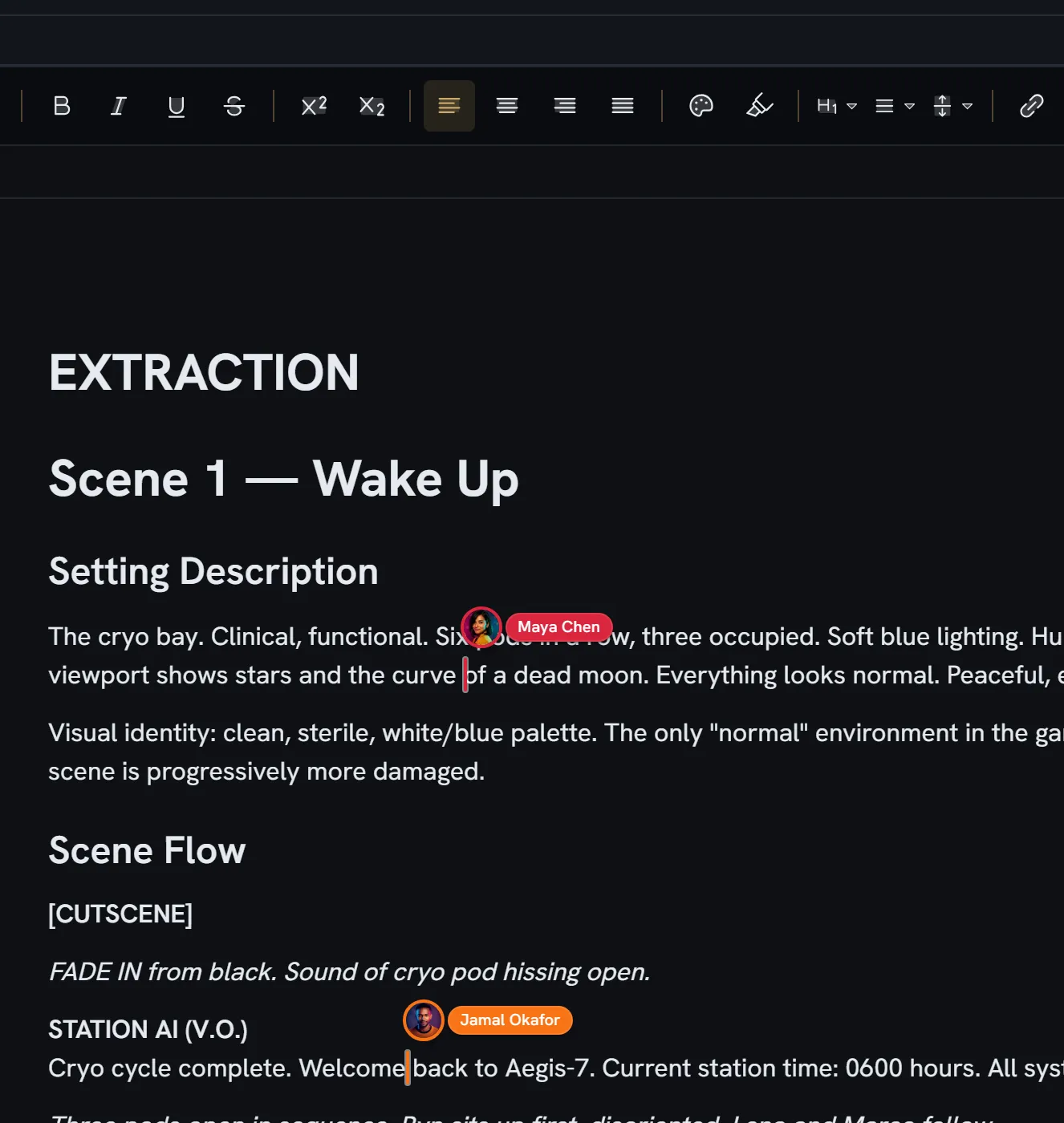
The prose editor is ProseMirror, wired directly rather than through a wrapper. The body is a collaborative XML fragment on the document’s own sub-document, which is what makes character-level merging work between two people typing in the same paragraph.
A spreadsheet’s content roots on that same sub-document: its metadata, its row and column order, its column definitions, its row metadata, and its cells — plain and rich.
Which rich-text formatting is available inside node editors is a project setting; see project settings.
Mentions
Typing @ in a document opens the mention picker. @ is the only trigger; a separate / opens
slash commands, which are unrelated.
For the @ to fire it must be at the start of a block or preceded by whitespace, the cursor must be
collapsed, and you must not be inside a code block. The query may not contain whitespace.
What you can mention in a document: entities, entity definitions, and other documents. The filter cycles through all · entity · definition · document, and results are grouped in that order.
What a mention stores
A mention is an atom — a single indivisible inline node, not a run of text with a link on it. It carries exactly three attributes:
| Attribute | Default |
|---|---|
id | empty |
label | empty |
mentionType | entity |
It serialises to a span carrying those three as data attributes, and renders as @Label.
Clicking a mention navigates to what it names. Backlinks are emitted by walking the mention nodes.
Entities are also mentionable inside entity rich-text fields and inside the entity grid, through one shared builder that offers the entity’s name with its definition as a sublabel, fuzzy-matched, top ten.
Importing
Import Document… accepts .docx, .txt, .md / .markdown, .html / .htm, and the
screenplay formats .fountain, .spmd and .fdx, converting each to prose. It also accepts a
.zip of any of those, importing every document inside it at once; when the archive has folders,
Preserve folder structure (on by default) recreates them in the tree.
A .fountain, .spmd or .fdx file arrives as one paragraph per screenplay element, in order —
a character cue stays alone on its line, above the speech beneath it — so it still reads as a
script, and the AI’s document-to-board conversion can still tell who speaks each line.
Limits and plan gates
Nothing caps the number of documents. No guard reads such a number, on any plan.
Two plan gates touch this area, and they are enforced very differently:
| Gate | Minimum plan | What it gates | Where it is enforced |
|---|---|---|---|
| Documents | Pro | Create, update and delete — never read | At the collaboration socket. An unentitled organization is demoted to read-only rather than refused, plus the REST edges. This one is real. |
| Spreadsheets | Pro | The entity grid view | In the browser only. No server endpoint checks it. |
Documents are bounded indirectly by storage per project, which counts each document’s collaborative snapshot as well as your media — so a text-only project consumes it. The figure per plan is on the pricing page.
What breaks
| Situation | What happens |
|---|---|
| Your organization is below Pro | Documents are available on the Pro plan and above. Existing documents stay readable; edits are dropped at the socket. |
| Your organization is below Pro, for spreadsheets | Spreadsheet views are available on the Pro plan and above. Enforced in the browser only. |
| A mention’s target is deleted | The pill keeps the label it was inserted with; clicking it goes nowhere |
| An entity is renamed | Existing mentions keep the old label |
| A screenplay is imported here rather than in Screenplay | It arrives as plain body text, with no scenes and no boards |